Agent Skills: The Open Standard for Teaching AI Agents New Capabilities

The age of monolithic AI agents is ending. What's emerging is something more modular and powerful: agents that dynamically load specialized knowledge on demand. This shift is driven by Agent Skills.
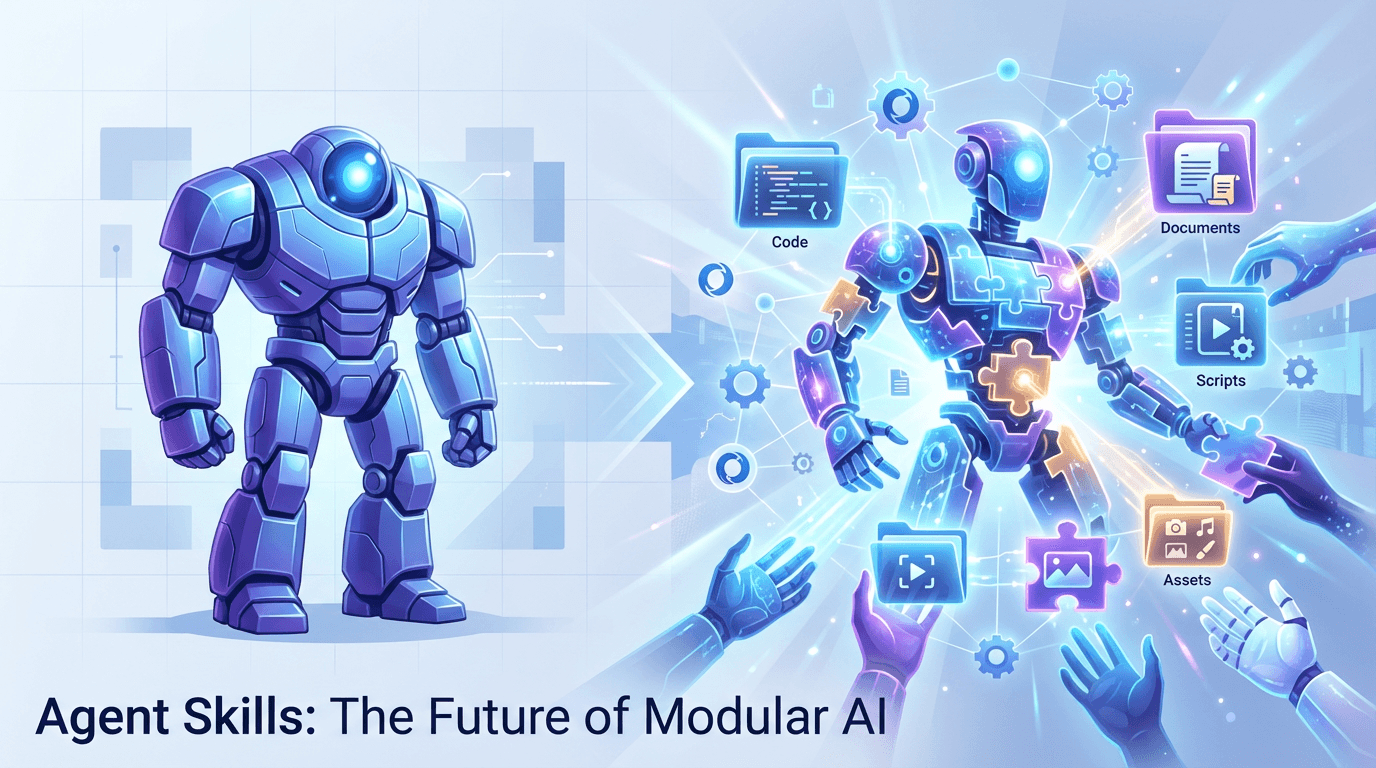
From Generalist to Specialist: The Skill Gap
Modern AI agents are capable generalists. They write code, analyze data, and reason through complex problems. But they lack the procedural knowledge and domain-specific context that separates a competent assistant from an expert collaborator.
Consider a scenario where you need an agent to:
- Create a PowerPoint presentation following your company's brand guidelines
- Query your organization's specific BigQuery schemas
- Build an MCP server following best practices
- Test a web application using Playwright
A general-purpose agent can attempt these tasks, but it will stumble. It doesn't know your brand colors. It hasn't seen your database schemas. It doesn't understand the nuances of MCP server architecture. Every session becomes a tedious process of re-explaining context that should persist.
Agent Skills solve this problem.
What Are Agent Skills?
Agent Skills are folders containing instructions, scripts, and resources that agents discover and load dynamically. Think of them as "onboarding guides" for specific domains. They transform a general-purpose agent into a specialized expert with procedural knowledge no model can possess from training alone.
The format is elegantly simple. A minimal skill is just a folder with a SKILL.md file:
my-skill/
└── SKILL.md
More complex skills can bundle additional resources:
my-skill/
├── SKILL.md          # Required: instructions + metadata
├── scripts/          # Optional: executable code
├── references/       # Optional: documentation
└── assets/           # Optional: templates, resources
Recommended
Nvidia Paid 86 Times Revenue for Hugging Face

Nvidia just spend $12.93 billion on Hugging Face, a company producing roughly $150 million in annualized revenue. The multiple is about 86 times revenue. It shifts depending on which number counts. Nvidia's SEC filing pu…
Read nextThe Agent Skills Specification: An Open Standard
What started as an internal Anthropic project has evolved into an open standard. The Agent Skills specification is now maintained at agentskills.io with the full spec available at github.com/agentskills/agentskills.
This matters because Agent Skills aren't locked to a single vendor or product. The specification has been adopted by:
- Claude Code and Claude.ai (Anthropic)
- Cursor
- VS Code (GitHub Copilot)
- OpenCode
- Amp
- Goose (Block)
- Letta
Write once, use everywhere. A skill you create for Claude Code will work in Cursor, VS Code, and any other skills-compatible agent.
The Skills Snowball: Anthropic → OpenAI → VS Code
Agent Skills didn’t appear because someone invented a new AI concept. They spread because the format is boringly practical: “put the know-how in a folder, give it a clear trigger, and let the agent pull it in when needed.”
A quick timeline of how it blew up
- Oct 16, 2025 — Anthropic ships the idea: Agent Skills debut as a filesystem-first way to give agents procedural knowledge (“files and folders,” not magic).
- Dec 18, 2025 — Anthropic opens the standard: the same format is published as an open spec for cross-platform portability (with agentskills.io as the home base).
- Dec 2–10, 2025 — OpenAI adopts the pattern in Codex CLI: Codex CLI adds experimental support for
skills.mdand then expands the workflow so selecting skills injectsSKILL.mdcontent into the session. (OpenAI Developers) - Dec 2025 — Microsoft/GitHub bring it into Copilot + VS Code: Agent Skills are supported across Copilot coding agent, Copilot CLI, and VS Code Insiders, with stable VS Code support “coming soon.” (GitHub Docs)
Why it’s spreading so fast
- It’s Git-native: skills live in repos, get code-reviewed, versioned, and shared like any other artifact.
- It’s vendor-neutral: agentskills.io is explicitly positioning this as an open, multi-tool standard (Cursor/Amp/Goose/VS Code/Claude, etc.).
- It’s “context efficient”: load just the metadata until the user actually needs the specialized workflow (your progressive disclosure section below explains the mechanics).
In other words: Skills are turning into the .editorconfig of agents—tiny file, huge reduction in “wait, how do we do this here again?”
Anatomy of a SKILL.md File
The SKILL.md file is the heart of every skill. It consists of two parts:
1. YAML Frontmatter (Required)
---
name: pdf-processing
description: Extract text and tables from PDF files, fill forms, merge documents. Use when working with PDF documents or when the user mentions PDFs, forms, or document extraction.
---
The frontmatter has two required fields:
| Field | Constraints | Purpose |
|---|---|---|
name | 1-64 chars, lowercase, hyphens only | Unique identifier |
description | 1-1024 chars | Tells agents what the skill does and when to use it |
Optional fields include:
license: The license applied to the skillcompatibility: Environment requirements (e.g., "Requires git, docker, jq")metadata: Arbitrary key-value pairs for custom propertiesallowed-tools: Pre-approved tools the skill may use (experimental)
2. Markdown Body
The markdown body contains the actual instructions. There are no format restrictions, but effective skills typically include:
- Step-by-step procedures
- Examples of inputs and outputs
- Common edge cases
- References to bundled resources
The Description Field: Your Skill's Trigger
The description field deserves special attention because it's the primary mechanism for skill activation. Agents use this field to determine when a skill is relevant.
Poor description:
description: Helps with PDFs.
Good description:
description: Extract text and tables from PDF files, fill PDF forms, and merge multiple PDFs. Use when working with PDF documents or when the user mentions PDFs, forms, or document extraction.
The good description is actionable. It tells the agent exactly what the skill does and includes trigger phrases that help match user requests.
Progressive Disclosure: Managing Context Efficiently
Skills use a three-level loading system to manage context window usage efficiently:
Level 1: Metadata (~50-100 tokens)
At startup, agents load only the name and description of each available skill. This is always in context, providing just enough information to know when a skill might be relevant.
Level 2: Instructions (<5000 tokens recommended)
When a task matches a skill's description, the agent reads the full SKILL.md body into context. This is the skill's "activation" moment.
Level 3: Resources (As needed)
Bundled files in scripts/, references/, and assets/ are loaded only when required. This could be documentation for complex operations, executable scripts, or template files.
This pattern keeps agents fast while giving them access to deep context on demand.
Bundled Resources: Scripts, References, and Assets
Scripts (scripts/)
Executable code for tasks requiring deterministic reliability or that would otherwise be rewritten repeatedly.
scripts/
├── rotate_pdf.py        # Rotate PDF pages
├── extract_tables.py    # Extract tabular data
└── merge_documents.py   # Combine multiple PDFs
When to use scripts:
- Operations that need 100% reliability
- Complex procedures that would clutter the SKILL.md
- Code that's repeatedly regenerated during conversations
Scripts can be executed without loading into context, saving tokens while ensuring consistent behavior.
References (references/)
Documentation intended to be loaded as needed. This is where detailed schemas, API docs, and domain knowledge live.
references/
├── schema.md           # Database schemas
├── api_reference.md    # API documentation
├── policies.md         # Company policies
└── workflows/
    ├── approval.md
    └── review.md
Best practice: For files longer than 100 lines, include a table of contents at the top so agents can see the full scope when previewing.
Assets (assets/)
Files not intended for context loading, but used in the skill's output.
assets/
├── logo.png            # Brand images
├── template.pptx       # PowerPoint template
├── fonts/              # Typography
└── boilerplate/        # Starter code
Assets are copied, modified, or referenced in outputs without consuming context tokens.
Real-World Skill Examples
Let's examine some skills from Anthropic's skills repository to understand patterns:
Brand Guidelines Skill
This skill applies Anthropic's brand identity to artifacts:
---
name: brand-guidelines
description: Applies Anthropic's official brand colors and typography to any sort of artifact that may benefit from having Anthropic's look-and-feel. Use it when brand colors or style guidelines, visual formatting, or company design standards apply.
---
The body includes color values, typography rules, and implementation details, capturing domain knowledge an agent couldn't know from training.
MCP Builder Skill
A more complex skill for creating MCP servers:
---
name: mcp-builder
description: Guide for creating high-quality MCP (Model Context Protocol) servers that enable LLMs to interact with external services through well-designed tools. Use when building MCP servers to integrate external APIs or services.
---
This skill includes:
- A four-phase workflow (Research, Implementation, Review, Evaluation)
- Links to reference documentation in
reference/subfolder - Language-specific guides for TypeScript and Python
- Quality checklists and best practices
The skill demonstrates the progressive disclosure pattern: core workflow in SKILL.md, detailed implementation guides in references.
Web App Testing Skill
A toolkit skill for Playwright-based testing:
---
name: webapp-testing
description: Toolkit for interacting with and testing local web applications using Playwright. Supports verifying frontend functionality, debugging UI behavior, capturing browser screenshots, and viewing browser logs.
---
This skill bundles:
scripts/with_server.py- Server lifecycle managementexamples/- Common testing patterns- Decision trees for choosing testing approaches
The SKILL.md instructs agents to use scripts as black boxes: "Always run scripts with --help first." This keeps context lean while providing robust functionality.
Creating Your First Skill
Step 1: Understand the Use Cases
Before writing any code, identify concrete examples of how your skill will be used:
- What specific tasks will trigger this skill?
- What does the user say that should activate it?
- What domain knowledge is required?
Step 2: Plan Reusable Resources
For each use case, ask:
- Is code being rewritten repeatedly? → Add to
scripts/ - Is documentation needed for context? → Add to
references/ - Are templates or assets used in output? → Add to
assets/
Step 3: Create the Skill Structure
Start with a minimal structure:
my-skill/
└── SKILL.md
Add directories as needed:
my-skill/
├── SKILL.md
├── scripts/
│   └── main.py
├── references/
│   └── api_docs.md
└── assets/
    └── template.json
Step 4: Write the SKILL.md
---
name: my-skill
description: [What it does] + [When to use it] + [Trigger keywords]
---

# My Skill

## Overview
[Brief introduction]

## Workflow
[Step-by-step process]

## Examples
[Concrete usage examples]

## Reference Files
- **scripts/main.py**: [What it does]
- **references/api_docs.md**: [When to read it]
Step 5: Validate and Test
Use the skills-ref CLI to validate your skill:
skills-ref validate ./my-skill
Then test it in your preferred skills-compatible agent.
Design Principles
Be Concise
The context window is a shared resource. Only include information the agent doesn't already have. Challenge each paragraph: "Does this justify its token cost?"
Prefer concrete examples over verbose explanations.
Match Freedom to Fragility
High freedom (text-based instructions): Use when multiple approaches are valid and context determines the best choice.
Medium freedom (pseudocode or parameterized scripts): Use when a preferred pattern exists but variation is acceptable.
Low freedom (specific scripts, few parameters): Use when operations are fragile, error-prone, or must follow an exact sequence.
Avoid Redundancy
Information should live in either SKILL.md or reference files, not both. Keep core procedures in SKILL.md; move detailed reference material to separate files.
Don't Over-Document
Skills are for agents, not humans. Don't create:
- README.md (the SKILL.md is the readme)
- INSTALLATION_GUIDE.md
- CHANGELOG.md
- QUICK_REFERENCE.md
If an agent needs it, put it in SKILL.md or references. If it's for humans, it doesn't belong in the skill.
Integrating Skills Into Your Agent
If you're building an agent that should support skills, the integration guide at agentskills.io/integrate-skills provides the full specification.
Two Integration Approaches
Filesystem-based agents operate within a computer environment (bash/unix). Skills are activated when the model issues commands like cat /path/to/my-skill/SKILL.md. This is the most capable approach since agents can natively execute bundled scripts.
Tool-based agents don't rely on a computer environment. Instead, they define tools for skill activation and resource access. Implementation details are left to the developer.
Injecting Skills into Context
At startup, parse the frontmatter of each SKILL.md and inject metadata into the system prompt:
<available_skills>
  <skill>
    <name>pdf-processing</name>
    <description>Extract text and tables from PDF files...</description>
    <location>/path/to/skills/pdf-processing/SKILL.md</location>
  </skill>
</available_skills>
The agent uses this metadata to decide which skills are relevant, then loads the full SKILL.md when needed.
The Future of Agent Skills
Agent Skills represent a fundamental shift in AI capabilities. Rather than training models on everything, we give them the ability to dynamically load expertise on demand.
This has profound implications:
For individuals: Capture workflows and domain knowledge in portable packages that follow you across tools.
For teams: Share institutional knowledge through version-controlled skills ensuring consistency.
For enterprises: Standardize processes while maintaining flexibility. Skills become living documentation.
For the ecosystem: Build once, deploy everywhere. The open spec ensures skills aren't vendor-locked.
Getting Started
-
Explore existing skills: Browse github.com/anthropics/skills to see what's possible
-
Read the specification: agentskills.io/specification has the complete format details
-
Use the reference library: github.com/agentskills/agentskills/tree/main/skills-ref provides validation tools
-
Create your first skill: Start with something simple, iterate based on real usage
The format is intentionally simple. Start with a minimal SKILL.md and add complexity only when needed.
Conclusion
Agent Skills are the missing layer between general-purpose AI and domain-specific expertise. Simple to create, portable across platforms, and increasingly supported by everyday developer tools.
The specification is open. The ecosystem is growing. The potential is just beginning to be explored.
What skills will you teach your agents?
Resources:
- Agent Skills Specification: agentskills.io
- Example Skills Repository: github.com/anthropics/skills
- Reference Library & CLI: github.com/agentskills/agentskills
- Anthropic's Engineering Blog on Skills: Equipping Agents for the Real World
About the Author
Founder at EveryDev.ai
Apple, Disney, Adobe, Eventbrite, Zillow, Affirm. I've shipped frontend at all of them. Now I build and write about AI dev tools: what works, what's hype, and what's worth your time.
Comments
No comments yet
Be the first to share your thoughts