Codebase Cartographer

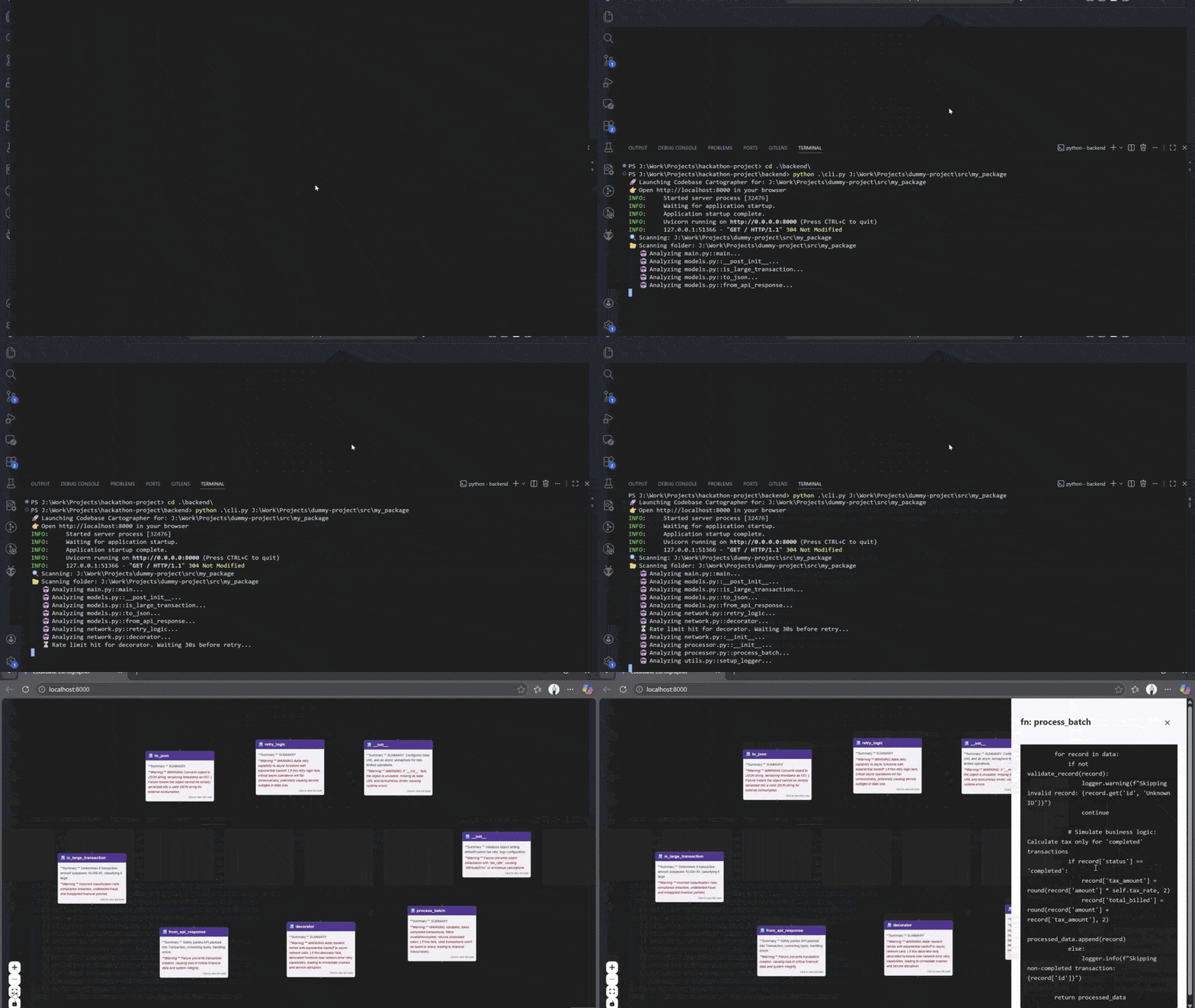
Developers spend 70% of their time just reading code. Onboarding to new codebases or debugging "spaghetti code" is painful because file structures hide logical dependencies. Documentation rots, but code never lies.
The Solution: Codebase Cartographer is a zero-config AI CLI that instantly visualizes your project's architecture.
Hybrid Engine: A custom Python/FastAPI backend with a regex-based polyglot parser (supports Python, JS, TS, Java).
AI Intelligence: Uses Google Gemini 2.5 Flash to generate plain-English summaries and critical risk warnings (e.g., "Editing this function breaks payment processing").
Interactive Map: Renders a navigable React Flow graph of your entire codebase.
Why it helps: It turns invisible dependencies into a visible map. Instead of grepping through 50 files to find a bug, devs can see the flow, understand risks via AI warnings, and fix issues instantly.
Tools & Technologies Used


Build Details
Build Time
Weekend Project
Difficulty
intermediate
Comments (2)
Join the discussion
Sign in to share your thoughts
Really nice work on this! The risk warnings feature is what makes this build special imo. Tools like CodeSee and GitHub’s repo-visualizer show you the dependency graph but they don’t tell you “hey, this function will break payments if you touch it.” That kind of contextual warning from Gemini is super helpful for new devs joining a team who have no idea which files are dangerous to edit.
The visualization space already has some big players (CodeSee got $18M funding, GitHub Next built their own visualizer), but they’re doing static analysis only. So putting LLM intelligence on top to explain the “why” and the risks is a clever angle you should keep pushing.
Curious how do you handle when Gemini gets a warning wrong? like saying something is risky when it’s not, or missing a real risk etc.?
Thanks so much!!! I wanted to move beyond just 'static maps' to something that actually offers an opinion on the code.
To answer your question: It definitely happens! Right now, I mitigate it by keeping the prompts very focused and grounding the AI with specific code snippets. However, the 'Unbreakable' parser I built ensures that the graph itself is never hallucinated—only the text description might be off. I view it as a starting point for the developer to investigate, rather than the final word.