
EveryDev.ai
Sign inSubscribe
  1. Home
  2. Tools
  3. Inspector
Inspector icon

Inspector

Vibe Coding

Visual front-end editor that connects to AI coding agents like Cursor, Claude Code, and Codex for browser-based visual editing.

Visit Website

At a Glance

Pricing

Free tier available

Free desktop application for MacOS

Engagement

Available On

Windows
macOS
API

Resources

Websitellms.txt

Topics

Vibe CodingAI Coding AssistantsBrowser Automation

About Inspector

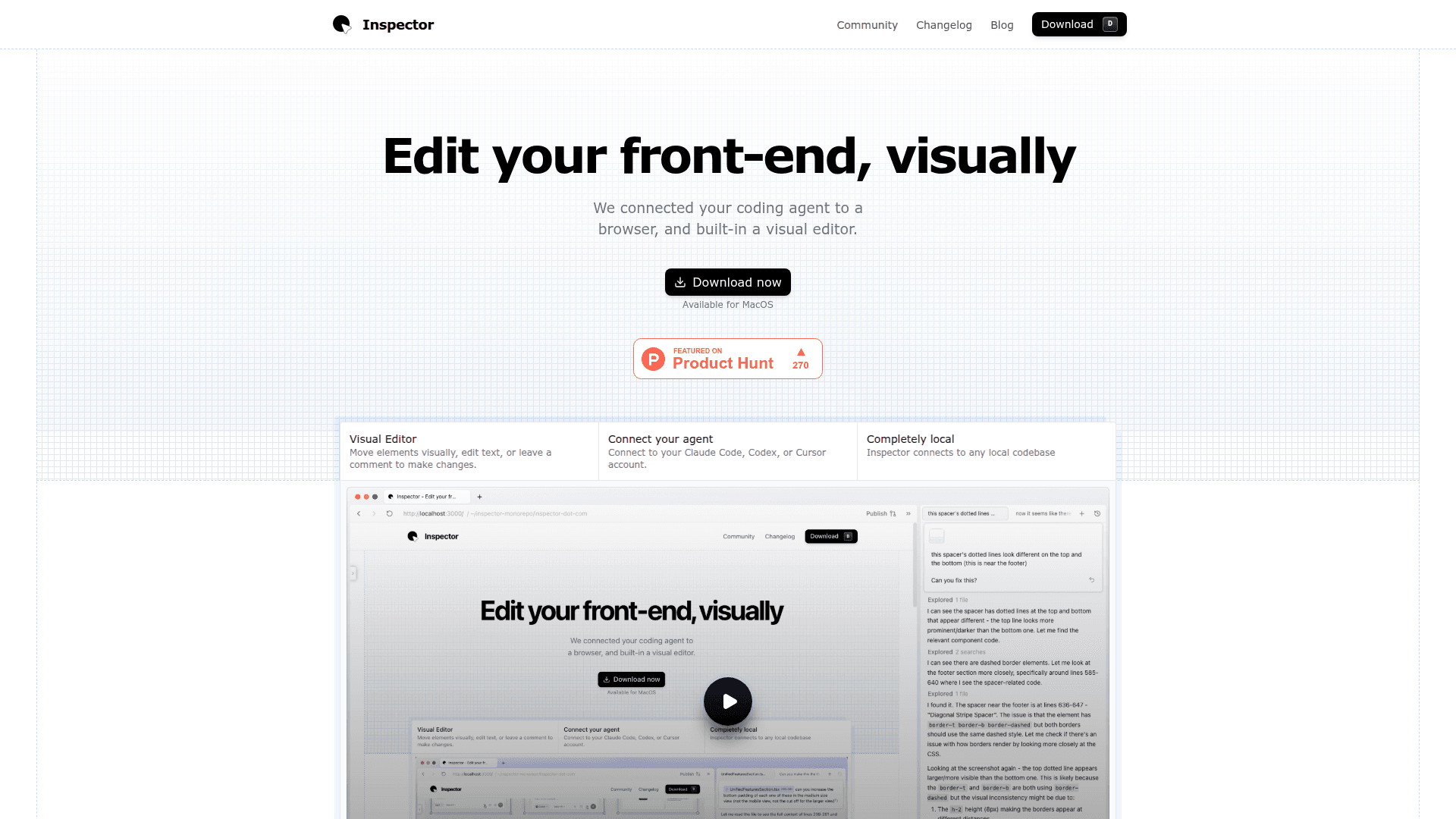
Inspector is a visual front-end editor that connects to AI coding agents like Cursor, Claude Code, and OpenAI Codex. It provides a browser-based visual interface where you can click to edit text, drag to move elements, and leave comments—all changes are applied to your local codebase automatically by the AI. The tool bridges the gap between visual design and code, making it easier for developers and designers to ship front-end changes faster.

  • Visual Element Editing - Move any element visually on the page, click apply, and have the changes saved directly to your codebase without writing code manually.

  • AI Coding Agent Integration - Connect your Claude Code, Cursor, or OpenAI Codex account to leverage AI-powered code generation and modifications through a visual interface.

  • Click-to-Context Linking - Inspector links visual elements to their exact line of code, providing instant context for AI agents to understand what you want to change.

  • Page-Aware Screenshots - Take screenshots that snap to any element on your page, providing visual context for AI coding agents to understand your design intent.

  • Inline Text Editing - Double-click to edit any text on the page and save it directly to your codebase without navigating through files.

  • GitHub Integration - Create branches, commit changes, and publish pull requests directly from Inspector without leaving the application.

  • Completely Local - All data is stored locally on your device. Inspector doesn't train on proprietary code, and chat histories remain on your machine.

  • React Optimization - Works best with React apps, linking visual elements directly to React components in your codebase, though it supports other front-end frameworks as well.

To get started, download Inspector for MacOS, select your codebase or start from a template, and connect to your preferred AI coding agent. If you have projects from tools like Lovable, Figma Make, or Bolt, you can download the code and open the folder in Inspector to continue working on it visually.
Inspector

Community Discussions

Be the first to start a conversation about Inspector

Share your experience with Inspector, ask questions, or help others learn from your insights.

Pricing

FREE

Free Plan Available

Free desktop application for MacOS

  • Visual element editing
  • AI coding agent integration
  • Click-to-context code linking
  • Page-aware screenshots
  • Inline text editing
View official pricing

Capabilities

Key Features

  • Visual element editing with drag-and-drop
  • AI coding agent integration (Cursor, Claude Code, Codex)
  • Click-to-context code linking
  • Page-aware screenshots
  • Inline text editing
  • GitHub integration for version control
  • Local data storage
  • React component linking
  • Template projects
  • Comment-based change requests

Integrations

Claude Code
Cursor
OpenAI Codex
GitHub
React
Lovable
Figma Make
Bolt
API Available

Reviews & Ratings

No ratings yet

Be the first to rate Inspector and help others make informed decisions.

Developer

Inspector Team

Inspector builds a visual front-end editor that connects to AI coding agents like Cursor, Claude Code, and Codex. The tool enables developers and designers to edit codebases visually through a browser-based interface, with all changes applied locally. Inspector focuses on bridging visual design and code generation for faster front-end development.

Read more about Inspector Team
WebsiteX / Twitter
1 tool in directory

Similar Tools

Tempo icon

Tempo

Visual IDE for React development that enables designers, PMs, and developers to collaborate on code with AI assistance and design tools.

BLACKBOX icon

BLACKBOX

AI coding platform with autonomous agents, VS Code extension, and full-stack development capabilities from natural language prompts.

Trickle icon

Trickle

An AI-powered web app and website builder that turns natural language prompts into live, hosted apps with a built-in database and credit-based usage.

Browse all tools

Related Topics

Vibe Coding

Vibe code using low code AI tools that let you build applications with natural language prompts with minimal code.

76 tools

AI Coding Assistants

AI tools that help write, edit, and understand code with intelligent suggestions.

198 tools

Browser Automation

AI-powered agents that autonomously navigate and interact with web applications to automate repetitive tasks, extract data, fill forms, and perform web-based workflows using intelligent understanding of page structure and content.

16 tools
Browse all topics
Back to all tools
Explore AI Tools
  • AI Coding Assistants
  • Agent Frameworks
  • MCP Servers
  • AI Prompt Tools
  • Vibe Coding Tools
  • AI Design Tools
  • AI Database Tools
  • AI Website Builders
  • AI Testing Tools
  • LLM Evaluations
Follow Us
  • X / Twitter
  • LinkedIn
  • Reddit
  • Discord
  • Threads
  • Bluesky
  • Mastodon
  • YouTube
  • GitHub
  • Instagram
Get Started
  • About
  • Editorial Standards
  • Corrections & Disclosures
  • Community Guidelines
  • Advertise
  • Contact Us
  • Newsletter
  • Submit a Tool
  • Start a Discussion
  • Write A Blog
  • Share A Build
  • Terms of Service
  • Privacy Policy
Explore with AI
  • ChatGPT
  • Gemini
  • Claude
  • Grok
  • Perplexity
Agent Experience
  • llms.txt
Theme
With AI, Everyone is a Dev. EveryDev.ai © 2026
Main Menu
  • Tools
  • Developers
  • Topics
  • Discussions
  • News
  • Blogs
  • Builds
  • Contests
Create
Sign In
    Sign in
    0views
    0saves
    0discussions