
Kuku
AI-native Markdown editor with bidirectional links, graph view, and Gemini-powered AI agent for smarter note-taking.
At a Glance
Get started with basic features
Engagement
Available On
Alternatives
Listed Feb 2026
About Kuku
Kuku is an AI-native Markdown editor designed for macOS that combines the power of local file storage with intelligent AI assistance. Built on Tauri v2 with a Rust backend, it delivers native performance in a lightweight ~15MB bundle while using only ~80MB of memory. The app lets you write in plain Markdown files that stay on your disk, compatible with tools like Obsidian, vim, and git.
-
Plain Markdown Storage keeps your files as .md on your local disk with no vendor lock-in, allowing you to open them with any editor or version control system.
-
Bidirectional Links enable wiki-style linking with [[double brackets]], autocomplete suggestions, and a backlinks panel to see all connections to the current document.
-
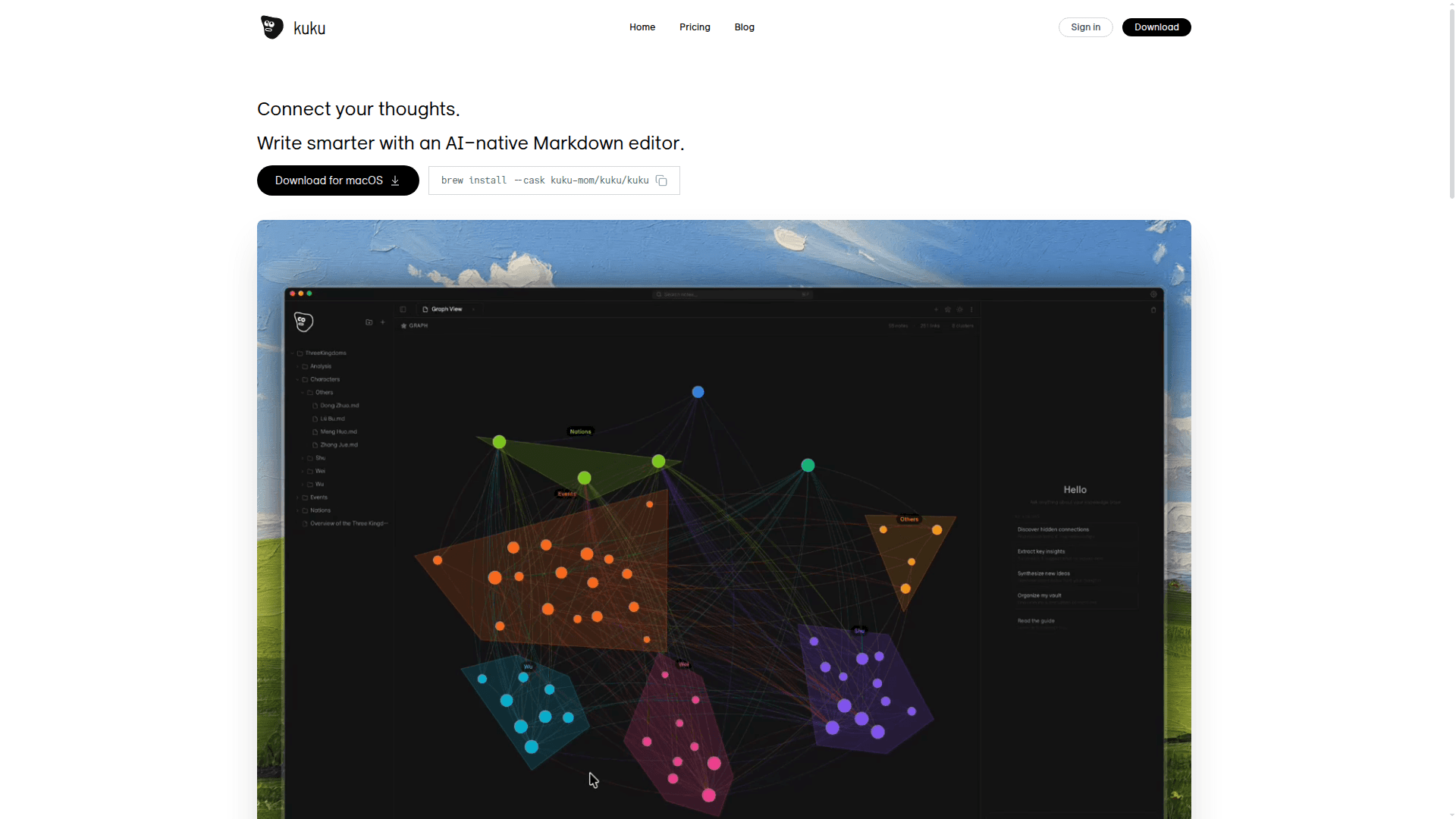
Graph View provides a force-directed visualization of document connections, letting you click to navigate and drag to explore your knowledge network.
-
AI Agent with Tool Calling uses Gemini to search your vault, read files, and create documents automatically—functioning like Cursor but for your notes rather than code.
-
Cursor-style Edit Preview shows AI-suggested edits as diffs before applying them, giving you control to accept or reject each change individually.
-
Local Whisper STT enables offline speech-to-text using whisper.cpp with no API calls required, so voice input works without internet.
-
Full-text Search leverages SQLite FTS5 with BM25 ranking and supports Korean tokenization for fast, accurate document discovery.
-
Native macOS Performance through Tauri means Safari-level performance without Electron bloat—1/10 the bundle size and 1/3 the memory usage.
To get started, download the app from GitHub releases or install via Homebrew with brew install --cask kuku-mom/kuku/kuku. Open any folder containing Markdown files, including existing Obsidian vaults, and start writing. The AI features require a Gemini API connection, but all other functionality works completely offline.
Community Discussions
Be the first to start a conversation about Kuku
Share your experience with Kuku, ask questions, or help others learn from your insights.
Pricing
Free
Get started with basic features
- Limited AI requests
- Core editor features
- Local file storage
- Native performance
- Full-text search
Pro
For power users who need more AI
- 500 AI requests/month
- Memory & Context
- Priority support
- Early access
- Native performance
- Local file storage
- Full-text search
- Graph view
- Wikilinks
- Offline mode
Ultra Thinker
Maximum AI power for heavy users
- 10,000 AI requests/month
- Memory & Context
- For power users
- Early access
- Priority support
- Native performance
- Local file storage
- Full-text search
- Graph view
- Wikilinks
- Offline mode
Capabilities
Key Features
- Plain Markdown file storage
- Bidirectional wikilinks
- Graph view visualization
- AI agent with tool calling
- Cursor-style edit preview with diffs
- Local Whisper speech-to-text
- Full-text search with SQLite FTS5
- BM25 ranking
- Korean tokenization support
- Obsidian vault compatibility
- Offline mode
- Memory and context for AI conversations