How a Roblox Cheat Led to the Vercel Security Breach

In February 2026, a Context.ai employee reportedly downloaded a Roblox auto-farm script, according to Hudson Rock, and infected their laptop with Lumma Stealer. Two months later, Vercel customers were rotating every secret that had ever lived in their project environment variables.
The jump from "Roblox cheat" to "platform-wide secret exposure" sounds absurd. The chain that got us there was short and very normal: stolen workstation credentials, long-lived OAuth tokens, a third-party AI tool, a corporate Google account, and readable environment variables.
That's what makes the April 2026 Vercel breach so instructive. It was a modern supply-chain incident built entirely out of patterns most teams already accept.
The chain
Sources: Vercel's security bulletin, Context.ai's response statement, Guillermo Rauch's X thread on April 19, Hudson Rock's infostealer forensics, and Trend Micro's post-mortem (corrected April 21 after Context.ai's updated disclosure).
-
February 2026. A Context.ai employee downloaded Roblox game exploits. Their machine got infected with Lumma Stealer, which exfiltrated Google Workspace credentials, Supabase keys, Datadog tokens, Authkit logins, and the
support@context.aiaccount. -
March 2026. Context.ai detected unauthorized access to its AWS environment, engaged CrowdStrike, and shut down the environment. Sitting inside that environment were long-lived Google OAuth tokens that Context.ai's now-deprecated AI Office Suite had stored on behalf of some users who had clicked "allow" on its consent screen.
-
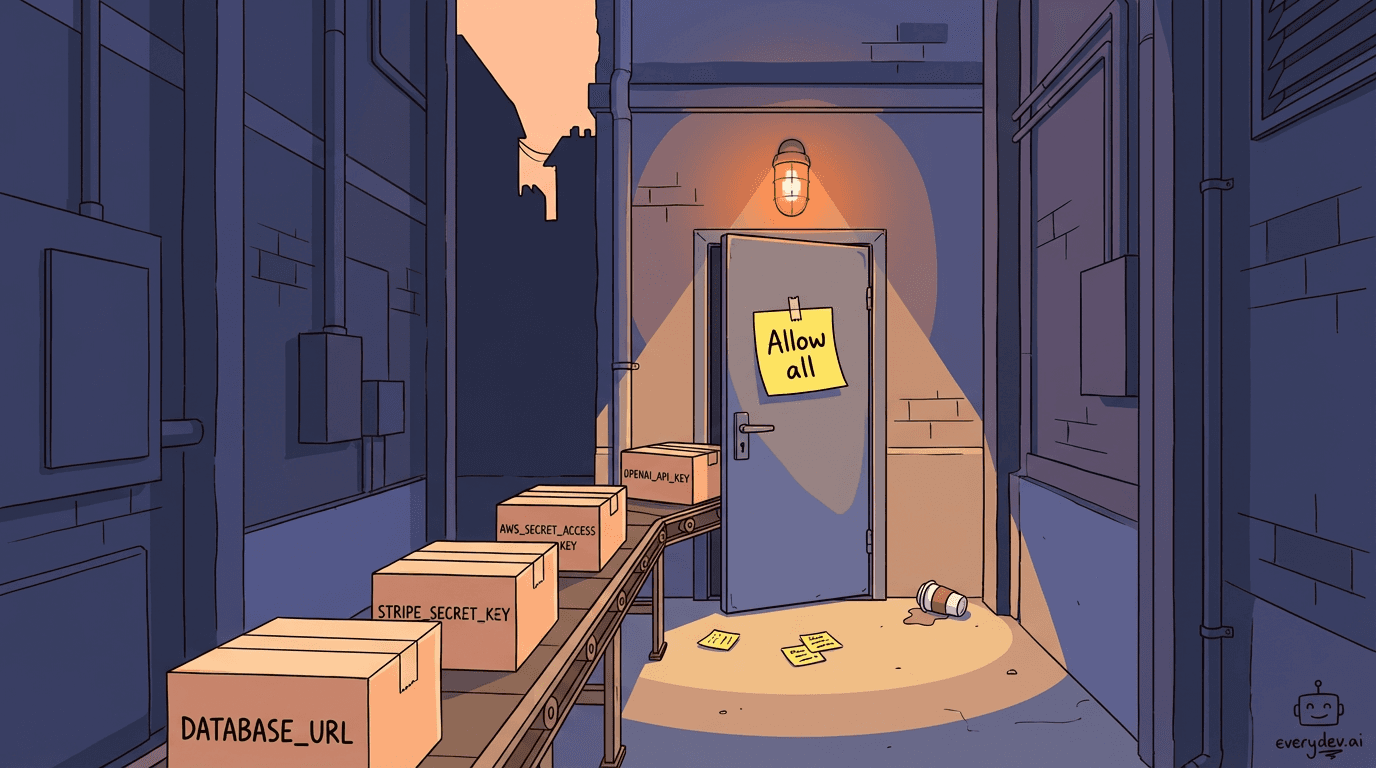
One of those tokens belonged to a Vercel employee. They had signed up for the AI Office Suite using their corporate Google account and granted the full set of requested Workspace scopes. Context.ai's statement puts it plainly: "at least one employee enabled 'allow all' on all requested Google Workspace permissions using their Vercel Google Workspace account."
-
The attacker pivoted. Using the stolen OAuth token, they accessed the Vercel employee's Google Workspace, then escalated into Vercel's internal environments.
-
Environment variable enumeration. Vercel lets you tag env vars as "sensitive" or leave them on the default. Sensitive ones can't be read back, even internally. Non-sensitive ones decrypt to plaintext when accessed from inside. The attacker read the non-sensitive ones. This likely included common secrets such as
DATABASE_URL,STRIPE_SECRET_KEY,OPENAI_API_KEY, andAWS_SECRET_ACCESS_KEY.
Five trust boundaries crossed, with no zero-days or novel techniques.
After the breach became public, a threat actor claimed to be selling the stolen Vercel data on BreachForums for $2 million. I have not seen evidence that Vercel actually paid that amount.
What actually failed
The reflex read is "Vercel got breached." Vercel was the victim, but the failure mode was an OAuth grant issued by a single employee to a small AI SaaS on their work account, without security review.
Every tech company is doing some version of this right now. An employee finds a new AI tool, signs in with their work Google account, and clicks allow because the product will not work otherwise. That grant becomes a long-lived credential. It survives password changes, sits outside normal visibility, and often stays in place until someone explicitly revokes it.
Six months later, the AI SaaS gets breached, and the attacker doesn't need to phish anyone. They already have the tokens.
Jaime Blasco of Nudge Security, quoted in VentureBeat coverage: "OAuth is the new lateral movement. Until the industry treats OAuth tokens as high-value credentials, we're going to keep reading the same breach writeup with the vendor names swapped out."
The list is already long: Codecov (2021), Okta support (2023), CircleCI (2023), Snowflake customers (2024), LiteLLM on PyPI (March 2026), Axios on npm (March 2026), Vercel (April 2026). Different vendors, same arc. Compromise a small upstream SaaS, steal the tokens it holds on behalf of customers and walk into the downstream. The trust relationship is the whole attack.
If you treated OAuth grants the way you treat contractors with keys to the building, you'd already have solved most of this. Almost nobody does.
What Vercel got wrong
The system around the mistake is the problem, not the mistake itself.
Vercel's platform design made the blast radius worse in two ways.
The default was off. Every DATABASE_URL, OPENAI_API_KEY, and STRIPE_SECRET_KEY that any developer ever pasted into Vercel without manually flipping the sensitive toggle was sitting in a state where internal enumeration could read it. Any security control that is opt-in and off by default will be ignored most of the time. That's not Vercel-specific; it's a general UX truth. To their credit, Vercel flipped the default to sensitive within 24 hours of disclosure. The catch is that any older non-sensitive variable created before April 20 remains in the old state until you reclassify it.
Rotating a secret doesn't invalidate old deployments. This is the detail most coverage missed. Per Vercel's docs, each deployment captures its env vars at build time. Previous deployments keep using the old value until you redeploy. If preview URLs from three months ago are still reachable, they still hold the compromised credentials.
So the real rotation playbook is:
- Generate new secrets at the upstream provider (AWS, Stripe, OpenAI, your database).
- Invalidate the old ones at the upstream provider.
- Update the env var in Vercel.
- Redeploy every environment that used it, including preview deployments you want to keep.
- Delete or disable any old deployments you don't want reachable.
Skip step 4, and you've rotated in the dashboard and nowhere else.
One practical note here: if you're triaging a real incident, the Vercel CLI can help speed this up. vercel env ls lets you audit variables across environments, and vercel env update can update existing values. Vercel also supports marking vars as sensitive from the CLI with --sensitive. Just remember that changing an env var still only affects new deployments. Old deployments keep the old value until you redeploy them. If you are cleaning up older non-sensitive vars in the dashboard, Vercel's docs say to remove and re-add them with the Sensitive option enabled.
What to do this week
Today.
- Audit every env var in every Vercel project.
- Mark every credential, token, and secret as sensitive.
- Rotate every non-sensitive secret created before April 20.
- Redeploy every affected environment.
This week.
- Open your Google Workspace admin console: Security -> Access and data control -> API controls -> App access control -> Manage Third-Party App Access.
- Search for the OAuth client ID Vercel published:
110671459871-30f1spbu0hptbs60cb4vsmv79i7bbvqj.apps.googleusercontent.com. If anyone in your org authorized it, revoke and treat the account as possibly compromised. (Triage steps via @acceleratooooor.) - Review every third-party OAuth app with broad scopes (Gmail read, Drive read, Calendar). Revoke anything nobody actively uses. Same exercise for Microsoft Entra ID if you're on Microsoft 365.
- Check CloudTrail, GCP audit logs, or Azure activity logs for use of Vercel-stored credentials from unfamiliar IPs, between February and April 2026.
- Treat unsolicited leaked-key alerts from OpenAI, Anthropic, GitHub, AWS, and Stripe as tier-1 incident signals. One customer reported getting an OpenAI alert nine days before the bulletin dropped. That's the kind of signal that should trigger your incident response, not a Slack emoji.
This month.
- Move secrets out of platform env vars and into a dedicated secret manager (Vault, AWS Secrets Manager, Doppler, Infisical). Inject at runtime; don't bake at build.
- Use OIDC-based authentication for CI/CD where the platform supports it. Long-lived credentials shouldn't need to exist.
- Treat every third-party OAuth grant as a vendor relationship. Quarterly review. Security sign-off for new grants with sensitive scopes. Consider an allowlist for OAuth app installs instead of letting employees approve any consent screen they land on.
The thing to take away
One Context.ai employee downloaded a Roblox cheat. Everything that followed from there was normal. That's what makes this kind of breach repeatable: the system around the mistake is the problem, not the mistake itself. If your team's AI tools procurement is less rigorous than your contractor-access process, this is the week to fix it.
Comments
Checking profile…