Claude Code's Agent View Fixes the Multi-Terminal Mess

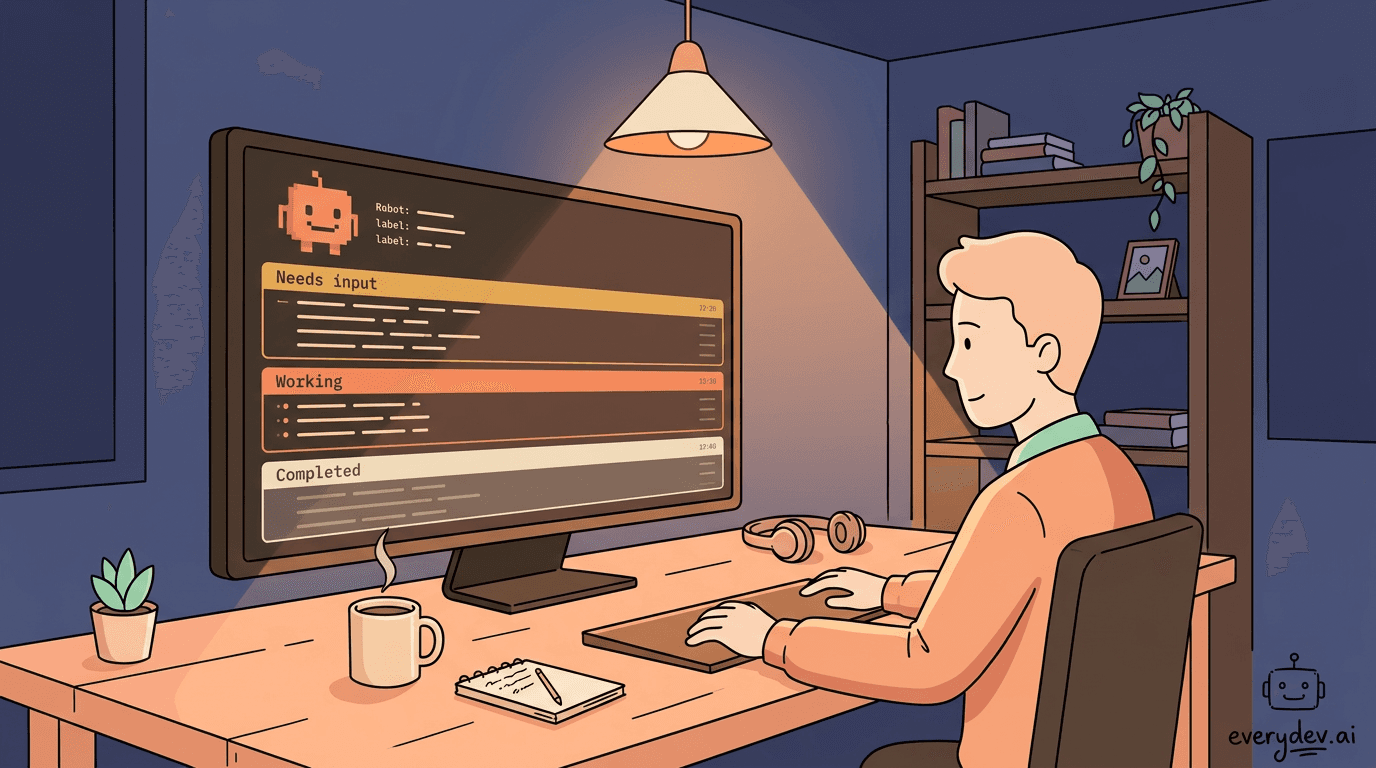
Anyone running Claude Code seriously has hit the same wall: four terminal tabs open, three agents grinding away somewhere, and a growing suspicion that one of them has been waiting on your input for the last forty minutes. Anthropic shipped agent view on May 11, 2026 to address exactly that friction, and it's a more complete solution than the name suggests.
What agent view actually is
Run claude agents from your shell and you get a full-terminal dashboard that lists every background Claude Code session grouped by state: Needs input, Working, and Completed. Each row shows the session name, a one-line summary of what it's doing or what it produced, and a timestamp. That summary is generated by a Haiku-class model and refreshes at most every 15 seconds while a session is active, so you get a readable status without opening the full transcript.
The three-state grouping is the core insight. The old workflow forced you to mentally track which terminal held which task. Agent view makes the question "what needs me right now?" answerable at a glance.
The interaction model is well thought out
Anthropic built two levels of engagement into the interface, and the distinction matters in practice.
The peek panel, opened with the spacebar on any selected row, shows the session's most recent output or the question it's blocking on. You can reply inline and the session resumes without you ever leaving the dashboard. For multiple-choice prompts, the panel surfaces the options and lets you pick by number. This is the right default for most check-ins: you don't need the full transcript to answer "should I use double jump or wall climb?"
When you do need the full conversation, pressing Enter or the right arrow attaches you directly to that session, which takes over the terminal exactly as a normal claude session would. Press the left arrow on an empty prompt to detach and return to the table. The session keeps running either way.
This peek-then-attach pattern solves a real cognitive problem. As one early user noted in a hands-on review, the issue with parallel sessions isn't that they're hard to manage technically -- it's that if you don't visually see a session, you forget it exists. Agent view makes forgetting structurally harder.
Backgrounding and isolation
Sessions can enter agent view three ways: dispatched directly from the dashboard, sent to the background from inside an existing session with /bg, or launched headlessly from the shell with claude --bg "task description". The /bg command also accepts a final instruction, so you can hand off work mid-conversation.
A detail worth understanding: every background session that edits files gets its own isolated git worktree under .claude/worktrees/. Parallel sessions read the same checkout but write to separate branches, which prevents the obvious collision problem when you're running several agents against the same codebase. Outside a git repository, that isolation doesn't apply, so dispatching parallel sessions that touch the same files in a non-git directory is a real risk to watch for.
Sessions are kept alive by a supervisor process that runs independently of any terminal. Closing agent view, closing your shell, or opening a new interactive session doesn't kill background work. The documented exception is machine sleep or shutdown, which stops running sessions; claude respawn --all brings them back.
Where this fits in the broader Claude Code architecture
Agent view is specifically for top-level sessions you're directly supervising. Subagents and agent teams that a session spawns internally don't appear as separate rows -- they're implementation details of the session that spawned them. This is a reasonable boundary: the dashboard is for work you dispatched, not for every subprocess Claude spins up internally.
The docs describe a few patterns that have emerged from early users. Dispatching several parallel tasks and returning to a list of pull requests ready for review is the obvious one. Less obvious but genuinely useful: using agent view as a lightweight session switcher during normal work. Press the left arrow from any session to background it and open the dashboard, start a quick related task or codebase question as a new row, then arrow back into what you were doing. The peek panel shows the answer when it lands.
PR status integration is a nice touch. When a session opens a pull request, a colored dot appears on its row linked to the PR. Green means checks passed and no review is blocking. That's a clean signal for the "dispatch and come back when it's done" workflow.
What to watch and verify
Agent view is in research preview as of this writing, available on Pro, Max, Team, Enterprise, and API plans. It requires Claude Code v2.1.139 or later -- check with claude --version before expecting it to work. The interface and keyboard shortcuts are explicitly flagged as subject to change.
A few things worth verifying before leaning on this in production workflows:
- Each background session draws from your subscription quota independently. Dispatching many sessions in parallel will consume rate limits faster than sequential work.
- The Haiku-class model used to generate row summaries is billed separately through your normal provider under the same data usage terms as the session itself. Low cost, but not zero.
- Deleting a session from agent view removes its worktree, including uncommitted changes. Push or commit anything you want to keep before hitting Ctrl+X twice.
The feature is genuinely useful for the multi-agent workflows that Claude Code is increasingly designed around. The question for teams is less whether to use it and more how to structure task granularity so the dashboard stays readable rather than becoming another thing to manage. A row per feature branch, not a row per file edit, is the right level of abstraction.
References
| Source | URL |
|---|---|
| Agent view in Claude Code | https://claude.com/blog/agent-view-in-claude-code |
| code.claude.com | https://code.claude.com/docs/en/agent-view |
Sponsored
ChatGPT Codex

OpenAI's agentic coding tool that runs in ChatGPT, your IDE, and the terminal—completing engineering tasks end to end across parallel cloud environments.
View toolAbout the Author
Senior Software Engineer
Hi everyone, I'm a vibe coder and a software enthusiast, hit me up with any questions on vibe coding tools
Comments
No comments yet
Be the first to share your thoughts