
Claude Code
Claude Code is an agentic coding tool by Anthropic that works in your terminal, understands your codebase, and helps you write, edit, debug, and ship code faster.
At a Glance
About Claude Code
Claude Code is Anthropic's agentic coding tool that lives in the terminal, reads your repo, runs your shell, edits files, and drives git on your behalf. It works as an interactive REPL, a scriptable headless command for CI, a long-running background agent, or a session you steer from claude.ai or your phone. It plugs into VS Code, Cursor, Windsurf, JetBrains, GitHub Actions, Chrome, and MCP servers, so the same agent shows up wherever you already work.
The pitch is straightforward: instead of autocomplete, you get an assistant that can plan a change, touch the files, run the tests, open a PR, and tell you what it did.
What It Is
Claude Code is a CLI you install with one curl or PowerShell line and launch by typing claude in any repo. It then has read, write, edit, search, and Bash tools, plus whatever MCP servers and plugins you've connected. The docs describe a default loop where Sonnet handles most coding work, Opus is reserved for planning and harder reasoning, and Haiku covers cheap mechanical tasks. Models, effort levels, and permission modes are all swappable mid-session.
Core Capabilities
- Agentic codebase search — Claude explores files on its own with grep, glob, and reads to answer architecture questions and trace dependencies without you hand-selecting context.
- Direct edits with diffs — Reads, writes, and edits files in place, showing proposed diffs you can approve, edit, or reject.
- Bash execution — Runs your build, tests, linters, formatters, and any other CLI tool already on your machine.
- Git and PR automation — Stages, commits, branches, rebases, and opens GitHub pull requests via the
ghCLI. - Plan mode and checkpointing — Drafts a plan before large changes and lets you rewind code and conversation to any earlier checkpoint with
/rewind. - MCP, plugins, and skills — Connects to external tools (Jira, Slack, Notion, databases, custom services) through MCP; plugins extend behavior, and skills are markdown prompt files Claude can invoke automatically.
Parallel, Background, and Scheduled Work
/batch decomposes a large change into 5–30 independent units and runs each one in its own git worktree as a background subagent that opens a PR when it finishes. /background detaches the current session so it keeps working while you free up your terminal, and claude agents is the management view for monitoring, attaching to, and respawning those sessions.
For recurring or watchful work, /loop runs a prompt repeatedly while the session is open (on an interval like 5m or self-paced) and /schedule creates routines that execute on Anthropic-managed cloud infrastructure. /autofix-pr spawns a web session that watches a PR and pushes fixes when CI fails or reviewers leave comments. The same agent also runs from your browser via Claude Code on the web, with /teleport to pull a web session back into your terminal and Remote Control to drive a local session from claude.ai or the Claude mobile app.
Command Cheat Sheet
The CLI exposes dozens of slash commands. The docs group them roughly by where they fit in a session:
| When you're… | Useful commands |
|---|---|
| Setting up a repo | /init, /memory, /mcp, /agents, /permissions |
| Picking how Claude thinks | /model, /effort, /plan, /fast |
| Mid-task housekeeping | /context, /compact, /clear, /btw, /copy |
| Running work in parallel | /tasks, /background, /batch, /loop, /schedule |
| Reviewing before shipping | /diff, /simplify, /review, /security-review, /ultrareview |
| Moving between sessions | /resume, /branch, /teleport, /remote-control, /desktop |
| Recovering from trouble | /rewind, /doctor, /debug, /feedback |
| Tracking spend and limits | /usage, /cost, /extra-usage, /upgrade |
Launch-time flags cover automation: -p for print/headless mode, --output-format json, --max-turns, --max-budget-usd, --permission-mode, --allowedTools, --mcp-config, --bg, and --remote.
Usage and Limits to Plan Around
Anthropic publishes a session-and-week model for subscription usage. The support docs describe a rolling 5-hour session window plus separate weekly limits, with a stricter weekly cap on Opus than on other models. The Usage settings page surfaces both bars. Hitting a limit prints a "resets at time" message; you can switch to a lighter model or, on eligible plans, enable extra usage.
Every turn re-sends the whole conversation, your CLAUDE.md, and any files Claude has read, which is where most token spend comes from. The docs recommend five habits: /clear between tasks, match the model to the job, reference files by path instead of pasting, keep CLAUDE.md lean (under ~200 lines), and ask for a plan before large changes. The /model opusplan shortcut bakes the "plan with Opus, execute with Sonnet" pattern in. For API users (Console, Bedrock, Vertex, Foundry), there is no hard cap; /cost shows running session spend.
Update: Recent Additions
Recent additions called out in the official docs include the agent view and background sessions, /batch with worktree-based parallel work, /loop and /schedule for time-based work, Remote Control, Claude Code on the web with /teleport, /ultrareview for deep multi-agent review in a cloud sandbox, plugins and channels (research preview), and /extra-usage for continuing past subscription limits.
Community Discussions

Ultracode and Dynamic Workflows: Claude Code Can Now Run 1,000 Agents on One Task
Jarred Sumner, the creator of Bun, pointed Claude Code at his JavaScript runtime and asked it to port the whole thing from Zig to Rust. Eleven days later, a pull request landed on main: roughly 750,000 lines of Rust, 6,755 commits, and 99.8% of the existing test suite still passing. Sumner said he h…


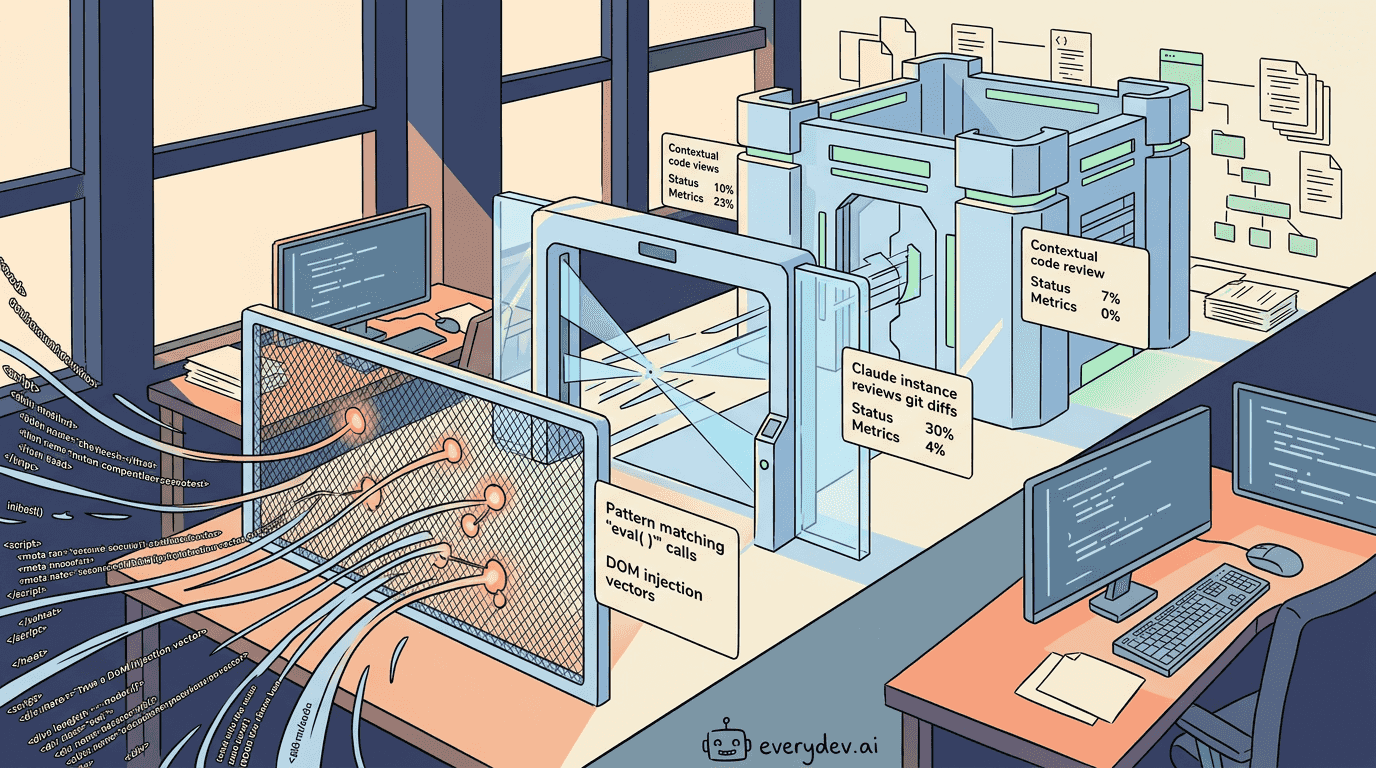
Claude Code Security Guidance Plugin: Catch Vulnerabilities Before PR
Anthropic shipped a security-guidance plugin for Claude Code on May 26, 2026, available to every Claude Code user through the plugin marketplace. It catches vulnerabilities in the code Claude writes while the session is still open, before anything reaches a pull request or a human reviewer. AI codin…
Claude Code's Agent View Fixes the Multi-Terminal Mess
Anyone running Claude Code seriously has hit the same wall: four terminal tabs open, three agents grinding away somewhere, and a growing suspicion that one of them has been waiting on your input for the last forty minutes. Anthropic shipped agent view on May 11, 2026 to address exactly that friction…

Claude Code’s Source Code Leaked Through npm. Here’s What Actually Happened.
At 4 AM on March 31, 2026, an Anthropic engineer pushed version 2.1.88 of the @anthropic-ai/claude-code npm package to the public registry. Bundled inside was a 59.8 MB source map file that pointed directly to a zip archive on Anthropic’s Cloudflare R2 storage bucket. That archive contained the full…

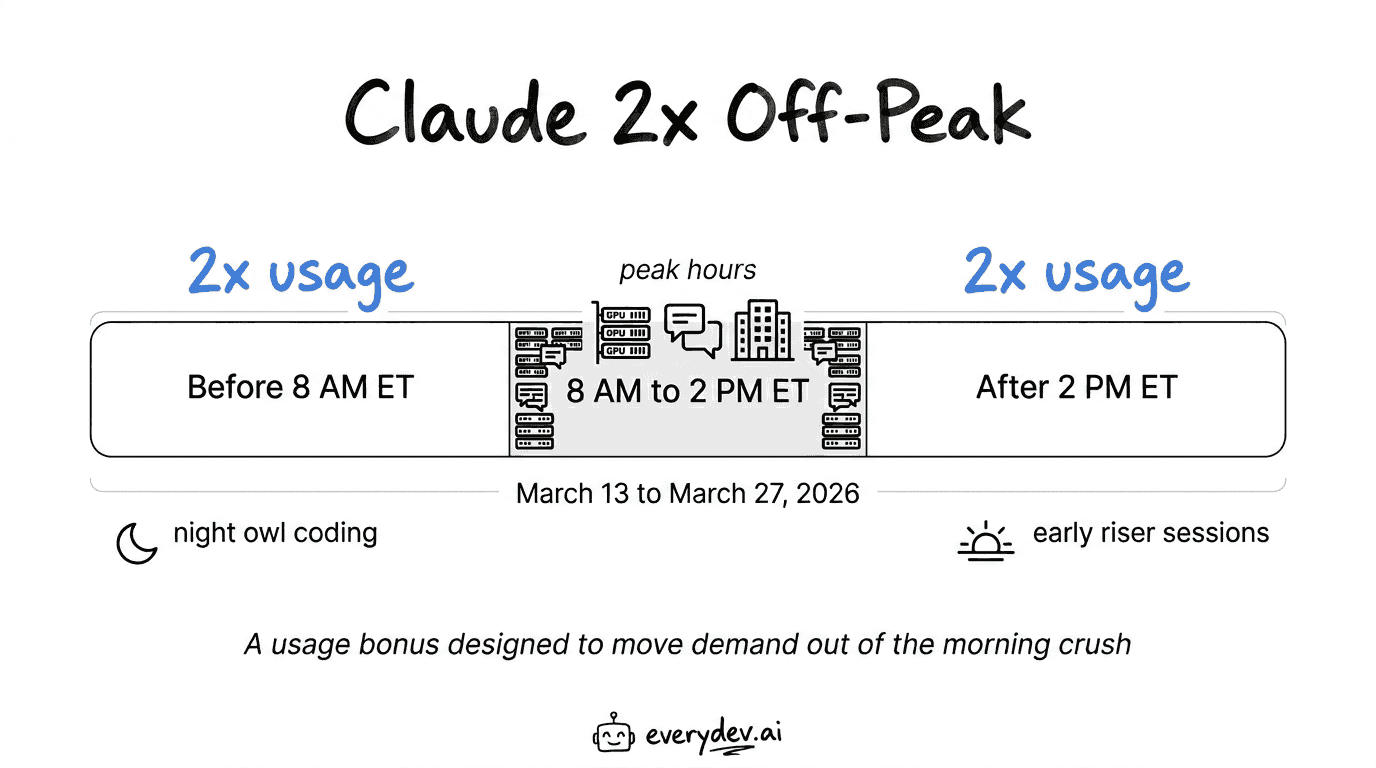
Claude double-usage promotion during non peak hours: March 13–27, 2026
Anthropic is running a two-week promotion that doubles your Claude usage limits during off-peak hours. It started March 13 and runs through March 27. The catch: “off-peak” means anything outside 5 AM to 11 AM Pacific (8 AM to 2 PM Eastern) on weekdays. So if you’re a night owl, early riser, or based…
Pricing
Free
Try Claude at no cost. Includes Claude Code access through claude.ai with usage suitable for light, intermittent use.
- Chat on web, iOS, Android, and desktop
- Generate code and visualize data
- Write, edit, and create content
- Ability to search the web
- Memory across conversations
Pro
For everyday productivity. Includes Claude Code and Claude Cowork, plus more usage than Free.
- Everything in Free, plus more usage
- Includes Claude Code
- Includes Claude Cowork
- Access to unlimited projects to organize chats and documents
- Access to Research
- Ability to use more Claude models
- Claude for Microsoft 365
- Claude for Microsoft Outlook
Max
Get the most out of Claude. Choose 5x or 20x more usage than Pro, with higher output limits and early access to advanced features.
- Everything in Pro, plus 5x or 20x more usage
- Higher output limits for all tasks
- Early access to advanced Claude features
- Priority access at high traffic times
- Starts at $100/mo; higher tiers available for more usage
Team Standard
Per-seat plan for teams of 5 to 150. Includes Claude Code and Claude Cowork, with centralized billing and admin controls.
- All Claude features, plus more usage than Pro
- Includes Claude Code and Claude Cowork
- Connect Microsoft 365, Slack, and more
- Enterprise search across your organization
- Central billing and administration
- Single sign-on (SSO)
- Admin controls for remote and local connectors
- Enterprise deployment for the Claude desktop app
- No model training on your content by default
- Mix and match seat types
Team Premium
Premium per-seat tier for teams that need significantly more usage. Same admin and integration features as Team Standard.
- Everything in Team Standard
- 5x more usage than standard seats
- Includes Claude Code and Claude Cowork
- Mix and match with standard seats on the same plan
Enterprise
For large businesses operating at scale. Seat price plus usage at API rates, with admin spend controls, SCIM, audit logs, and HIPAA-ready offerings.
- All Team plan features
- Seat price plus usage at API rates ($20/seat base; usage scales with model and task)
- Admins set user and org spend limits
- Google Docs cataloging
- Role-based access with fine grained permissioning
- System for Cross-domain Identity Management (SCIM)
- Audit logs
- Compliance API for observability and monitoring
- Custom data retention controls
- Network-level access control
- IP allowlisting
- HIPAA-ready offering available
- Claude Security (beta)
API - Opus 4.7
Pay-as-you-go API access to Claude Opus 4.7, the most intelligent model for agents and coding. Priced per million tokens.
- Input: $5 per million tokens
- Output: $25 per million tokens
- Prompt caching write: $6.25 per million tokens
- Prompt caching read: $0.50 per million tokens
- Save 50% with batch processing
API - Sonnet 4.6
Pay-as-you-go API access to Claude Sonnet 4.6, the optimal balance of intelligence, cost, and speed. Priced per million tokens.
- Input: $3 per million tokens
- Output: $15 per million tokens
- Prompt caching write: $3.75 per million tokens
- Prompt caching read: $0.30 per million tokens
- Save 50% with batch processing
API - Haiku 4.5
Pay-as-you-go API access to Claude Haiku 4.5, the fastest and most cost-efficient model. Priced per million tokens.
- Input: $1 per million tokens
- Output: $5 per million tokens
- Prompt caching write: $1.25 per million tokens
- Prompt caching read: $0.10 per million tokens
- Save 50% with batch processing
Capabilities
Key Features
- Natural language code editing and generation
- Multi-file codebase understanding
- Agentic search and indexing
- Git workflow automation
- Test execution and debugging
- Architecture and code explanation
- Dependency analysis and management
- Shell command execution
- Extended thinking for complex reasoning
- Sub-agents for parallel task execution
- Checkpointing and rewind
- Custom slash commands
- CLAUDE.md context files
- Pre and post tool hooks
- Headless mode for scripting and CI/CD
- Background task execution
- GitHub PR and issue automation
- IDE inline diff viewing
- Context management and compaction
- File search and pattern matching
- Memory and session persistence
- Plugin and marketplace support
- Custom agent creation
- Web browser automation
- Image and screenshot analysis