
Main Menu
  • Tools
  • Developers
  • Topics
  • Discussions
  • News
  • Blogs
  • Builds
  • Contests
Create
Sign In
    EveryDev.ai
    Sign inSubscribe
    Home
    Tools

    1,624+ AI tools

    • New
    • Trending
    • Featured
    • Compare
    Categories
    • Coding733
    • Agents640
    • Marketing302
    • Infrastructure298
    • Design239
    • Analytics228
    • Research224
    • Projects207
    • Integration148
    • Testing129
    • Data125
    • Learning115
    • MCP113
    • Security107
    • Extensions94
    • Prompts79
    • Communication73
    • Voice71
    • Commerce70
    • Web59
    • DevOps46
    • Finance12
    Sign In
    1. Home
    2. Tools
    3. Backlog.md
    Backlog.md icon

    Backlog.md

    Project Management

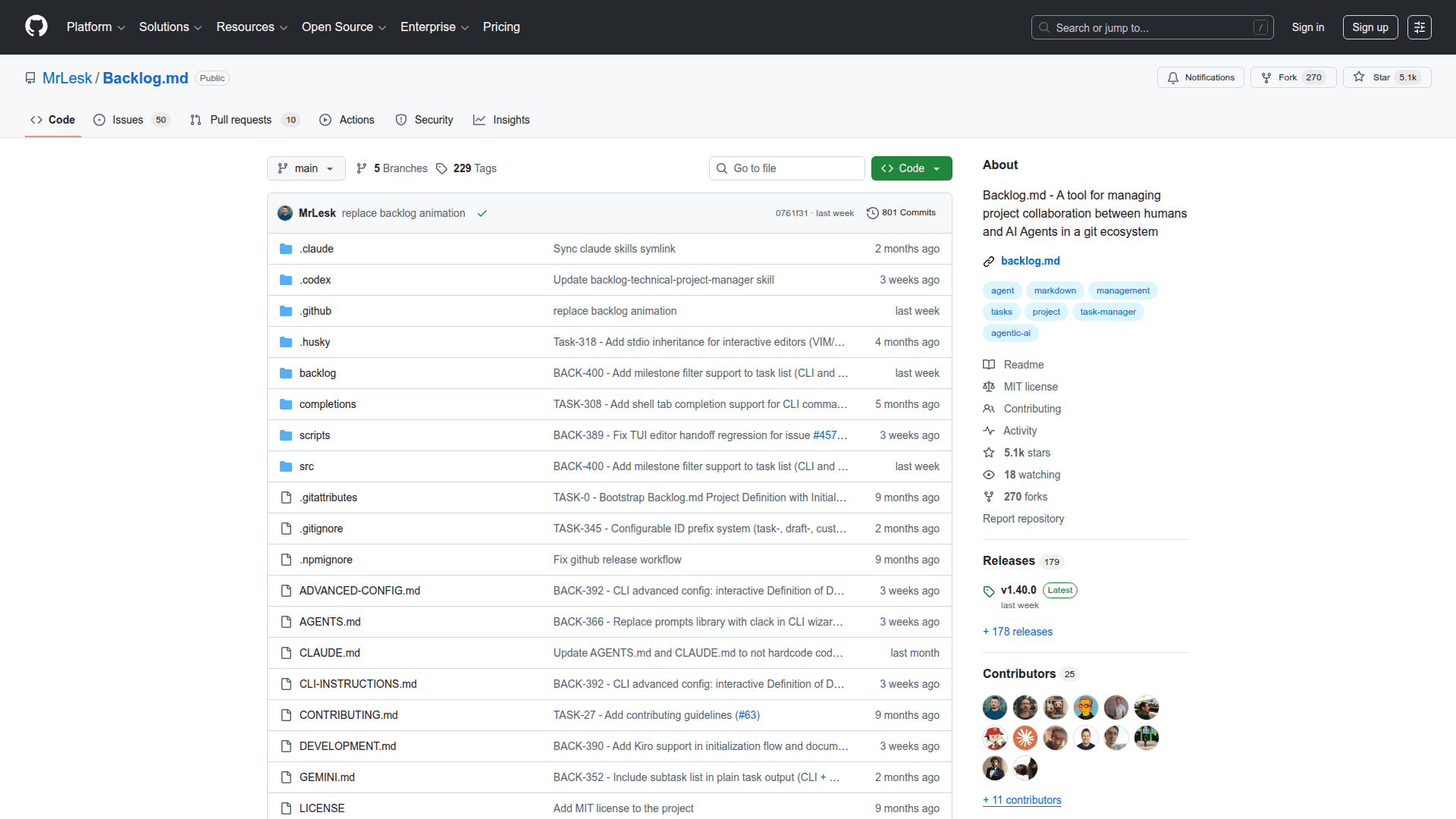
    A CLI-based project management tool that stores tasks as Markdown files directly in your Git repository, enabling backlog tracking without leaving your codebase.

    Visit Website

    At a Glance

    Pricing

    Open Source

    Fully free and open-source CLI tool for Git-based project management.

    Engagement

    Available On

    Windows
    macOS
    Linux
    Web
    API

    Resources

    WebsiteGitHubllms.txt

    Topics

    Project ManagementCommand Line AssistantsVersion Control

    Listed Mar 2026

    About Backlog.md

    Backlog.md is a lightweight, file-based project management tool that lives entirely inside your Git repository. Tasks are stored as plain Markdown files, making them version-controlled, diff-friendly, and accessible from any editor or terminal. It requires no external services, databases, or accounts — everything stays local and portable with your code.

    • Markdown-native tasks: Each task is a .md file committed alongside your source code, making it fully version-controlled and reviewable in pull requests.
    • CLI-first workflow: Run backlog commands directly from your terminal to create, list, update, and close tasks without switching context.
    • Zero dependencies on external services: No SaaS account, no database, no internet connection required — the backlog lives in your repo.
    • Git-integrated history: Task changes are tracked via Git commits, giving you a full audit trail of who changed what and when.
    • Editor agnostic: Tasks are plain Markdown, so they can be edited in VS Code, Vim, Neovim, or any text editor; Vim/Neovim configuration docs are included.
    • Portable and self-contained: Clone the repo and the entire backlog comes with it — ideal for solo developers and small teams who want simplicity.
    • Structured task format: Tasks support metadata like status, priority, and assignee via frontmatter, keeping information organized without a GUI.

    To get started, install the CLI, navigate to your Git repository, and run backlog init to set up the backlog directory. Use backlog task add "Task title" to create your first task and backlog list to view all open items.
    Backlog.md - 1

    Community Discussions

    Be the first to start a conversation about Backlog.md

    Share your experience with Backlog.md, ask questions, or help others learn from your insights.

    Pricing

    OPEN SOURCE

    Open Source

    Fully free and open-source CLI tool for Git-based project management.

    • Unlimited tasks as Markdown files
    • CLI interface
    • Git version control integration
    • No external services required
    • Vim/Neovim support
    View official pricing

    Capabilities

    Key Features

    • Markdown-based task storage
    • CLI interface
    • Git-integrated version control for tasks
    • No external services required
    • Vim/Neovim editor support
    • Task metadata via frontmatter
    • Offline-first workflow
    • Portable backlog with repository

    Integrations

    Git
    Vim
    Neovim
    VS Code
    API Available

    Reviews & Ratings

    No ratings yet

    Be the first to rate Backlog.md and help others make informed decisions.

    Developer

    MrLesk

    Read more about MrLesk
    WebsiteGitHub
    1 tool in directory

    Similar Tools

    MonoDesk icon

    MonoDesk

    A calm workspace built for freelance creative professionals that combines project management, client communication, weekly planning, and AI assistance in one place.

    Task Master AI icon

    Task Master AI

    Task Master AI is a CLI-based AI task management system that integrates with AI coding assistants like Cursor, VS Code, Windsurf, Claude, and Cline to help developers manage and execute complex coding tasks.

    GitScrum icon

    GitScrum

    Connected workspace for agencies and modern developers with kanban boards, sprint planning, time tracking, and client management.

    Browse all tools

    Related Topics

    Project Management

    AI-enhanced platforms that streamline planning, tracking, and managing software projects with intelligent resource allocation, predictive timeline analysis, and automated progress reporting.

    23 tools

    Command Line Assistants

    AI-powered command-line assistants that help developers navigate, search, and execute terminal commands with intelligent suggestions and context awareness.

    85 tools

    Version Control

    AI tools that enhance version control systems and code management.

    18 tools
    Browse all topics
    Back to all tools
    Explore AI Tools
    • AI Coding Assistants
    • Agent Frameworks
    • MCP Servers
    • AI Prompt Tools
    • Vibe Coding Tools
    • AI Design Tools
    • AI Database Tools
    • AI Website Builders
    • AI Testing Tools
    • LLM Evaluations
    Follow Us
    • X / Twitter
    • LinkedIn
    • Reddit
    • Discord
    • Threads
    • Bluesky
    • Mastodon
    • YouTube
    • GitHub
    • Instagram
    Get Started
    • About
    • Editorial Standards
    • Corrections & Disclosures
    • Community Guidelines
    • Advertise
    • Contact Us
    • Newsletter
    • Submit a Tool
    • Start a Discussion
    • Write A Blog
    • Share A Build
    • Terms of Service
    • Privacy Policy
    Explore with AI
    • ChatGPT
    • Gemini
    • Claude
    • Grok
    • Perplexity
    Agent Experience
    • llms.txt
    Theme
    With AI, Everyone is a Dev. EveryDev.ai © 2026
    Sign in
    3views
    0upvotes
    0discussions