
Backpressure
A deterministic load simulator for LLM-serving and system-design work where you build a design on a canvas, push load through it, and watch what breaks before your users do.
At a Glance
Kick the tires with 2 simulations and core features.
Engagement
Available On
Listed Aug 2026
About Backpressure
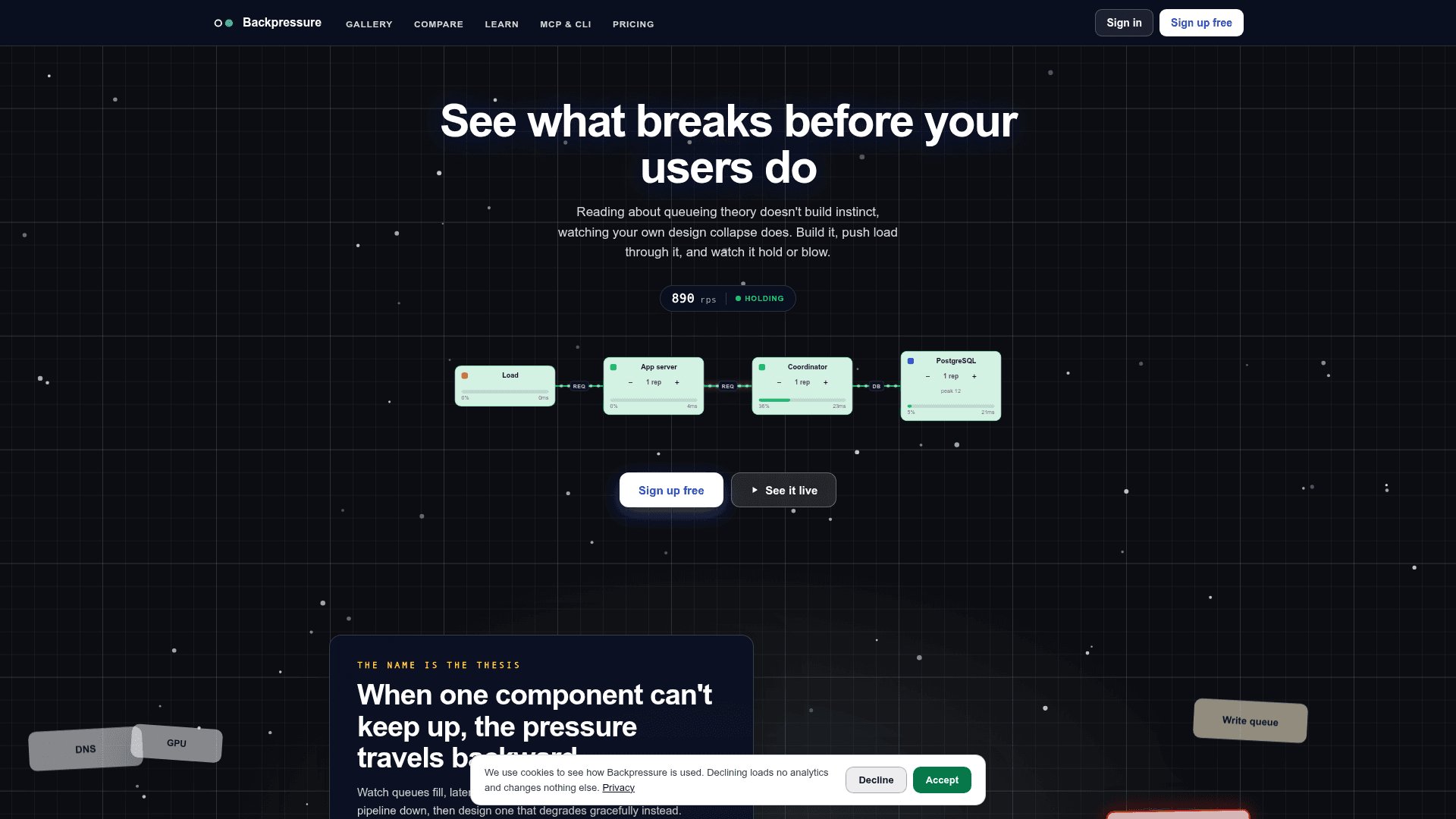
Backpressure is a browser-based load simulator that lets engineers build system topologies on a canvas, run them under configurable load, and observe exactly where and how they fail. It covers two primary use cases: sizing LLM inference rigs (vLLM, open-weights models, GPUs, KV cache) and hardening general request paths (gateways, caches, queues, databases). The tool is positioned as an educational simulator—its numbers are modeled estimates designed to build intuition, not production guarantees.
What It Is
Backpressure is a visual, deterministic simulation engine wrapped in a build-run-fix loop. Users drag components from a palette onto a canvas, wire them into a request path, set a concurrent-user load, and press Run. The engine plays the simulation second by second and returns a verdict: survived or collapsed, the bottleneck component and its utilization, and the exact request rate at which the design started to break. The name reflects the core thesis: when one component can't keep up, the pressure travels backward through the pipeline.
Two Simulation Lanes
The tool ships with two distinct simulation modes that share the same underlying queueing math:
- LLM serving — assemble a rig with vLLM, open-weights models, GPUs, and a KV cache; simulate concurrent users; watch TTFT and tokens/sec degrade; add a replica or quantize and watch recovery. Aimed at ML and platform engineers sizing inference before hardware costs are committed.
- System design — build request paths with gateways, caches, queues, and databases; observe thundering herds, retry storms, pool starvation, and load shedding. Aimed at backend engineers leveling up or preparing for system-design interviews.
Core Feature Set
- Live metrics panel — total RPS, average latency, p95/p99 tail latency, error rate, availability, budget burn rate, and active/failing component counts, updated tick by tick during a run.
- Load sweeps — sweep load past current traffic levels; the headroom curve names the multiple the design survives to, turning a hunch into a number.
- Compare mode — two boards, same load, side by side, with a diff table showing sustained RPS, p99 latency, error rate, and verdict.
- Skye AI assistant — grounded in the live board; when a design tips, Skye reads the state and explains the failure in plain language before the user asks.
- Multiplayer — live cursors show teammates working on the same canvas in real time; board invites are available on paid plans.
- Export options — JSON, branded PDF, agent-ready spec sheet, and Mermaid diagram.
- MCP server and CLI — available on both free and paid tiers, enabling agent-driven workflows.
- 40 free node deep-dives — written explanations of individual components (load balancers, KV caches, etc.) paired with live simulation boards.
Architecture and Workflow
The editor is keyboard-driven (Cmd/Ctrl+Enter to run, Cmd/Ctrl+K for the command palette). Components are grouped by role in a left palette: Traffic, Edge, Backend, Serving, Model, Databases, Compute, and Memory. A valid simulation requires at least one traffic source connected to a downstream path. Authentication uses one-time email codes or passkeys—no passwords. Paid-plan users can remap keyboard shortcuts from Settings.
Audience and Use Cases
Backpressure targets backend engineers, ML/platform engineers, and anyone with a system-design interview on the calendar. The simulator is explicitly framed as educational: it builds the kind of instinct that reading queueing theory alone does not, by letting users watch their own designs collapse and recover under controlled load.
Community Discussions
Be the first to start a conversation about Backpressure
Share your experience with Backpressure, ask questions, or help others learn from your insights.
Pricing
Free
Kick the tires with 2 simulations and core features.
- 2 simulations
- 100 AI credits / month
- Export JSON
- Skye AI assistant
- Live metrics
Pro
Everything, unlimited.
- Unlimited simulations
- 1,000 AI credits / month
- Load sweeps
- Compare designs
- Export JSON
- Export PDF
- Export spec
- Export Mermaid
- Skye AI assistant
- Skye conversation memory
- Live metrics
- Board invites
- Multiplayer
- Remix
- Session timer
- Live updates
- MCP server
- CLI
Capabilities
Key Features
- Visual canvas for building system topologies
- Deterministic second-by-second simulation engine
- LLM inference rig simulation (vLLM, GPUs, KV cache)
- System design simulation (queues, caches, databases, gateways)
- Live metrics: RPS, latency, p95/p99, error rate, budget burn
- Load sweeps to find breaking point headroom
- Side-by-side design comparison with diff table
- Skye AI assistant grounded in live board state
- Multiplayer with live cursors
- Board invites
- Export to JSON, PDF, spec sheet, and Mermaid
- MCP server
- CLI
- 40 free node deep-dive articles
- Keyboard-driven editor with remappable shortcuts
- Passkey and one-time email code authentication
- Remix boards