
Buffer
Buffer is a social media management platform for scheduling, publishing, analyzing, and engaging with content across Instagram, TikTok, LinkedIn, X, YouTube, and more.
At a Glance
Free forever plan for up to 3 channels with basic scheduling and analytics.
14-day free trial for Essentials and Team paid plans. No credit card required to start.
Engagement
Available On
Alternatives
Listed May 2026
About Buffer
Buffer is a social media management platform built for creators, small businesses, and agencies who want to plan, schedule, and analyze content across multiple social networks from a single workspace. Founded by Joel Gascoigne, the company operates as a fully remote team spread across 15 countries and has maintained a commitment to radical transparency since 2013, publicly sharing finances, salaries, and key metrics. The platform supports 11 social channels including Instagram, Facebook, TikTok, LinkedIn, X (Twitter), YouTube, Threads, Pinterest, Bluesky, Mastodon, and Google Business Profile.
What It Is
Buffer is a web-based social media management tool that combines content scheduling, idea capture, community engagement, analytics, and team collaboration into one workspace. It sits in the category of social media management software alongside tools like Hootsuite and Sprout Social, and positions itself as a simpler, more affordable option for individuals and small teams. The platform includes a built-in AI Assistant for brainstorming, rewriting, and repurposing content, as well as a Start Page feature for building link-in-bio landing pages.
Core Workflow: From Idea to Published Post
Buffer's workflow moves through four main stages:
- Create: A kanban-style idea board where users capture, tag, and organize content concepts before they become scheduled posts. Includes AI-assisted drafting and unlimited drafts on paid plans.
- Publish: A scheduling queue and visual content calendar that supports automatic publishing to most major platforms, plus reminder-based publishing for channels like TikTok and YouTube Shorts that require native app completion.
- Community: A unified inbox for replying to comments across all connected channels, with AI-generated reply suggestions and saved reply templates.
- Analyze: Post-level and account-level analytics including engagement metrics, audience demographics, best-time-to-post recommendations, and exportable reports. Advanced analytics and branded reports are available on higher tiers.
Platform and Integration Coverage
Buffer connects to 11 social platforms and supports a range of third-party integrations for content sourcing and workflow automation:
- Design and media: Canva, Unsplash, Dropbox, Google Drive and Photos, OneDrive
- Automation: Zapier, IFTTT
- Content sourcing: WordPress plugin, Feedly, Pocket
- Link management: Bitly custom shortlinks
- API: OAuth-based API access with tiered rate limits, available on all plans including Free
The platform also offers iOS and Android mobile apps and a browser extension for adding content to the queue from any web page.
Who It's Built For
Buffer explicitly targets three audiences: individual creators growing a social presence, small businesses managing their own channels, and agencies or freelancers handling multiple client accounts. The Team plan adds unlimited user seats, content approval workflows, and custom access permissions — features designed for agency use cases. Buffer also offers a 50% discount for nonprofit organizations, as stated on its pricing page.
Transparency as a Differentiator
Buffer has operated as an "open company" since 2013, publishing real-time metrics including monthly active users, total customers, team headcount, and annual recurring revenue on a public dashboard. The about page lists 73 teammates across 15 countries and discloses an ARR of $25.1M. This level of operational transparency is unusual in the SaaS industry and is a deliberate part of Buffer's brand identity.
Update: Buffer API Launch
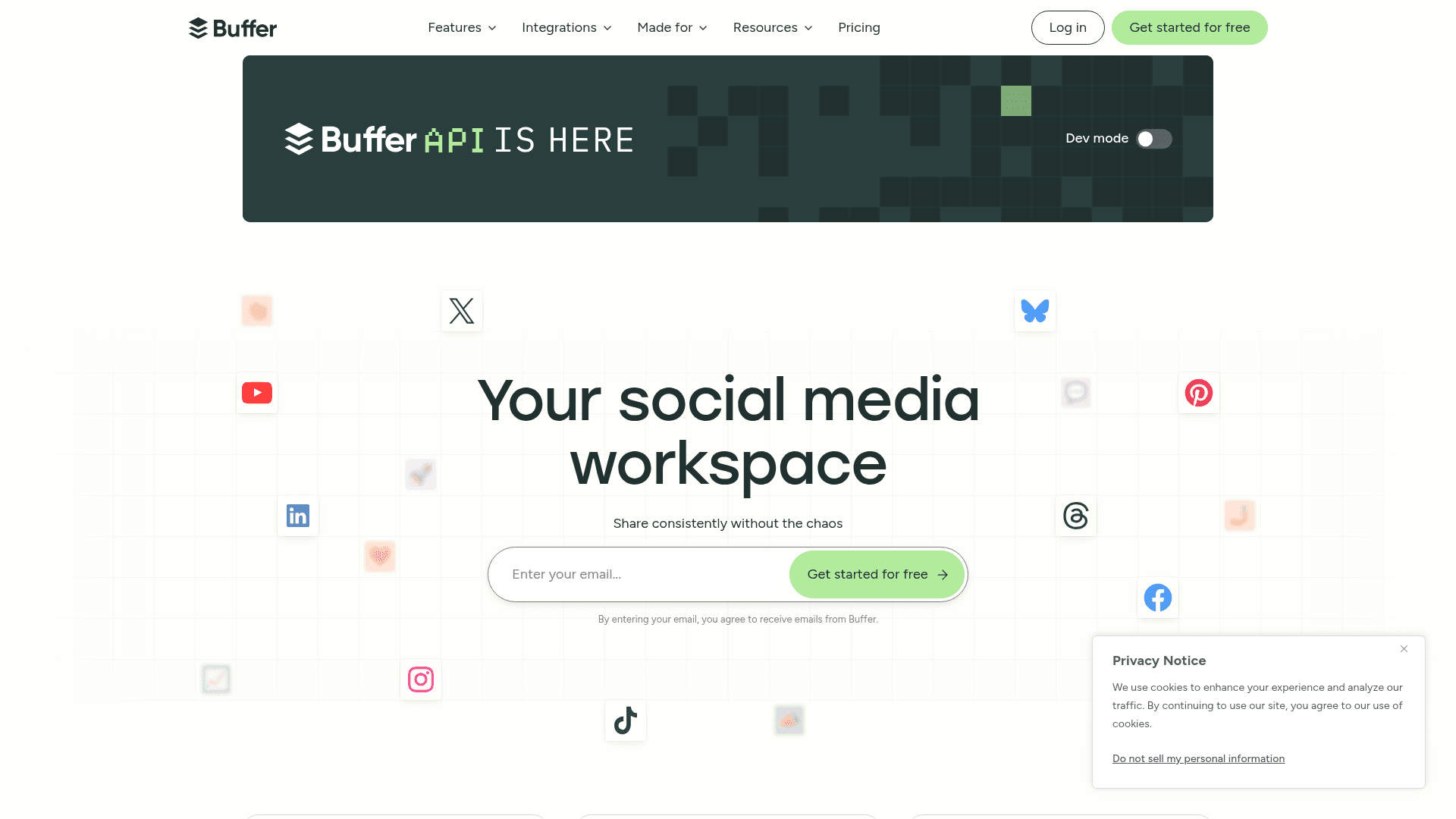
Buffer recently launched a public API, highlighted prominently on the homepage as "Buffer API is here." The API provides OAuth app clients and API keys for connecting Buffer to agents, automation tools, and third-party integrations. Rate limits and key counts vary by plan tier. Developer documentation is available at developers.buffer.com. The pricing page was last updated in November 2025, according to the FAQ section.
Community Discussions
Be the first to start a conversation about Buffer
Share your experience with Buffer, ask questions, or help others learn from your insights.
Pricing
Free
Free forever plan for up to 3 channels with basic scheduling and analytics.
- Connect up to 3 channels
- 10 scheduled posts per channel
- 100 ideas
- 1 user account
- AI Assistant
14-Day Free Trial
14-day free trial for Essentials and Team paid plans. No credit card required to start.
- Full access to paid plan features during trial
- Automatically downgrades to Free plan if not upgraded
Essentials
For individuals who need unlimited scheduling and advanced analytics, priced per channel.
- Unlimited scheduled posts per channel
- Unlimited ideas
- 1 user account
- AI Assistant
- Advanced analytics
- API access (3 keys, 7,500 requests/month)
- Community inbox
- Hashtag manager
- First comment scheduling
- Channel groups
- Custom video covers
- Performance overview
- Best time to post
- Audience demographics
- Reports and custom UTM parameters
Team
For teams and agencies needing unlimited users, approval workflows, and branded reports, priced per channel.
- Unlimited scheduled posts per channel
- Unlimited ideas
- Unlimited team members
- AI Assistant
- Advanced analytics
- API access (5 keys, 15,000 requests/month)
- Community inbox
- Hashtag manager
- First comment scheduling
- Content approval workflows
- Custom access and permissions
- Branded reports
- Notes on content
- Access levels
Capabilities
Key Features
- Social media scheduling and publishing
- Visual content calendar
- AI Assistant for content creation and repurposing
- Community inbox for comment management
- Analytics and performance reporting
- Start Page link-in-bio builder
- Content idea board with kanban view
- Team collaboration with approval workflows
- Custom access and permissions
- Hashtag manager
- First comment scheduling
- Browser extension
- Mobile app (iOS and Android)
- API access with OAuth support
- Branded reports
- Best time to post recommendations
- Audience demographics
- Custom UTM parameters
- Link shortening
- Reminder notifications for native publishing
Integrations
Demo Video