
CC Switch
Cross-platform desktop app that manages providers, MCP servers, Skills, prompts, sessions and usage for Claude Code, Codex, Gemini CLI and other AI coding tools.
At a Glance
CC Switch desktop app released under the MIT License; free download for macOS, Windows and Linux.
Engagement
Available On
Alternatives
Listed Oct 2026
About CC Switch
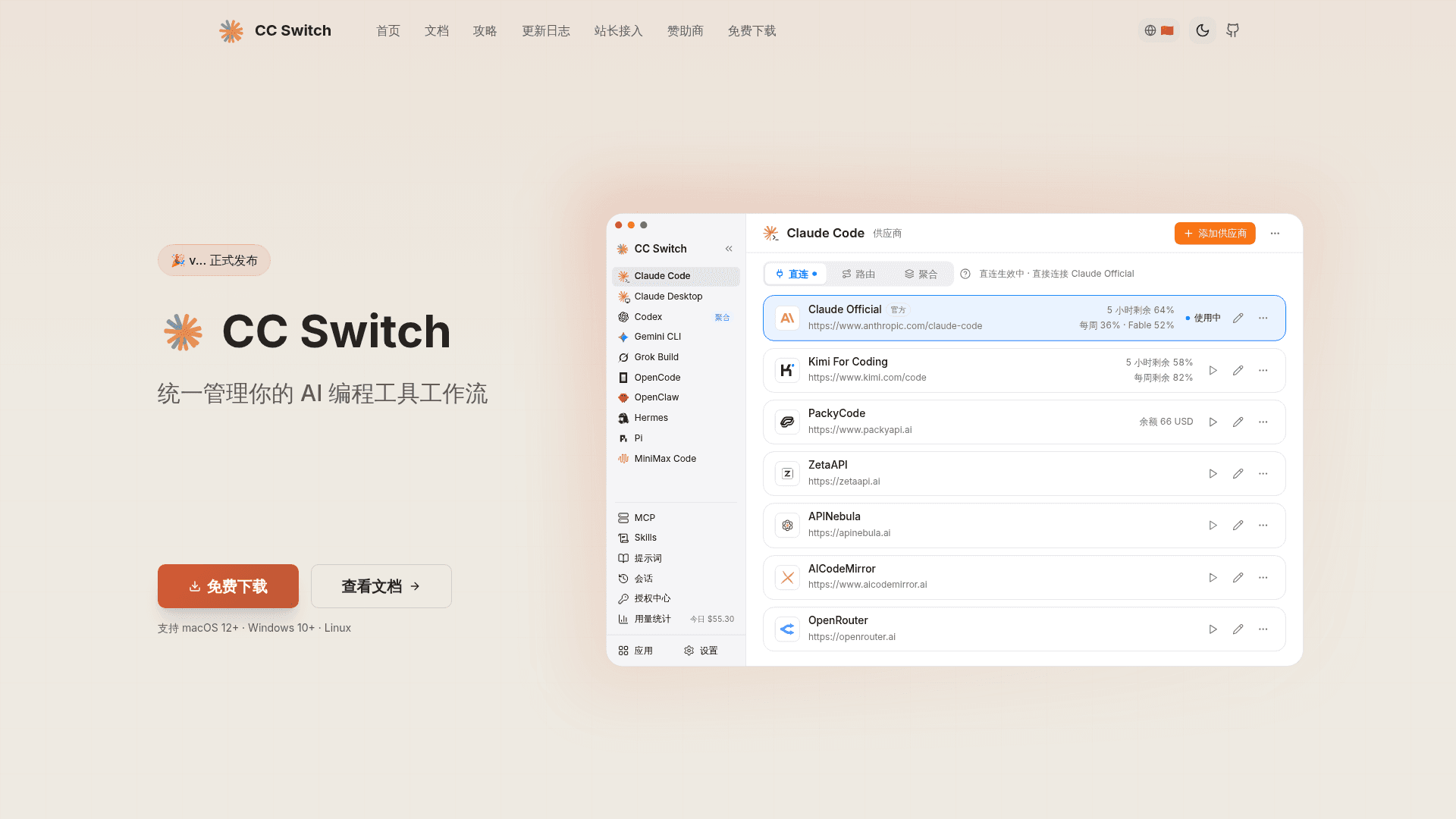
CC Switch is an MIT-licensed, cross-platform desktop application built with Tauri 2 and Rust that centralizes configuration for AI coding tools. The current release is v4.0.10, and it runs on Windows, macOS and Linux. It manages API provider settings for Claude Code, Claude Desktop, Codex, Gemini CLI, Grok Build, OpenCode, OpenClaw, Hermes, Pi and MiniMax Code from one interface.
What It Is
CC Switch replaces hand-editing of JSON, TOML, YAML and .env files for each AI coding tool. You pick one of the 90+ provider presets (or create a custom one), enter a key, and switch in one click. Switching replaces only key connection fields such as endpoint, key and model, so plugins, hooks, MCP settings and comments stay in place. Some tools use one active provider at a time (Switch), while others hold several providers at once (Coexist).
Connection Modes and Local Routing
Three modes are available: Direct, Routing and Aggregation. Routing runs a local service that converts request formats between Anthropic Messages, OpenAI Chat Completions, OpenAI Responses and Gemini Native, so GPT-style providers can be used in Claude Code and Claude in Codex. A failover queue with a circuit breaker moves to a backup provider when the primary fails. Aggregation, for Claude Code and Codex, lists models from several providers in a single model picker and sends each request to the chosen model's provider.
MCP, Skills, Prompts and Sessions
MCP servers and Skills are added once and synced to selected tools. Prompts are maintained per tool, and are written to files such as CLAUDE.md, AGENTS.md or GEMINI.md. A session manager lets you browse and search conversation history, read structured session views, export Markdown, and copy resume commands.
Usage Tracking and Data Handling
Token, cache and cost statistics are collected from local session logs even without routing, with custom model pricing supported. Provider cards and the tray can show subscription quotas and balances. Data is stored locally in SQLite, with optional WebDAV or S3-compatible cloud sync to storage you configure. A deep link scheme (ccswitch://) allows importing providers, MCP servers and prompts.
Community Discussions
Be the first to start a conversation about CC Switch
Share your experience with CC Switch, ask questions, or help others learn from your insights.
Pricing
Open Source (MIT)
CC Switch desktop app released under the MIT License; free download for macOS, Windows and Linux.
- MIT License (OSI-approved)
- Switch API providers in one click
- Manage MCP, Skills, and Prompts
- Supports macOS 12+, Windows 10+, Linux
- Third-party API providers and model subscriptions are external costs
Capabilities
Key Features
- One-click provider switching with 90+ presets
- Direct, Routing and Aggregation connection modes
- API format conversion between Anthropic, OpenAI and Gemini
- Automatic failover with circuit breaker
- Unified MCP, Skills and Prompts management
- Session browser and reading view with resume commands
- Usage, token and cost tracking with quota display
- WebDAV and S3 cloud sync
- Deep link import (ccswitch://)
- System tray switching
- Project switcher for saved configurations
- Management of installed CLI tool versions