
An AI-enhanced cd command that lets you jump to directories by intent, fuzzy name, or natural language, with a crawled index so unvisited folders are reachable.
At a Glance
Fully free and open source under the MIT License. Install via Homebrew or npm.
Engagement
Available On
Listed Sep 2026
About cdai
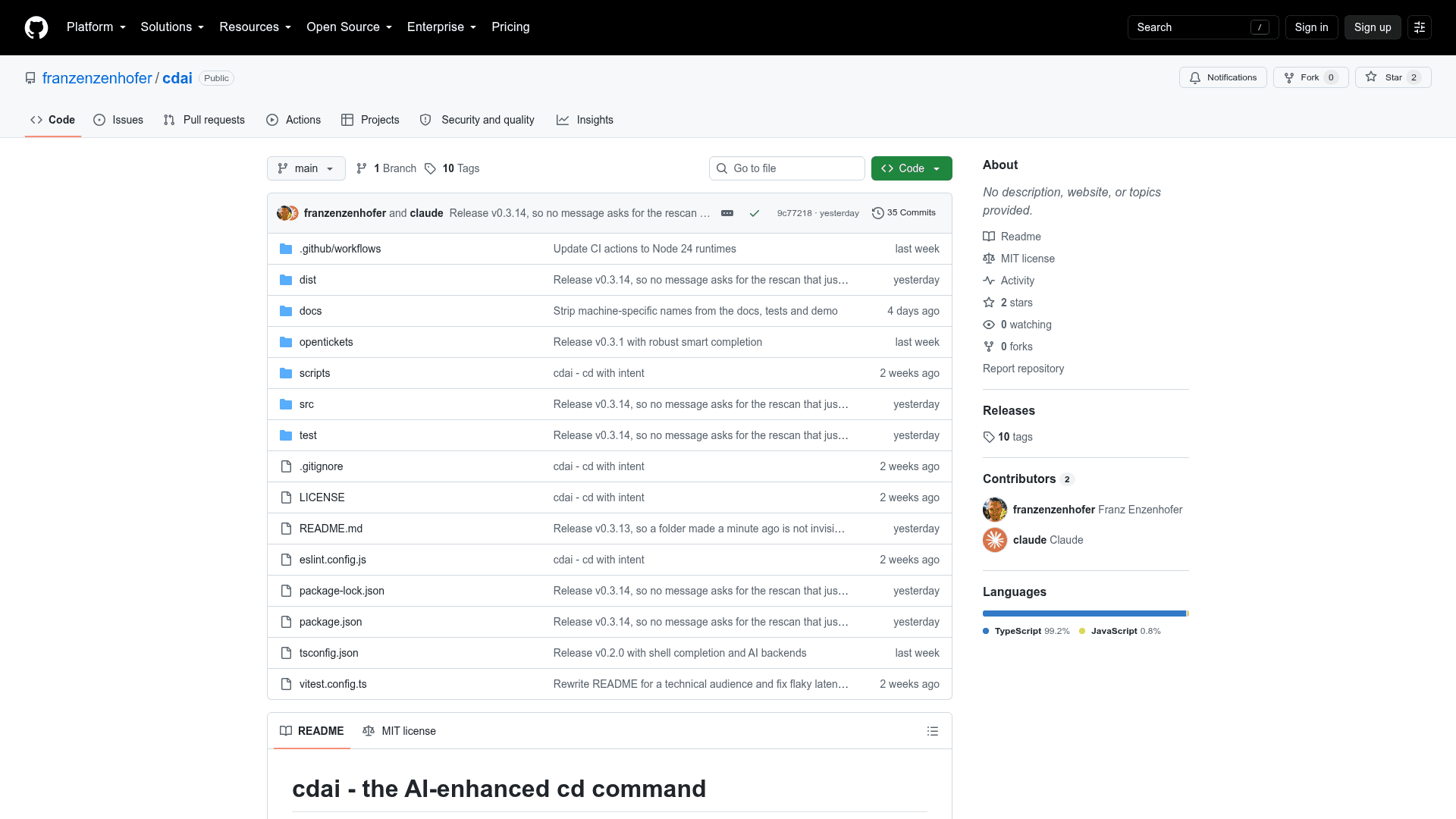
cdai is an open-source, MIT-licensed CLI tool by Franz Enzenhofer that replaces the standard cd shell command with an intent-aware directory navigator. It indexes configured root directories so that folders you have never visited before are still searchable, and it optionally uses an LLM as a re-ranker over a closed candidate list — meaning the AI cannot hallucinate a path that does not exist on disk.
What It Is
cdai is a shell navigation tool for zsh, Bash, and Fish on macOS and Linux. It wraps the native cd command, preserving all standard behavior (explicit paths, flags, CDPATH, cd -, stack syntax), while adding a local directory index, frecency ranking, deterministic intent operators, smart Tab completion, and an optional AI fallback tier. The project is written in TypeScript, ships as a single bundled Node.js executable with zero runtime npm dependencies, and is installable via Homebrew or npm.
How the Two-Tier Architecture Works
cdai resolves navigation queries through two tiers:
- Tier 1 (deterministic): Every directory name in the local index receives a match score — exact (1000), prefix (800), word boundary (600), substring (400), fuzzy (up to 380) — plus a frecency bonus and a context bonus for the current directory. Operators like
latest,oldest, year tokens, andin <root>are handled without any model call. Tab completion reads only local cached state and never calls AI. - Tier 2 (optional AI): When no deterministic winner emerges, cdai sends up to 50 existing candidate paths to a configured LLM backend. The model may choose one exact path from that list or decline; cdai validates the answer against both the original list and the filesystem before acting. The model cannot invent a path.
Supported AI backends include Apfel (Apple's on-device Foundation Model on macOS 26+), Claude Code, Gemini CLI, Ollama, and any one-shot CLI tool. AI can be disabled entirely with cdai setup --no-ai.
Performance and Test Coverage
The README reports benchmark results measured on an Apple M5 running macOS 26.1 with Node v25.1.0 against a real index of 2,467 directories. Tier 1 (exact hit) runs at a median of ~105ms total process spawn-to-exit, with roughly 30ms of actual work beyond Node startup. Tier 2 (AI fallback) takes seconds by design and is tuned to fire rarely. The v0.3.1 release suite covers 216 tests; CI runs on macOS and Linux with Node 20, 22, and 24, exercises real PTYs for Zsh, Bash, Fish 3.6, and Fish 4.8, and enforces hard latency gates (median ≤150ms, p95 ≤250ms for exact queries and cached Tab completion).
Setup Path
Installation is one command via Homebrew:
brew install franzenzenhofer/tap/cdai
After installation, users add a single eval line to their shell config, run cdai setup to configure root directories and choose an AI backend, and optionally run cdai doctor to verify state. Users migrating from zoxide can seed the frecency database with cdai import zoxide. Node.js 20 or later is required; Homebrew handles Node automatically.
How It Compares to zoxide
The README explicitly positions cdai against zoxide, which uses the same frecency aging formula. The key difference: zoxide only ranks directories already in its visit history, while cdai indexes configured roots so that a never-visited directory is a first-class candidate. cdai also adds deterministic intent operators (latest, oldest, year filters, in <root>) and a guarded natural-language fallback. The README recommends zoxide for pure visited-directory frecency and cdai when cold directories, deterministic intent, and guarded natural-language fallback justify a Node executable.
Update: v0.3.1
The README references v0.3.1 as the current release, with a 216-test suite and CI coverage across three Node versions and three shells. The repository was created in August 2026 and last pushed in September 2026, indicating active early development. The Homebrew tap at franzenzenhofer/homebrew-tap is the distribution channel for tagged releases.
Community Discussions
Be the first to start a conversation about cdai
Share your experience with cdai, ask questions, or help others learn from your insights.
Pricing
Open Source
Fully free and open source under the MIT License. Install via Homebrew or npm.
- Full cdai CLI with all features
- Local directory index and frecency ranking
- Smart Tab completion
- Optional AI backend integration
- Shell integration for zsh, Bash, and Fish
Capabilities
Key Features
- AI-enhanced cd command with intent-aware directory navigation
- Crawled local directory index so unvisited folders are searchable
- Frecency ranking using the same aging formula as zoxide
- Deterministic intent operators: latest, oldest, year tokens, in <root>
- Smart Tab completion from local cached state (no AI, no network)
- Optional AI fallback confined to re-ranking a closed candidate list
- Supports Apfel (on-device), Claude, Gemini, Ollama, and custom CLI backends
- Confirmed natural-language aliases stored locally and revalidated before reuse
- Native cd behavior preserved: explicit paths, flags, CDPATH, cd -, stack syntax
- Zero runtime npm dependencies; single bundled Node.js executable
- Shell integration for zsh, Bash, and Fish
- zoxide frecency database import via cdai import zoxide
- Hard latency gates enforced in CI (median ≤150ms for tier 1)
- 216-test suite with real PTY tests for all three shells
- Homebrew one-command install