
Chat with Work
EU-hosted AI assistant and bots that work across connected business tools, asking for approval before changes.
At a Glance
About Chat with Work
Chat with Work is an AI chat and bot platform from Plenty, hosted in Germany with EU-region models. You ask one question across the tools you connect, or set up bots that start on a schedule or an event and handle recurring chores. Changes ask for your approval first unless you let them run.
The product is available on the web, on iPhone and Android, in Word, Excel, PowerPoint and Google Docs, in Slack, Teams, Discord and Campfire, and as an open-source desktop app.
What It Is
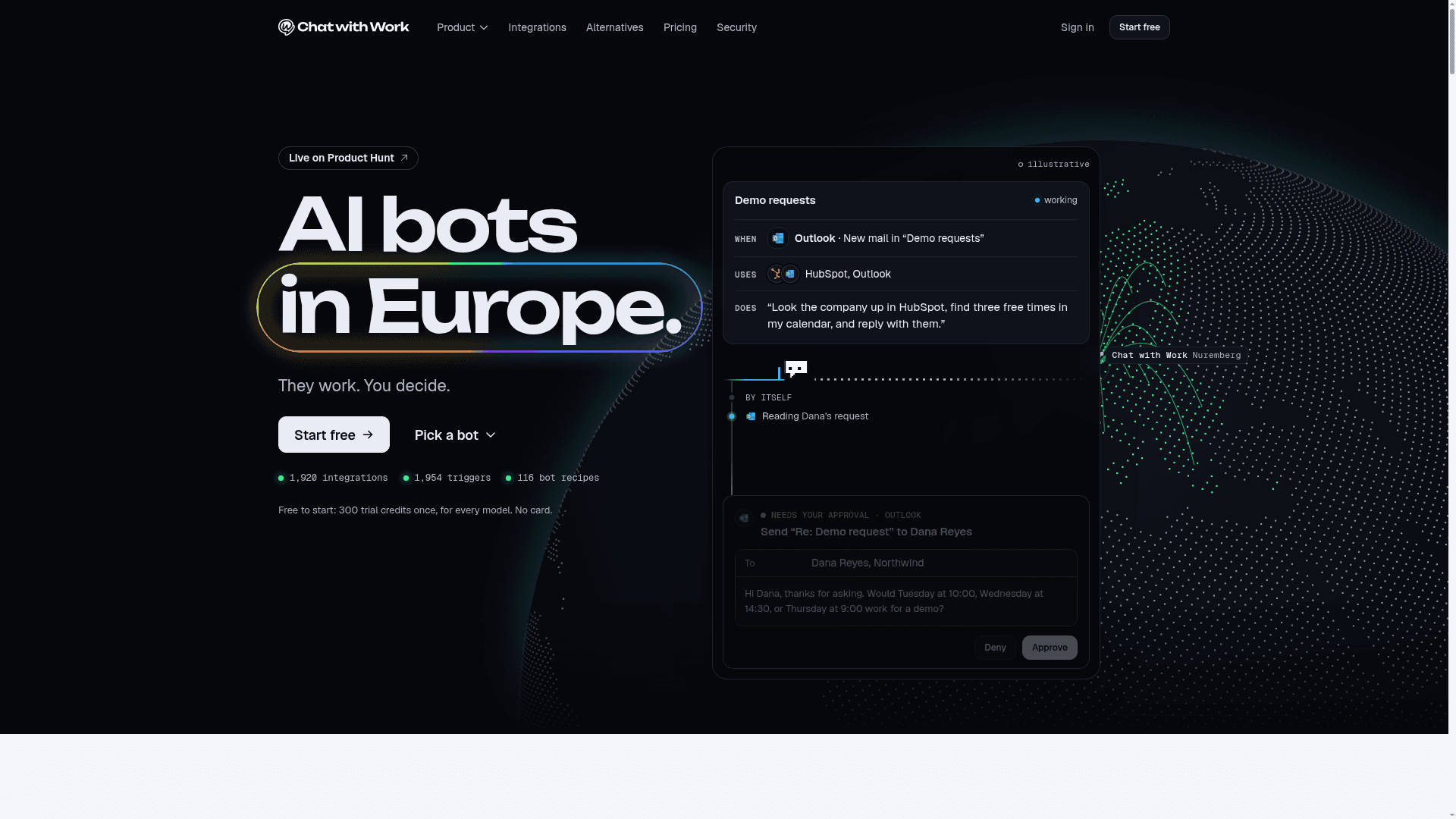
Chat with Work is a work assistant that connects to files, mail, calendars, chat, CRM, finance and issue-tracking tools. The site lists 1,920 integrations, 1,954 triggers and 116 bot recipes, plus any remote MCP server you add. It does not copy or index company data. When you ask, it searches your tools and reads only what the answer needs, and cached reads are purged after 30 days unused.
How Bots and Approvals Work
A bot is defined by a trigger, the tools it uses and what it does, for example reading a new Outlook email, looking the company up in HubSpot, finding free calendar slots and drafting a reply. You can start from a recipe or describe the bot in plain English. Pending changes appear on a decisions dashboard on web and phone. Each tool starts read-only; changes ask first, shown as they will run, unless you allow them to run automatically.
Desktop, Documents and Self-Hosting
Chat with Work Desktop runs on Mac, Windows and Linux. It lets the assistant read, and with your approval change, files in folders you share. It can also run commands in a sandbox, scan paper, use your browser through an extension and print. The background agent opens only an outbound connection, keeps a local search index and writes a local audit log. In chats, the assistant can run code in a sandbox to build Word, Excel and PowerPoint files on your templates. The whole product can also be self-hosted with models you choose, including local ones through Ollama or GPUStack.
Models and Privacy
You can pick Gemini, GPT or Claude per chat, all run in the EU on the hosted service. The FAQ states that customer data is not used to train models and that the CASA Tier 2 assessment is complete, with a SOC 2 Type I audit underway.
Community Discussions
Be the first to start a conversation about Chat with Work
Share your experience with Chat with Work, ask questions, or help others learn from your insights.
Pricing
Personal
For one person in an organization of one. Prices include VAT.
- 900 credits a month
- About 1,300 answers a month
- Every model
- Every integration and MCP server
Personal Pro
Personal plan with more credits. Prices include VAT.
- 4,500 credits a month
- About 6,400 answers a month
- Every model
- Every integration and MCP server
Personal Max
Personal plan with the most credits. Prices include VAT.
- 10,000 credits a month
- About 14,000 answers a month
- Every model
- Every integration and MCP server
Team
Per person plus VAT; credits pooled across the team; guests are free.
- 900 credits a month per person, shared
- About 1,300 answers a month per person
- Guests are free
- Admins can cap per-person monthly spend
Team Pro
Per person plus VAT; credits pooled across the team.
- 4,500 credits a month per person, shared
- About 6,400 answers a month per person
- Guests are free
Team Max
Per person plus VAT; credits pooled across the team.
- 10,000 credits a month per person, shared
- About 14,000 answers a month per person
- Guests are free
Self-hosted
Chat with Work on your own servers; contact for details.
- Own servers
- Models you choose, local ones included
Capabilities
Key Features
- Chat across all connected tools with sourced answers
- Bots triggered by schedules or events from 116 recipes
- Approval step before changes, with a decisions dashboard
- Word, Excel, PowerPoint and Google Docs add-ins
- Slack, Teams, Discord and Campfire bots
- Sandboxed code execution to build documents, spreadsheets and decks
- Desktop app with shared folders, sandboxed commands, scanning, printing and browser use
- EU hosting with Gemini, GPT and Claude models
- Self-hosting with local models
- Add your own MCP servers
- Shared projects for team chats and bots