
CliDeck
A local browser-based workspace for running and coordinating multiple AI CLI coding agents like Claude Code, Codex, Gemini CLI and OpenCode.
At a Glance
CliDeck core is MIT-licensed and can be self-hosted locally via npm; runs on your own computer.
Engagement
Available On
Listed Nov 2026
About CliDeck
CliDeck is an open-source local workspace for running several CLI coding agents in one browser window. It supports Claude Code, Codex, Gemini CLI, OpenCode, Pi and plain shell sessions, each running in its own real terminal. The latest GitHub release listed is v2.6.0, and the project is MIT licensed.
What It Is
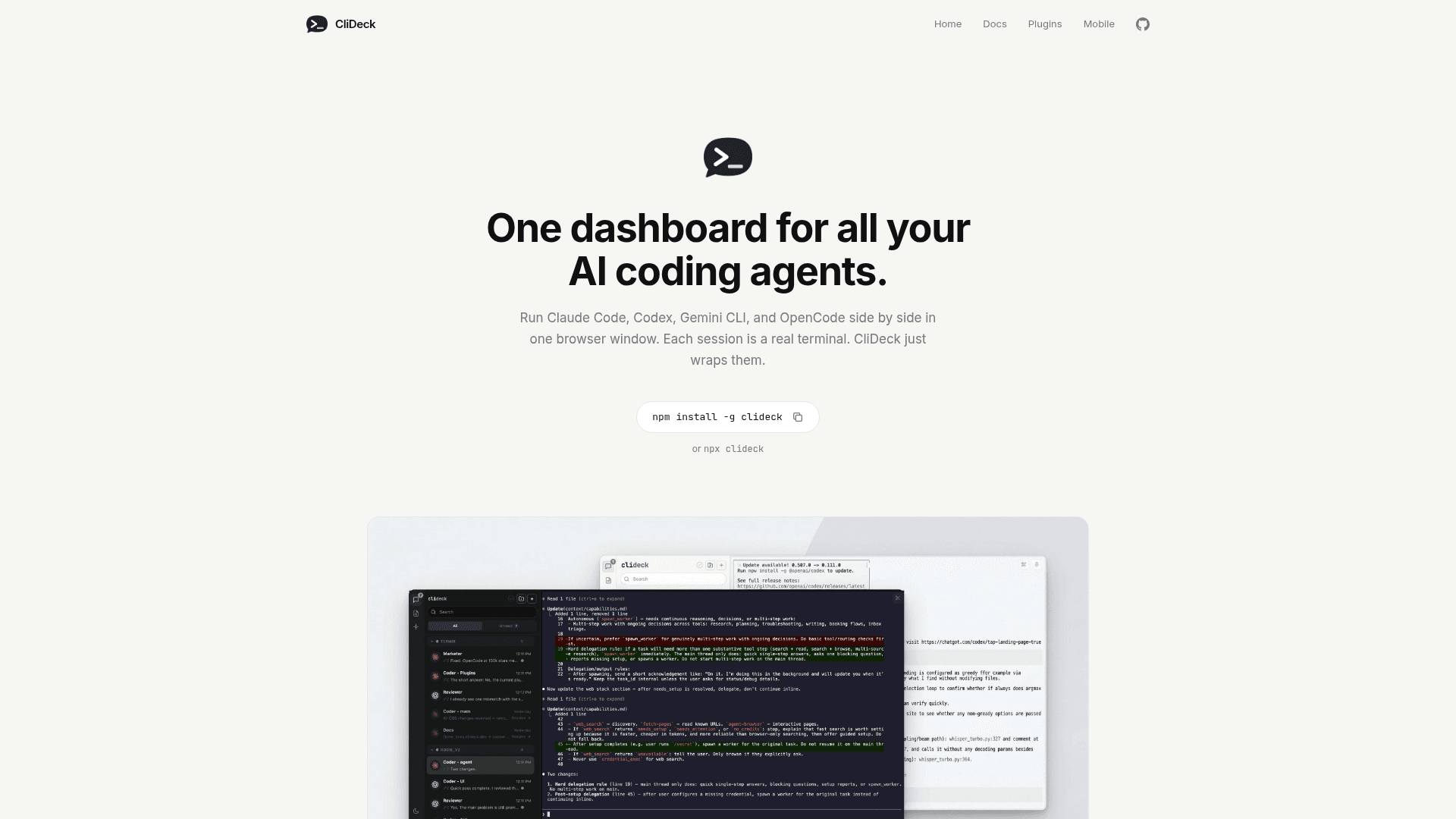
CliDeck is a dashboard and terminal multiplexer alternative for AI coding agents. Sessions are grouped into projects, shown in a chat-style conversation list with message previews, unread counts and activity times. Each session is the agent's actual terminal, with its own tools, configuration and account. It installs through npm and is opened at a localhost address.
Working with sessions
The interface shows live status (working, idle or needing attention) and can send browser and sound notifications when work finishes. Saved sessions can be resumed, and conversation history is searchable, with an unread filter for catching up. A Task Manager lists running processes with CPU and memory use, grouped by project and agent, on macOS and Linux. Saved prompts are reused by typing //, with session and project name placeholders.
Previewing agent output
Agents can open artifacts in tabs beside the terminal using clideck show. Supported previews include Markdown, text, logs, JSON, CSV, HTML, PDFs, images, video, Mermaid diagrams, diffs, charts and test results. An agent can update the same preview as it revises its work.
Agent collaboration and plugins
CliDeck Ask lets one session send a request to another, including across providers, and receive the reply. Agents discover teammates with clideck agents and contact them with clideck ask. Plugins include Git Changes, Supertonic Voice, Emoji and Smart Dictation, and a plugin SDK is available for custom ones.
Local operation and version notes
CliDeck binds to localhost and stores data locally, in ~/.clideck-next by default. The v1 line included Autopilot routing and Mobile Remote, which the README says were removed in v2. Node.js 22.12+ and an installed agent CLI are required.
Community Discussions
Be the first to start a conversation about CliDeck
Share your experience with CliDeck, ask questions, or help others learn from your insights.
Pricing
Open Source (MIT)
CliDeck core is MIT-licensed and can be self-hosted locally via npm; runs on your own computer.
- MIT License
- Run Claude Code, Codex, Gemini CLI, OpenCode and shell sessions in one browser window
- Projects, live status, session resume, search, saved prompts, plugins
- CliDeck Ask for agent-to-agent requests
- Runs locally; agent CLIs use their own AI provider accounts (external costs)
Capabilities
Key Features
- Run multiple CLI agents side by side in real terminals
- Projects grouping with working directories
- Live working/idle status and notifications
- Session resume and saved history
- Full-text conversation search and unread filter
- Task Manager for processes (macOS and Linux)
- Saved prompt library with // autocomplete
- Artifact previews via clideck show
- Agent-to-agent requests via clideck ask
- Plugin SDK and built-in plugins
- Light and dark themes with configurable shortcuts