
Cockpit by AIDash
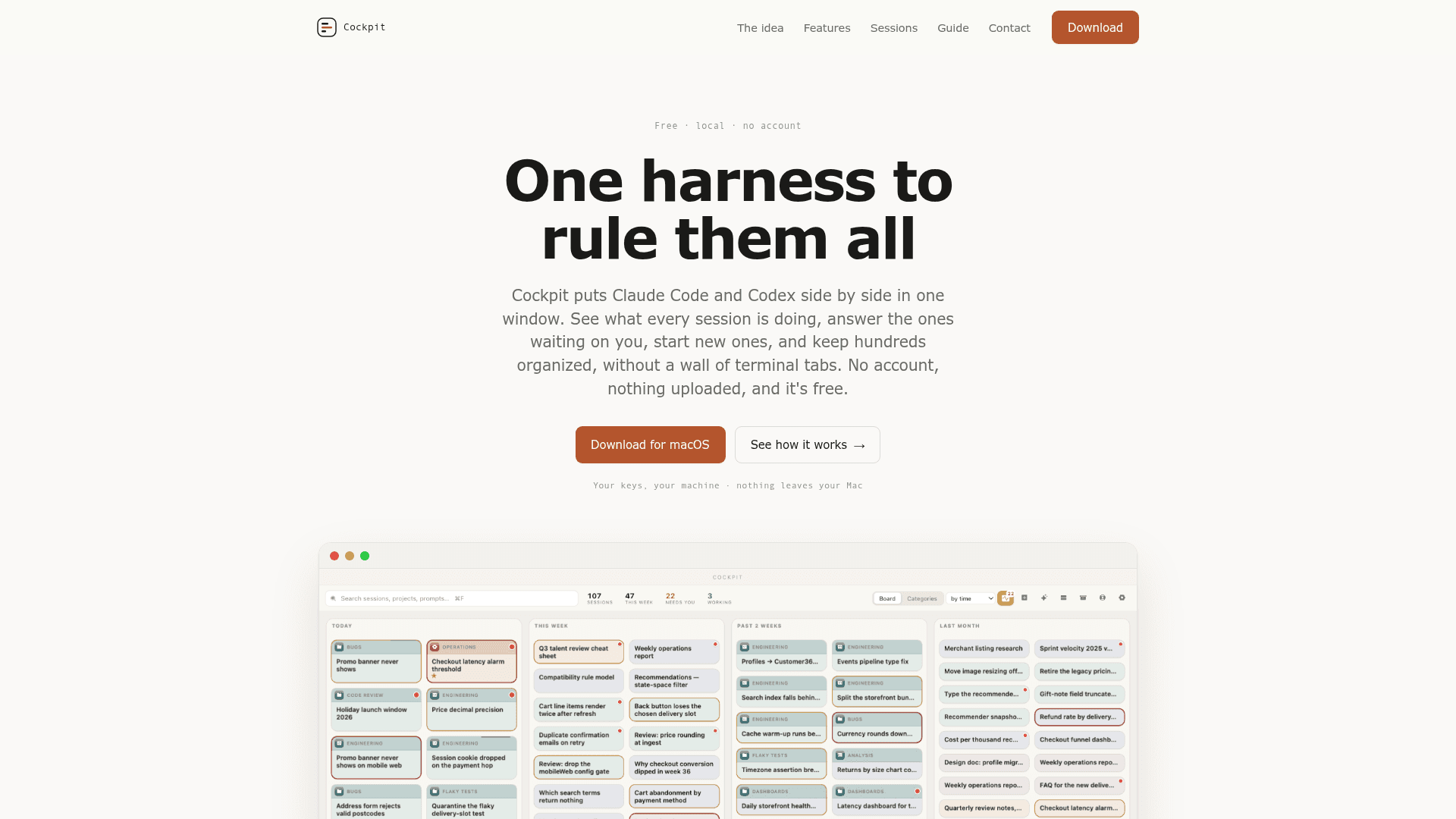
A free macOS desktop app that puts Claude Code and Codex sessions side by side in one window, letting you monitor, reply to, and organize hundreds of AI coding sessions without terminal tab chaos.
At a Glance
Free local macOS app with no account required. Bring your own API keys for Claude Code or Codex.
Engagement
Available On
Alternatives
Listed Sep 2026
About Cockpit by AIDash
Cockpit is a free, local macOS desktop application built by aidash.dev that acts as a unified harness for Claude Code and Codex sessions. It runs entirely on your machine — no account, no telemetry, no cloud uploads — and reads the transcripts those tools already write to disk, presenting them in a single organized window. The current release is v0.1.6, supporting both Apple Silicon and Intel Macs.
What It Is
Cockpit sits above your existing AI coding harnesses rather than replacing them. Claude Code and Codex each write session transcripts to disk as they run; Cockpit reads those files and surfaces them in a board-style interface. The tool's core job is attention management: knowing which sessions are waiting on you, which have finished, and which are quietly blocked on a permission prompt you never saw. It is not an agent itself — it is the control plane for the agents you already run.
How the Session Board Works
Every active and past session appears as a card on a board, grouped by when it was last touched. Red badges flag sessions that need a reply. From a single "Attention" view — one table spanning both Claude Code and Codex — you can reply, approve a permission, or stop a run with ⌘+period, without switching terminal tabs. Starting a new session is equally direct: hit +, pick a directory, write a first instruction, and choose which tool to launch; the card lands on the board immediately.
Document and File Workflow
Version 0.1.2 introduced a document layer on top of the transcript view. Every file the agent writes is kept with a full version timeline you can read backwards, diff, and restore from. Selecting any passage in a file and annotating it sends the note straight back to the originating session — no copy-pasting diffs into a terminal. Markdown, CSV, images, and .docx files render as formatted documents rather than raw text, and additional viewers can be added as drop-in plugins that live outside the app bundle, so an app update never removes a custom viewer.
Organization at Scale
Cockpit is designed for users running many concurrent sessions. Cards can be dragged into colour-coded categories with sub-categories, pinned for recurring workflows, and searched across every session — past and present. The site describes the goal as keeping "hundreds" of sessions in order without losing threads in closed terminals.
Privacy and Deployment Model
The privacy model is explicit: the only outbound traffic is the prompt sent to whichever model provider you chose, using your own API key stored in a local file. Session transcripts are never transmitted. There is no server-side component, which is also why the app is free — the site notes "there's no server for us to run or data for us to sell."
Update: v0.1.6
The current release is v0.1.6 (SHA-256: 78b48943b2267dcf…), available as a universal binary for Apple Silicon and Intel. The changelog visible on the homepage highlights Documents as a feature introduced in v0.1.2, indicating active development with incremental feature additions since the initial launch. The project is at an early but shipping stage.
Community Discussions
Be the first to start a conversation about Cockpit by AIDash
Share your experience with Cockpit by AIDash, ask questions, or help others learn from your insights.
Pricing
Cockpit
Free local macOS app with no account required. Bring your own API keys for Claude Code or Codex.
- Unified board for Claude Code and Codex sessions
- Attention view with reply, approve, and stop controls
- Session transcript with summary
- File tabs with full version history and diff/restore
- Targeted comment-to-session feedback
Capabilities
Key Features
- Unified board view for Claude Code and Codex sessions
- Attention view: one table of sessions waiting for a reply across both tools
- Red badge alerts when a session needs input
- Reply, approve permissions, or stop a run from one screen
- Start new Claude Code or Codex sessions without opening a terminal
- Recent directories one click away
- Paste images with ⌘V
- Full session transcript with summary and 'where we are' header
- Files written by the agent shown as tabs with version timeline
- Diff and restore any file version
- Comment on selected passages to send targeted feedback back to the session
- Colour-coded categories with sub-categories and icons
- Pin recurring workflows
- Search across all sessions past and present
- Drop-in plugin system for custom document viewers
- Renders Markdown, CSV, images, and .docx files
- No account, no telemetry, no cloud upload
- Local API key storage
- Universal binary: Apple Silicon and Intel