
dachshund
Local macOS app that imports memory files from multiple AI agents into one portable Markdown library and serves it back through MCP.
At a Glance
dachshund is free and open source under the MIT license, running locally on macOS (Apple Silicon) with no account required.
Engagement
Available On
Alternatives
Listed Nov 2026
About dachshund
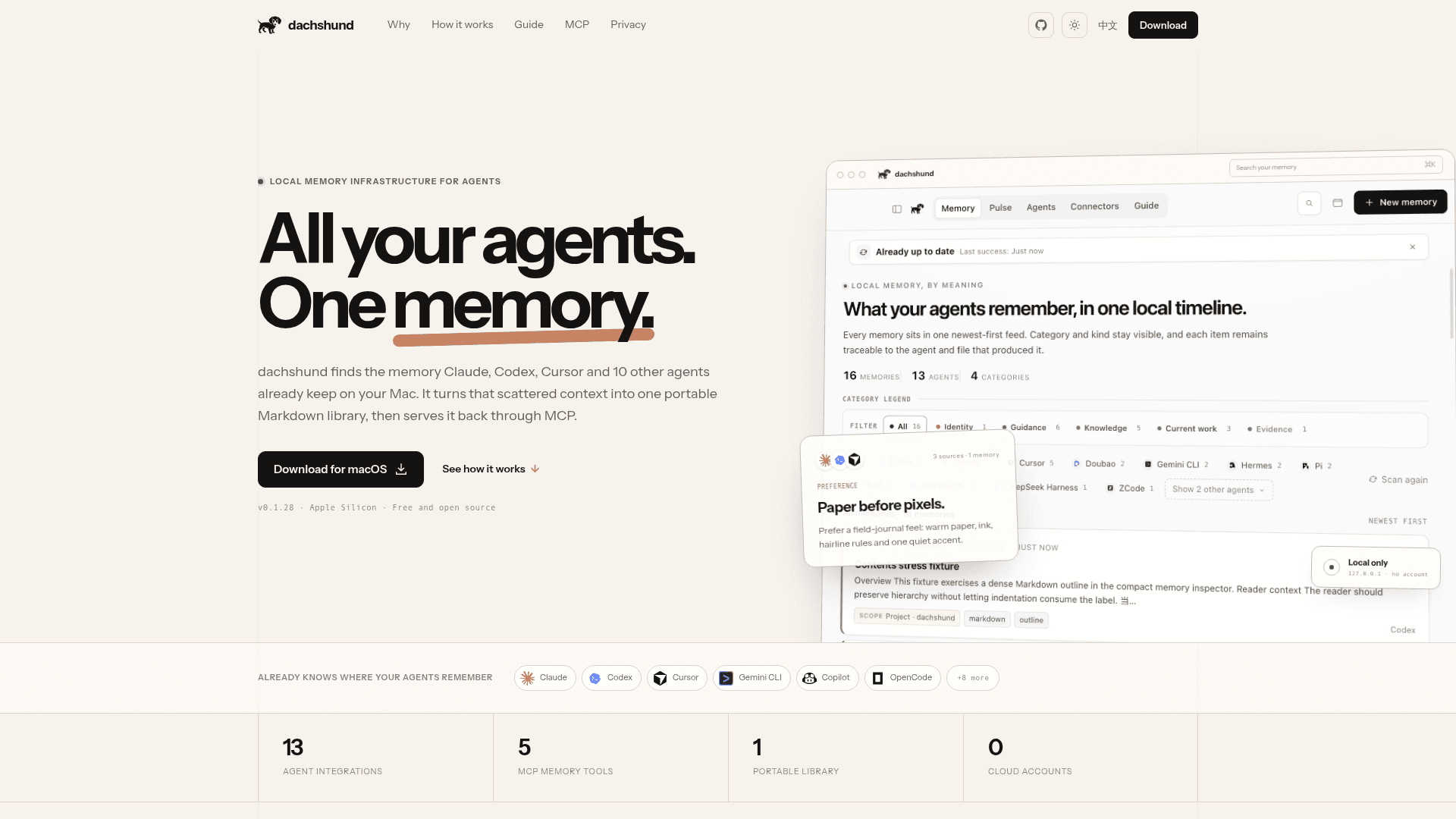
dachshund is a free, open-source macOS utility that finds the memory files AI agents such as Claude, Codex and Cursor already keep on your Mac and consolidates them into a single Markdown library. It then exposes that library to connected agents through a loopback-only MCP bridge. The current release is v0.1.28 for Apple Silicon, and the project describes itself as a working MVP.
What It Is
Dachshund is local memory infrastructure for people who use more than one coding or desktop agent. Each agent keeps its own partial context, so a project rule, a failed approach or a style preference can be lost when switching tools. dachshund reads those native memory locations in place, without rewriting the originals, and stores the unified result as plain Markdown in a local folder. SQLite with FTS5 and BM25 serves only as a rebuildable search index.
How the Memory Workflow Works
On first launch, dachshund scans for installed agents and imports their existing memory. Credential-looking content is redacted on import and rejected on MCP writes. When the same knowledge appears from several agents, it is kept as one memory with every source shown. A deterministic, rule-based consolidation pass folds near-duplicates without calling a model. Memories are filed into ten durable kinds across four shelves (Identity, Guidance, Knowledge, Current work), with Evidence held in a separate review tray. Imports run at startup and on explicit scans, with an optional hourly sync.
MCP Tools and Agent Support
Connected agents get five MCP tools: memory_search, memory_context, memory_remember, memory_forget and memory_stats. The service binds to 127.0.0.1 and uses a short-lived bearer token stored in an owner-only runtime file. Writes keep the calling agent as provenance. Thirteen agents are listed as supported: Claude, Codex, Cursor, Gemini CLI, GitHub Copilot, OpenCode, WorkBuddy, Doubao, TRAE, Hermes, Pi, ZCode and DeepSeek Harness.
Mac Interface
The app lives in the macOS menu bar with a compact panel and a full library window, plus global shortcuts. Pulse shows memory growth, cross-agent overlap and freshness, and Guide explains the filing model.
Privacy and Limitations
The project states there is no account, telemetry or hosted service, and no LLM or embedding calls on the core path; the only outbound request is the GitHub update check. Documented limitations include lexical-only search, no live file watcher, manual conflict review, no cloud sync or team mode, and an Apple Silicon-only build that is ad-hoc signed and not notarized.
Community Discussions
Be the first to start a conversation about dachshund
Share your experience with dachshund, ask questions, or help others learn from your insights.
Pricing
Free and open source
dachshund is free and open source under the MIT license, running locally on macOS (Apple Silicon) with no account required.
- MIT License
- Local only, no account, no cloud
- 13 agent integrations
- 5 MCP memory tools
- Portable Markdown library
Capabilities
Key Features
- Read-only discovery and import of existing agent memory
- Portable Markdown memory library
- Cross-agent echo detection and deduplication
- Deterministic consolidation without a model
- Secret redaction on import and rejection on write
- Loopback-only MCP bridge with bearer token
- Five MCP tools: search, context, remember, forget, stats
- Pulse memory health view
- Guide taxonomy view
- macOS menu bar compact panel with global shortcuts
- SQLite FTS5 + BM25 local search index
- In-app update checks via GitHub Releases