
Dropstone
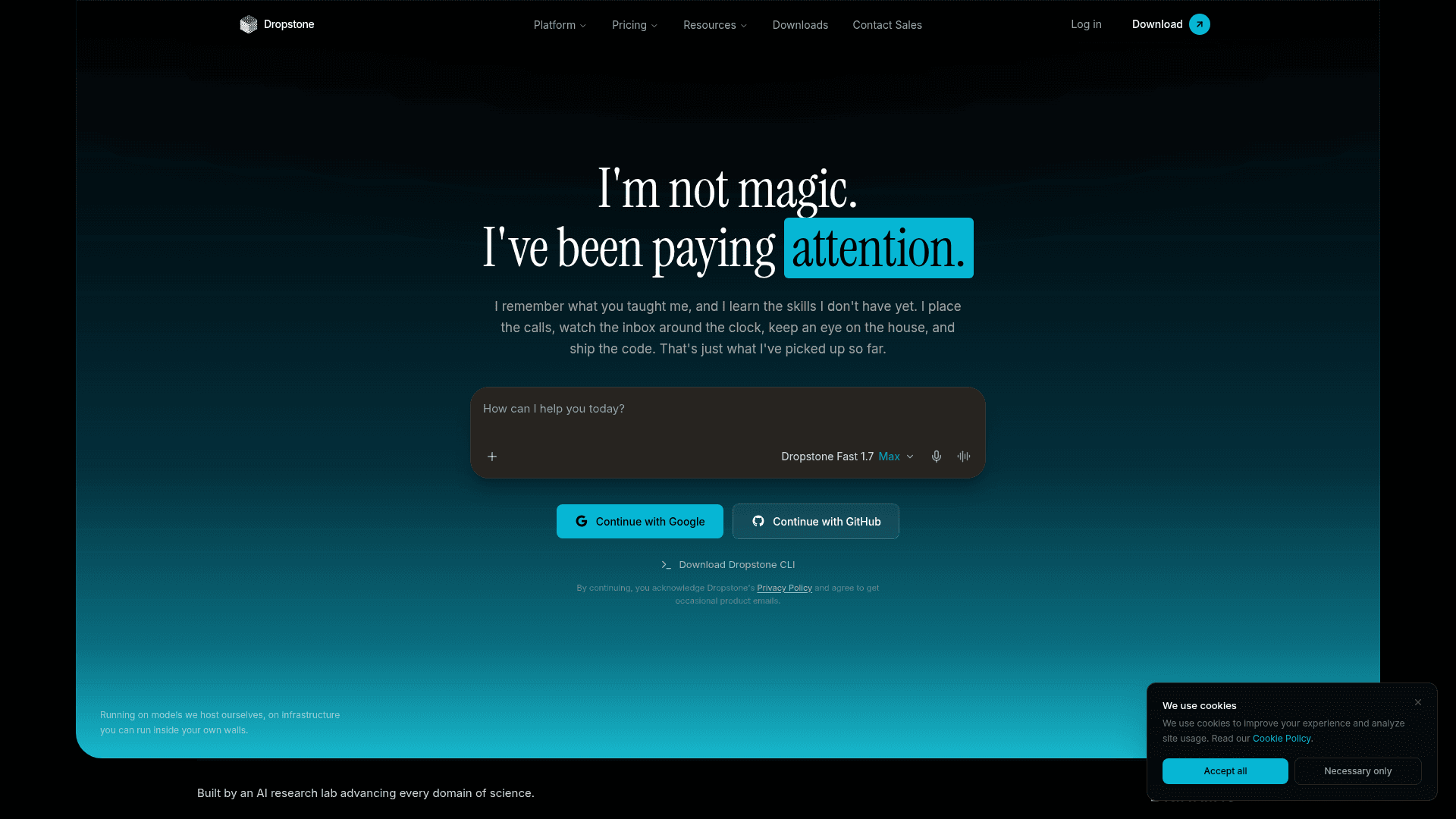
Dropstone is a self-hosted AI assistant with long-term memory that works across the CLI, chat, and real-world actions like phone calls, inbox monitoring, and smart home control.
At a Glance
Everything you need to start shipping with Dropstone
Engagement
Available On
Listed Aug 2026
About Dropstone
Dropstone is a self-hosted AI assistant built by Blankline, an AI research lab founded in 2024 and headquartered in Chennai, India. It combines a coding agent, a chat interface, a CLI, and real-world action capabilities — all backed by persistent long-term memory that spans every surface. The platform runs on open-weight models hosted by Blankline or deployable on your own infrastructure.
What It Is
Dropstone is a multi-surface AI agent designed to be proactive rather than reactive. Unlike conventional AI assistants that wait for a prompt and forget context between sessions, Dropstone maintains a single persistent memory across the CLI, chat, SDK, and phone calls. It started as a terminal-based coding agent and has since expanded to monitor inboxes, control smart home devices, place phone calls, and ship code — all with approval gates on every tool call.
Architecture and Deployment Model
Dropstone is built for self-hosting. According to the product page, the entire stack — keys, machines, and network — can run inside your own infrastructure with nothing leaving your walls. The platform is model-agnostic by design, supporting open-weight models, self-hosted models, and local models through Ollama. Blankline publishes that it runs Kimi K3 behind the "Dropstone Heavy" tier, which it claims is the highest-scoring open-weight model on the Artificial Analysis Index v4.1.1. A one-million-token context window is available on every tier.
Surfaces and Capabilities
Dropstone spans multiple interaction surfaces:
- CLI — terminal-native coding agent that writes and ships code
- Chat — web-based interface with file and photo uploads, voice mode, and long-term memory
- SDK — developer integration layer
- Real-World AI — phone calls placed on your behalf, inbox monitoring, and smart home device control
- Figma Plugin — the open-source Dropstone Design Bridge connects Figma to the agent for AI-assisted design creation and editing using 36 real-time design tools
The Figma plugin (released as V1.0.1 in March 2026) lets users select any Figma element, describe a change in plain language, and have the AI apply targeted edits with a visual feedback loop — the agent screenshots the result and self-corrects until the design looks right.
Self-Learning and Research Backing
Blankline describes a self-learning behavior in Dropstone where the agent reflects on completed work, identifies patterns, and applies them to future tasks without being explicitly retaught. The company states it ran this as a formal study and observed the same habit generalize to mathematical pattern recognition. Research findings are published openly at blankline.org/research.
Update: v3.0.6 and Recent Release History
According to the About page timeline, Dropstone shipped its initial public release in August 2025 and has moved through several major versions:
- v2.0 (September 2025) — Semantic analysis engine, 40+ language support
- v2.0.3 (November 2025) — D2 Engine, advanced memory system
- v3.0.1 (December 2025) — D3 Engine runtime, major architecture upgrade
- v3.0.4 (January 2026) — Stability fixes, security patches
- v3.0.5 (February 2026) — Share Chat, Team Memory, collaborative workspaces
- v3.0.6 (February 2026) — Thought Chain, latency optimizations, model updates
The Figma plugin (Dropstone Design Bridge V1.0.1) was published on March 9, 2026, under an MIT license on GitHub.
Privacy and Security Posture
Blankline publishes a safety-first charter: zero prompt, code, or output retention; no data shared with the model's original operator; no routing through labs that train on customer data. The infrastructure is operated and audited by Blankline directly, with personal audit logs available to users. The company states that model training on user data is "strictly no" across all tiers.
Community Discussions
Be the first to start a conversation about Dropstone
Share your experience with Dropstone, ask questions, or help others learn from your insights.
Pricing
Free
Everything you need to start shipping with Dropstone
- Limited monthly usage
- Dropstone Fast with XHigh Thinking
- Dropstone Pro with XHigh Thinking
- Access to Dropstone CLI
- Access to Dashboard
Pro
More usage, the Heavy tier, and the research roadmap
- 8× more usage than Free
- Dropstone Heavy with XHigh Thinking
- Context summarization with precision engineering
- Advanced contextual understanding
- Larger working context window
- Saved agent presets and system prompts
- Higher file upload limits
- Access to Blankline Research
- Latest engineering research upgrades
- Access to Beta Research Program
- First look at monthly audit results
- Smart home device control
Max
The most usage, priority queue, and the earliest features. Max 5× or Max 10× billed monthly.
- 5× or 10× more usage than Pro
- Higher output limits for every task
- Highest concurrent task limit
- Priority routing during high-traffic windows
- Dedicated capacity reserved at peak hours
- Faster first-token latency on every tier
- Early access to advanced Dropstone features
- Preview new models before public release
- Experimental agent presets, internal-only releases
- Real phone calls placed on your behalf
- Early access to new Real-World AI capabilities
Capabilities
Key Features
- Long-term memory across CLI, chat, SDK, and phone calls
- Self-hosted infrastructure with full data sovereignty
- Model-agnostic: open-weight, self-hosted, or local models via Ollama
- 1M token context window on every tier
- Proactive agent that acts without waiting for a prompt
- Real-world AI: phone calls, inbox monitoring, smart home control
- Approval gates on every tool call
- Figma plugin for AI-assisted design creation and editing
- 36 real-time Figma design tools
- Visual feedback loop with canvas screenshot and self-correction
- Web search inside the agent
- Remote MCP connector support
- Code execution in sandbox
- Saved agent presets and system prompts
- Plan mode before applying changes
- Zero prompt, code, or output retention
- Personal audit log
- Team Memory and collaborative workspaces
- Voice mode in Dropstone Chat
- VS Code, Cursor, and Windsurf extension support