
Edyt
AI writing assistant that lets you select text in any app and instantly rewrite, proofread, translate, or explain it with a single keyboard shortcut.
At a Glance
All actions in every app with a daily/weekly/monthly usage allowance. No credit card needed.
Engagement
Available On
Listed Oct 2026
About Edyt
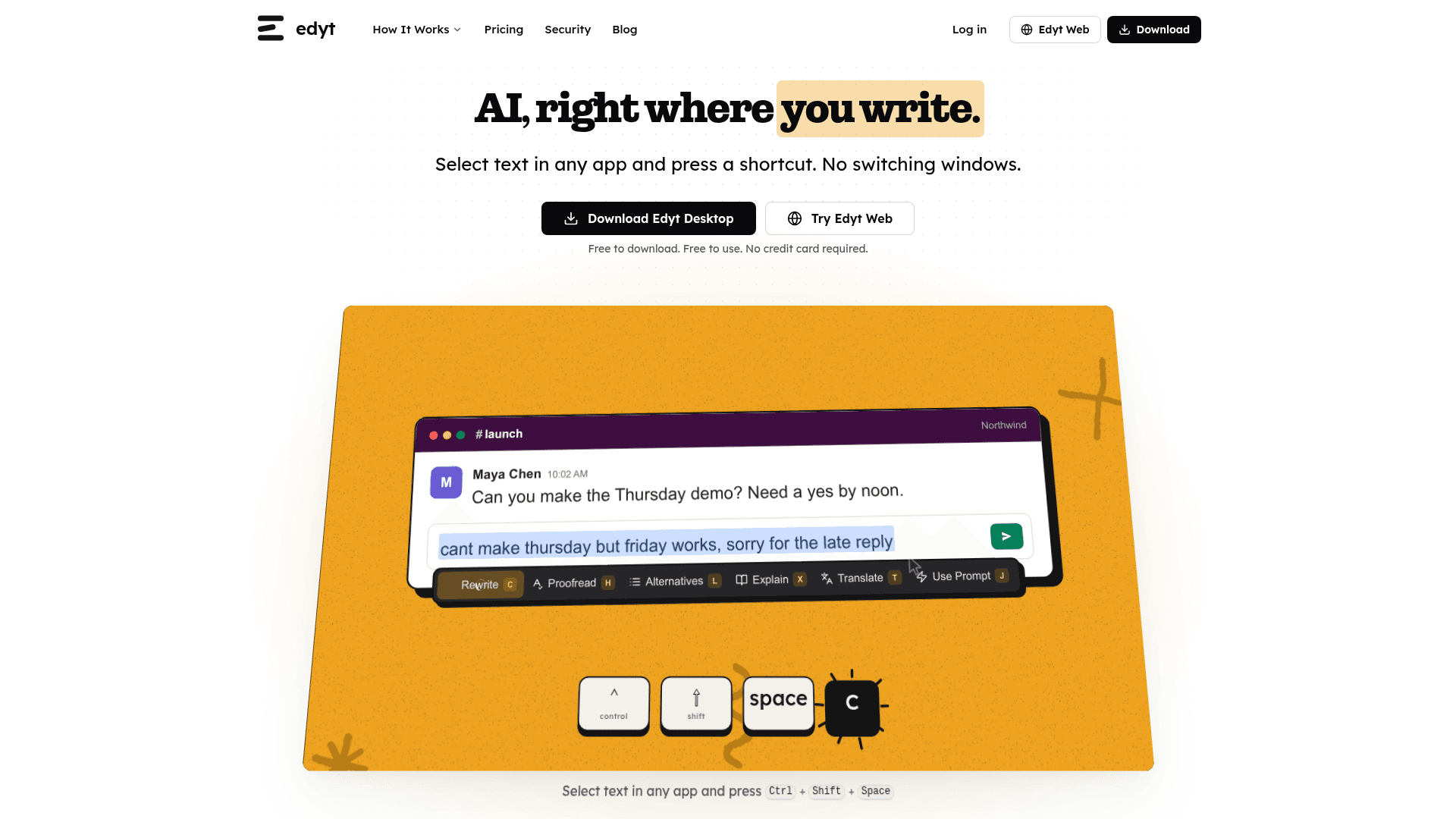
Edyt is a desktop and web AI writing tool that brings AI editing directly into any application without switching windows. Users select text, press a keyboard shortcut (Ctrl+Shift+Space by default), and choose from actions like Rewrite, Proofread, Alternatives, Explain, Translate, or a custom prompt. It is free to download and use, with no credit card required to start.
What It Is
Edyt sits in the category of ambient AI writing assistants — tools designed to work inside your existing workflow rather than requiring you to open a separate chat interface. The core idea is a single shortcut that surfaces AI actions on whatever text you have selected, whether that's in a Slack message, a Google Doc, an email client, or any other app. It is available as a desktop app for Mac and Windows, and also as a web editor (Edyt Web) that works in the browser without installation.
Actions and Capabilities
The tool ships with six built-in actions and one special feature:
- Rewrite — fixes spelling, grammar, and punctuation while preserving the user's voice
- Proofread — shows each issue and its explanation before making changes
- Alternatives — generates a few different versions of the selected text
- Explain — clarifies what something means (useful for jargon, acronyms, or dense passages)
- Translate — reads or replies in another language
- Custom Prompts — lets users define repeatable edits with their own instructions
- Screen Reading — reads text from areas that can't be selected, such as PDFs or screenshots
How the One-Shortcut Workflow Works
The interaction model is deliberately minimal. After installing the desktop app, users highlight any text in any application and press the configured shortcut. A small overlay appears with the available actions. The result replaces or annotates the selected text in place. No copy-pasting into a separate tool, no browser tab switching. The web version (Edyt Web) supports the same core actions on text typed or pasted into the editor, and can be tried a few times per day without an account.
Privacy and Data Handling
The pricing page states that user text is never stored once the AI reply comes back, and that text is never used to train AI — "not by us, and not by our AI provider." Custom prompts and usage counts are saved to the user's account and sync across devices when signed in.
Platform and Sync
Edyt Desktop runs on both Mac and Windows with the same actions and shortcuts on each platform. Account sign-in syncs custom prompts, shortcut settings, and action preferences across computers. Edyt Web provides a browser-based fallback that supports Rewrite, Proofread, Alternatives, Explain, and Translate without requiring installation.
Community Discussions
Be the first to start a conversation about Edyt
Share your experience with Edyt, ask questions, or help others learn from your insights.
Pricing
Free
All actions in every app with a daily/weekly/monthly usage allowance. No credit card needed.
- ~130 quick edits a day
- Up to ~500 a week
- Up to ~1,650 a month
- All actions (Rewrite, Proofread, Alternatives, Explain, Translate, Custom Prompts, Screen Reading)
- Mac and Windows apps
Pro
Unlimited quick edits with no daily, weekly, or monthly cap. Billed annually.
- Unlimited quick edits
- No daily, weekly, or monthly cap
- All actions (Rewrite, Proofread, Alternatives, Explain, Translate, Custom Prompts, Screen Reading)
- Mac and Windows apps
- Edyt Web access
- Priority email support
- Cancel anytime
Capabilities
Key Features
- Rewrite text with grammar and spelling fixes
- Proofread with per-issue explanations
- Generate alternative versions of selected text
- Explain jargon or complex passages
- Translate text or compose replies in another language
- Custom Prompts for repeatable edits
- Screen Reading for non-selectable text (PDFs, screenshots)
- One keyboard shortcut works in any app
- Mac and Windows desktop apps
- Edyt Web browser editor (no install required)
- Cross-device sync for prompts and settings
- Text never stored or used for AI training