ego (lite)
A Chromium-based agent browser that lets AI agents like Claude Code and Codex run web automation tasks in isolated Spaces using your real logged-in browser state.
At a Glance
About ego (lite)
ego (lite) is a Chromium-based desktop browser built by Citro Labs that lets AI agents run web automation tasks directly inside your real, logged-in browser — without disturbing your own tabs. It is free to download for macOS, with Windows and Linux listed on the roadmap. The project is open-source under the MIT License and available on GitHub.
What It Is
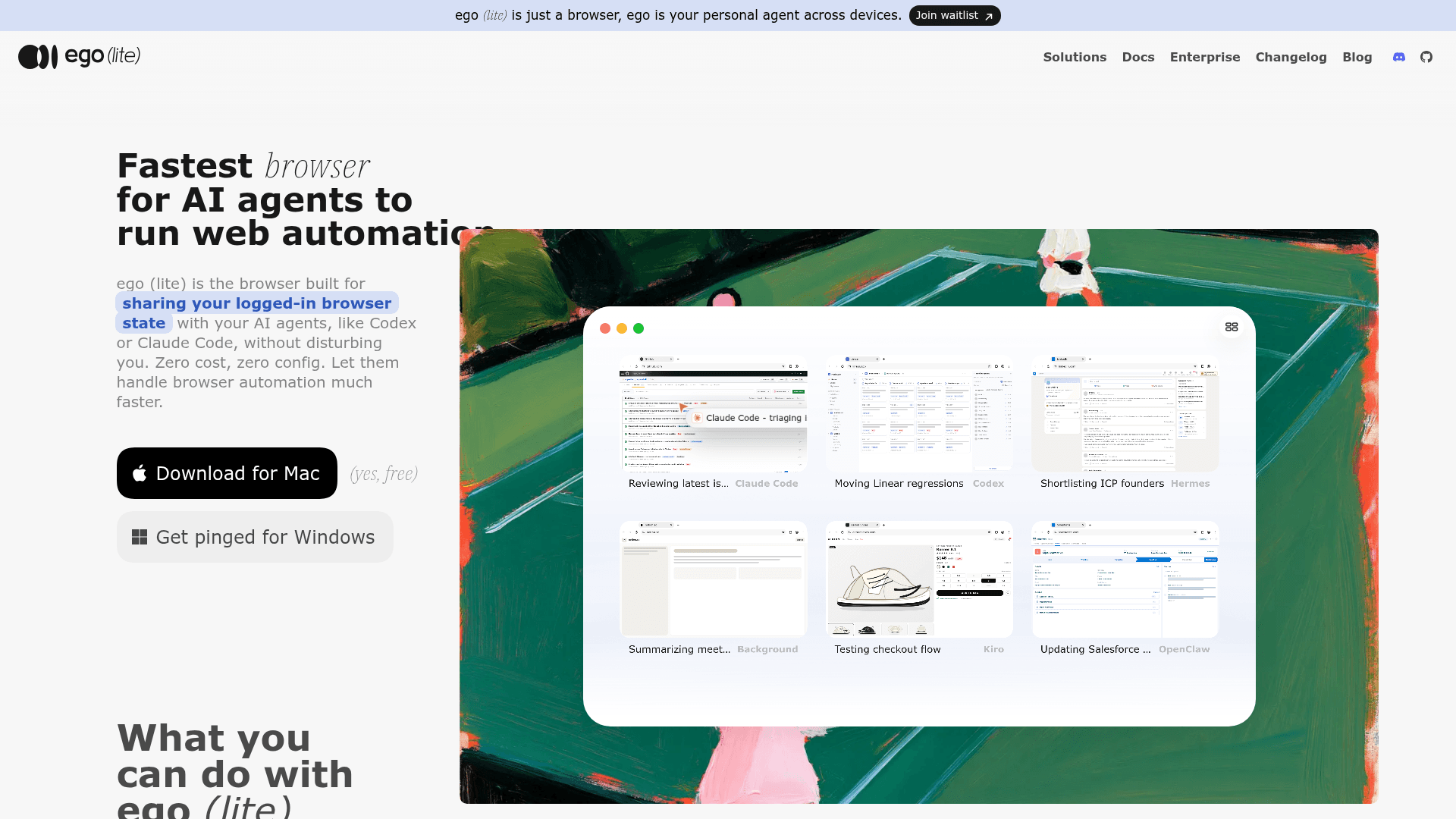
ego (lite) sits in a category the site calls "agent browsers" — a real browser designed from the start to be shared between a human and one or more AI agents. Unlike browser automation frameworks such as Browser Use or Playwright, which drive a separate, blank browser instance, ego (lite) gives agents access to the same Chromium session you use daily, including your existing cookies, logins, extensions, and bookmarks. The connection layer is ego-browser, a skill that installs into any agent CLI (Claude Code, Codex, Cursor, Kiro, Gemini CLI, OpenClaw, and others) and exposes the browser as a set of in-page JavaScript tools: snapshot, fill, click, wait, navigate, and capture.
How Spaces Work
The core isolation mechanism is called Spaces — separate workspaces inside the same browser window. Your personal tabs live in your Space; each AI agent gets its own Space to run tasks without touching your open tabs or stealing mouse focus. Multiple agents can run in parallel Spaces simultaneously, so Claude Code can enrich leads in ten Spaces while Codex scrapes competitor sites in five more, all without collision. The site describes this as a key differentiator over tools like ChatGPT Atlas or Perplexity Comet, which ship a built-in agent that is the only one that can drive the browser.
Performance and Token Efficiency
ego (lite) uses a code-based rather than CLI-based approach: the agent writes a JavaScript snippet that composes multiple browser steps into a single output, rather than issuing one tool call at a time and waiting for each result. The site claims this approach completes complex browser automation tasks up to 3.45x faster than agent-browser on a representative scraping task (scraping the main posts from an X account over the last 7 days: 81.8 seconds vs. 282.9 seconds). The page snapshot is built into a custom Chromium engine rather than a JavaScript shim on stock Chrome, which the site says produces higher-quality semantic snapshots — approximately 200–400 tokens per page instead of raw HTML — and reliably handles cross-origin iframes, shadow DOM, and third-party SDK widgets like Stripe, Salesforce, Intercom, and React portals.
Setup Path
Installation is available three ways: downloading the macOS .dmg directly (Apple Silicon or Intel), running npx skills add citrolabs/ego-lite to install just the ego-browser skill, or pasting a prompt into an agent and letting it walk through the install steps. On first launch, ego (lite) asks whether to migrate Chrome data; accepting copies tabs, tab groups, bookmarks, saved passwords, extensions, cookies, and login sessions in one step. After onboarding, agents invoke browser tasks by typing /ego-browser followed by a plain-language description of the task.
Architecture and Privacy
All browsing data — history, cookies, login sessions, passwords, and page content read by agents — stays on the local machine. The site states ego (lite) does not upload browsing data and only records whether the user opted into Chrome data migration during setup. No account or email is required for the free individual tier; users bring their own model API keys.
Update: v1.2.5
The latest release is v1.2.5, published July 17, 2026. The GitHub repository was created in April 2026 and has accumulated over 2,500 stars and 121 forks as of late July 2026, with active pushes as recently as July 24, 2026. The roadmap lists Windows and Linux support, reusable skills (experience accumulation that the site says could make similar tasks run up to 5x faster), and additional agent integrations as upcoming directions.
Community Discussions
Be the first to start a conversation about ego (lite)
Share your experience with ego (lite), ask questions, or help others learn from your insights.
Pricing
Free
Everything individuals need to give their own AI agents a browser they can actually use. Free forever.
- macOS app, free download — Windows & Linux on the roadmap
- Run agent tasks in parallel Spaces, limited only by your machine
- High-quality page Snapshots: ~200–400 tokens per page, not raw HTML
- ego-browser skill for any agent CLI — Claude Code, Codex, Cursor, Gemini CLI…
- Reuses your real Chrome login state — no re-auth, no cookie pasting
Business
Custom pricing built around how your team runs agents at scale.
- Everything in Free
- Priority support with response SLA
- Custom integrations and guided onboarding
- Volume and deployment terms built around your team
Capabilities
Key Features
- Isolated agent Spaces for parallel browser automation
- Inherits Chrome login state, cookies, extensions, and bookmarks in one click
- ego-browser skill compatible with Claude Code, Codex, Cursor, Kiro, Gemini CLI, OpenClaw, and custom agents
- Custom Chromium engine with kernel-level semantic page snapshots (~200–400 tokens per page)
- Handles cross-origin iframes, shadow DOM, and third-party SDK widgets (Stripe, Salesforce, Intercom)
- Code-based multi-step execution in a single JavaScript pass instead of one-tool-at-a-time round trips
- Parallel multitasking across multiple agent Spaces simultaneously
- 100% local and private — no account, no email, no data upload
- One-click Chrome data migration (tabs, bookmarks, passwords, extensions, cookies)
- AI social media scraper solution (X, Reddit, LinkedIn, YouTube)
- Auto-apply to jobs solution (LinkedIn, Indeed)
- AI browser testing solution (2.4x faster than Playwright MCP per site claims)
- Bring your own model API key
- npx skill install via `npx skills add citrolabs/ego-lite`