Endstack
Endstack is a cloud desktop operating system (endOS) that gives teams a persistent Linux-backed workspace with a built-in AI agent, browser, terminal, file system, and collaboration channels in one place.
At a Glance
Engagement
Available On
Listed Jul 2026
About Endstack
Endstack is a cloud-hosted, agentic workspace built on endOS — the company's own Linux-backed desktop environment. It runs 24/7 in the browser and is accessible from any device, including dedicated desktop and mobile apps. Every team member gets a full persistent desktop with files, apps, channels, and an AI agent that can act on their behalf.
What It Is
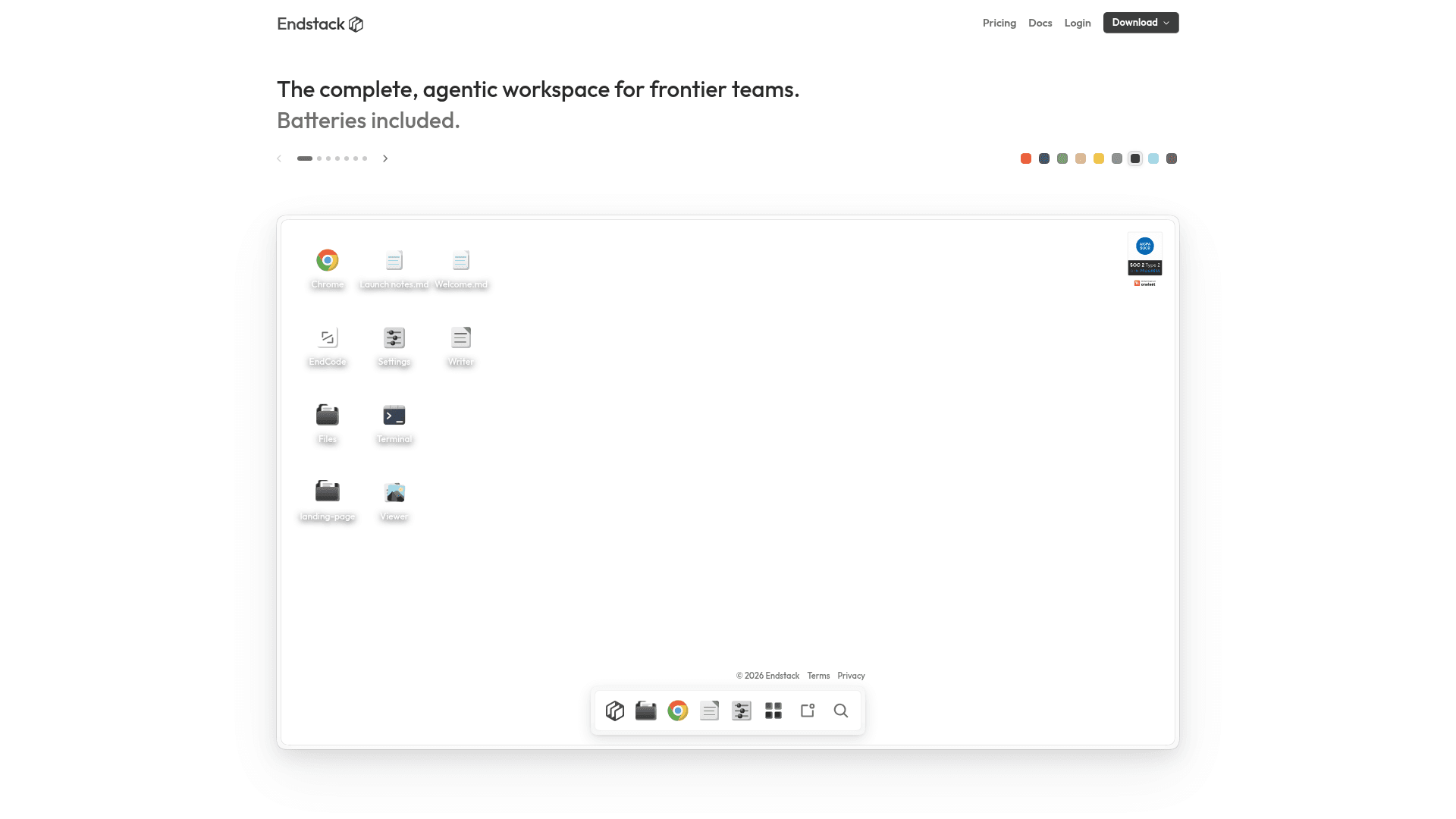
Endstack is an all-in-one cloud desktop operating system designed for teams that work with AI agents. Rather than assembling separate tools — a model, a browser sandbox, a scheduler, a file store — Endstack integrates everything at the operating system level. The agent lives inside the same desktop environment the user works in, with access to the filesystem, terminal, browser, and native apps. The workspace runs continuously, even when the user is offline.
How the Desktop Environment Works
Each Endstack desktop is a full Linux computer running in the cloud. The environment includes:
- endOS — a customizable desktop with a dock, spotlight search, and a full filesystem
- Native apps — Files, Writer, Viewer, a persistent Chrome browser, Terminal, EndCode, Mail, and Settings
- 50 GB of private storage per user desktop, plus a separate 50 GB Team Drive
- Support for running and compiling code, installing CLI tools, and more via the underlying Linux shell
Workspaces are persistent and accessible from web, desktop, and mobile apps.
The Built-In Agent
The Endstack agent is integrated at the operating system level, not bolted on as a plugin. It can see files, run terminal commands, browse the web via the built-in Chrome browser, load reusable skills, call MCP servers, and use third-party integrations. The agent is also given its own email address and phone number for external communication, and it can integrate directly with Slack.
Users control how freely the agent can act. For sensitive actions, the platform sends a push notification to the mobile app so the user can approve on the go. Recurring tasks can be started from the web and monitored or cancelled from a phone.
Team Collaboration and Channels
Channels are the primary collaboration surface for people and agents together. Endstack supports workspace channels, direct messages, scheduled task channels, and channels tied to external conversations via email, messaging, or Slack. Channel owners and workspace admins can manage privacy, membership, posting permissions, notifications, and how proactively the agent responds. The agent's context can be customized per channel.
Team plans provide a shared desktop with shared files, shared agent context, and user isolation — positioning Endstack as a replacement for document-sharing solutions, standalone browser and terminal stacks, and AI chat or deep research subscriptions.
Current Status
The Endstack pricing page is dated 2026 and the site notes SOC 2 Type 2 compliance is in progress. The product is actively available with a single "Ultra" plan that includes usage credits each month. The platform is described as targeting "frontier teams" and positions itself as a batteries-included replacement for multiple separate SaaS subscriptions.
Community Discussions
Be the first to start a conversation about Endstack
Share your experience with Endstack, ask questions, or help others learn from your insights.
Pricing
Ultra
Complete agentic workspace for individuals and teams with persistent cloud desktop, built-in AI agent, and monthly usage credits.
- 50 GB of persistent storage for every user desktop
- The Endstack agent, built directly into endOS
- Collaborative channels for people and agents
- A full Linux environment and shell
- Recurring tasks that continue while you are away
- Built-in suite of native apps inside endOS
- Includes $50 usage credits each month
Capabilities
Key Features
- Persistent cloud Linux desktop (endOS) accessible from any device
- Built-in AI agent integrated at the OS level
- Full Chrome browser on every desktop
- Terminal and shell access with CLI tool installation
- EndCode code editor
- Native apps: Files, Writer, Viewer, Mail, Settings
- 50 GB private storage per user desktop
- 50 GB shared Team Drive
- Collaborative channels for people and agents
- Recurring scheduled tasks that run while offline
- Agent email address and phone number for external communication
- Slack integration
- MCP server support
- Reusable agent skills
- Per-channel agent context customization
- Mobile app with push notifications for agent action approvals
- Syntax themes and animated wallpapers
- User isolation on team desktops
- Workspace admin controls for members and roles