
Fluentry
Open-source voice-to-text dictation app for Linux that runs speech recognition entirely on-device using Whisper or Parakeet models, with optional local AI cleanup.
At a Glance
Fully free and open-source under GPL-3.0-or-later. No cost, no account required.
Engagement
Available On
Alternatives
Listed Sep 2026
About Fluentry
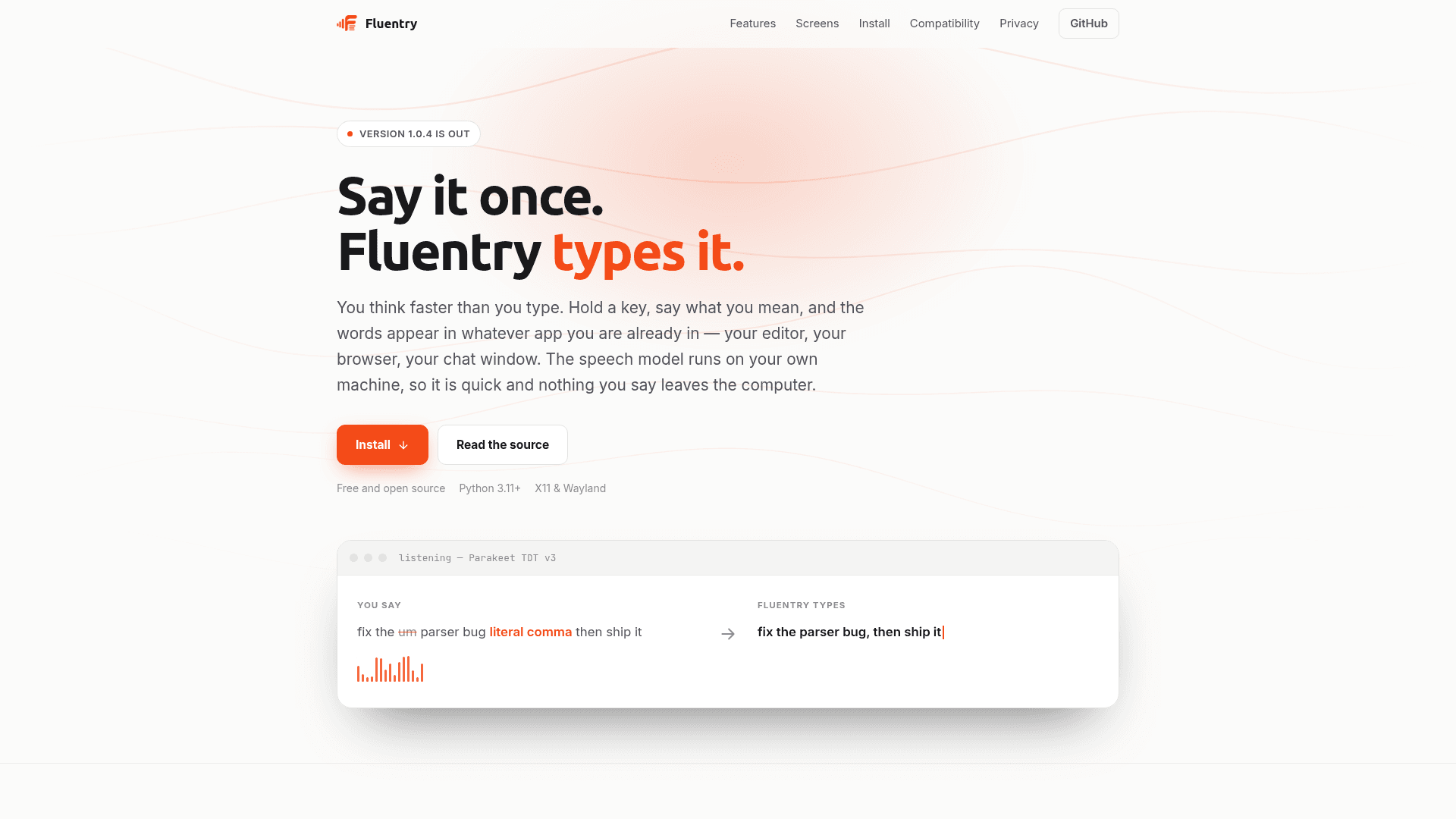
Fluentry is a free, open-source dictation app for Linux that lets you hold a key, speak, and have your words typed into whatever application is currently focused — your editor, browser, or chat window. Speech recognition runs entirely on your own machine using Whisper or Parakeet models, so it works offline and nothing you say is sent anywhere unless you deliberately enable AI cleanup. The project is licensed under GPL-3.0-or-later and is described as a Linux reimplementation inspired by the macOS app FluidVoice.
What It Is
Fluentry is a Linux-native voice dictation tool built in Python and PySide6. It integrates with the interfaces Linux already provides: PipeWire for audio capture, evdev for global hotkeys, the freedesktop Secret Service for credential storage, and Adwaita for its visual style. The core workflow is simple — hold a configurable key (Right Alt by default), speak, and release to insert the transcribed text at the cursor position in any app.
On-Device Speech Engines
All speech recognition runs locally. Fluentry supports three engine families:
- Whisper Tiny through Large — via
faster-whisperor an existingwhisper.cppbinary; covers 99 languages - Parakeet TDT v3 / v2 — via
onnx-asr; approximately 640 MB int8, multilingual, with roughly 300 ms latency for a short phrase on a plain CPU - Nemotron and Cohere Transcribe — via
sherpa-onnx
Model weights download on first use into the XDG cache directory and are removed when Fluentry is uninstalled. No account or network connection is required for transcription.
Text Shaping Pipeline
Between the model output and your keyboard, a transcript passes through a configurable pipeline:
- Filler-word removal — drops "um", "uh", and similar words
- Custom dictionary — corrects words the model consistently mishears; leaving the replacement blank deletes the trigger entirely
- Spoken punctuation — "literal comma" becomes a comma
- AI cleanup (optional, off by default) — rewrites the transcript with a language model running locally under Ollama or LM Studio, or any OpenAI-compatible endpoint; can be toggled per application
- Spoken send — a closing phrase such as "send it" can press Return
Three text insertion modes are available: direct typing with clipboard fallback, clipboard paste with restoration, and copy-to-clipboard only (which works in every app including Wayland windows that typing tools cannot reach).
Wayland and X11 Compatibility
Fluentry runs on both X11 and Wayland, with explicit documentation of what each compositor withholds. On Wayland, typing into other apps is handled through libei and the RemoteDesktop portal, which asks permission once and remembers it. Global hotkeys require adding the user to the input group. Knowing the focused window — needed for per-app rules — works on Hyprland, Sway, and KWin directly; on GNOME, the package ships a small Shell extension called Fluentry Focus that exposes this information. The fluentry --check command reports which capabilities are available before a user encounters a limitation.
Privacy Architecture
Fluentry's privacy model is explicit and local-first:
- Transcription requires no network connection
- History is stored in a SQLite database on the local disk and can be set to expire after 1, 7, 30, or 90 days
- API keys are stored in the freedesktop Secret Service keyring, never in a plain-text file
- AI cleanup is off by default and only contacts a provider after the user verifies it; a hash of the endpoint-and-key pair is stored, so rotating a key lapses the verification
- The optional local HTTP API binds to loopback only and is disabled until explicitly enabled
Update: Version 1.0.4
The latest release is v1.0.4, published on 2026-09-22. The project was created on 2026-09-18, making this a very recent initial release series. The homepage announces "Version 1.0.4 is out" and links to the GitHub releases page. The app ships with an eleven-language UI (English, Spanish, French, German, Portuguese, Italian, Japanese, Korean, Chinese, Hindi, and Arabic) and follows the system locale on first run.
Community Discussions
Be the first to start a conversation about Fluentry
Share your experience with Fluentry, ask questions, or help others learn from your insights.
Pricing
Free & Open Source
Fully free and open-source under GPL-3.0-or-later. No cost, no account required.
- On-device speech recognition (Whisper, Parakeet, Nemotron, Cohere)
- Unlimited local dictation
- Custom dictionary
- Filler-word removal
- Spoken punctuation
Capabilities
Key Features
- On-device speech recognition (no cloud, no account required)
- Whisper Tiny through Large engine support via faster-whisper or whisper.cpp
- Parakeet TDT v3/v2 engine support (~300ms latency on CPU)
- Nemotron and Cohere Transcribe engine support via sherpa-onnx
- Global hotkey activation (configurable, default Right Alt)
- Filler-word removal (um, uh, etc.)
- Custom dictionary for correcting mishearings
- Spoken punctuation (e.g. 'literal comma' → ',')
- Optional AI cleanup via Ollama, LM Studio, or any OpenAI-compatible endpoint
- Per-application AI cleanup rules
- Three text insertion modes: direct typing, clipboard paste, copy-only
- Searchable dictation history stored in local SQLite database
- Automatic history expiry (1, 7, 30, or 90 days)
- Stats screen with word counts, time saved, and usage charts
- Wayland support via libei and RemoteDesktop portal
- X11 support
- GNOME Shell extension (Fluentry Focus) for focused-window detection
- System tray icon and floating recording overlay pill
- Adwaita-styled UI matching system color scheme and icon theme
- Eleven-language interface with RTL support for Arabic
- Loopback HTTP API for external tool integration
- CLI transcription mode (fluentry --transcribe FILE.wav)
- Capability check command (fluentry --check)
- Credentials stored in freedesktop Secret Service keyring
- Autostart support via ~/.config/autostart/fluentry.desktop