
Frog
Automated friction logging CLI for AI agents that captures, tracks, and reports developer friction points as GitHub issues.
At a Glance
Free and open source under the MIT license. Install via npm, pnpm, bun, or standalone executable.
Engagement
Available On
Alternatives
Listed Aug 2026
About Frog
Frog is an open-source CLI tool built by wevm that gives AI agents a structured place to record friction — the small blockers, workarounds, and rough edges they encounter while working in a codebase. Released under the MIT license, it is available as a standalone executable or npm package and integrates directly with GitHub via a GitHub App or Action-only workflow.
What It Is
Frog solves a specific problem in agent-assisted development: agents notice friction constantly but have no durable way to record it. Each workaround goes unlogged, the next agent starts from scratch, and the people who could fix the problems never hear about them. Frog provides a structured friction log — a directory at .agents/friction-log/ committed alongside code — where agents write up friction the moment they hit it. Entries are then automatically reported as GitHub issues, tracked until resolved, and deleted from the log once the issue closes, so the log only ever reflects what is still unresolved.
How the Workflow Works
The end-to-end lifecycle is straightforward:
- An agent hits friction and runs
frog log, which creates a timestamped directory containing afriction.mdwrite-up and optional reproduction artifacts. - The entry commits alongside the code change that provoked it.
- Frog comments on the pull request naming what it found, then reports the entry as a GitHub issue.
- When the issue is closed (after a fix), Frog opens a pull request deleting the resolved entry.
- Merging that pull request leaves the log holding only what is still unresolved.
The CLI supports frog init, frog log, frog list, frog publish, frog sync, and frog targets, plus integrations for shell completions, MCP server registration, and agent skill file syncing.
Two Automation Modes
Frog supports two GitHub automation paths, and the README recommends choosing exactly one per repository to avoid duplicate issues:
- GitHub App mode — installs the Frog GitHub App, which has read access to repository contents and write access to issues and pull requests. Supports pull-request comments, fork workflows, cross-repository reporting, and durable event processing via OIDC authentication.
- Action-only mode — uses only the repository's own
GITHUB_TOKENwith no third-party App installation. Scoped to the same repository; cannot safely report from fork pull requests, but requires no external trust grant.
Both modes maintain a single accumulating frog/sync pull request that is force-updated on each complete run.
Cross-Repository Friction Reporting
A notable feature is the ability to log friction upstream to a dependency's own repository. Using frog log --target viem (or any npm package or owner/repo), an agent can report friction to another project — but only if that project has explicitly opted in via its own config.json. Consent is read from the target repository's default branch, so no package can redirect reports to a repository that has not agreed to receive them. When a target project provides a GitHub issue form, Frog scaffolds the entry from that form rather than its own default template.
Update: frog@1.0.15
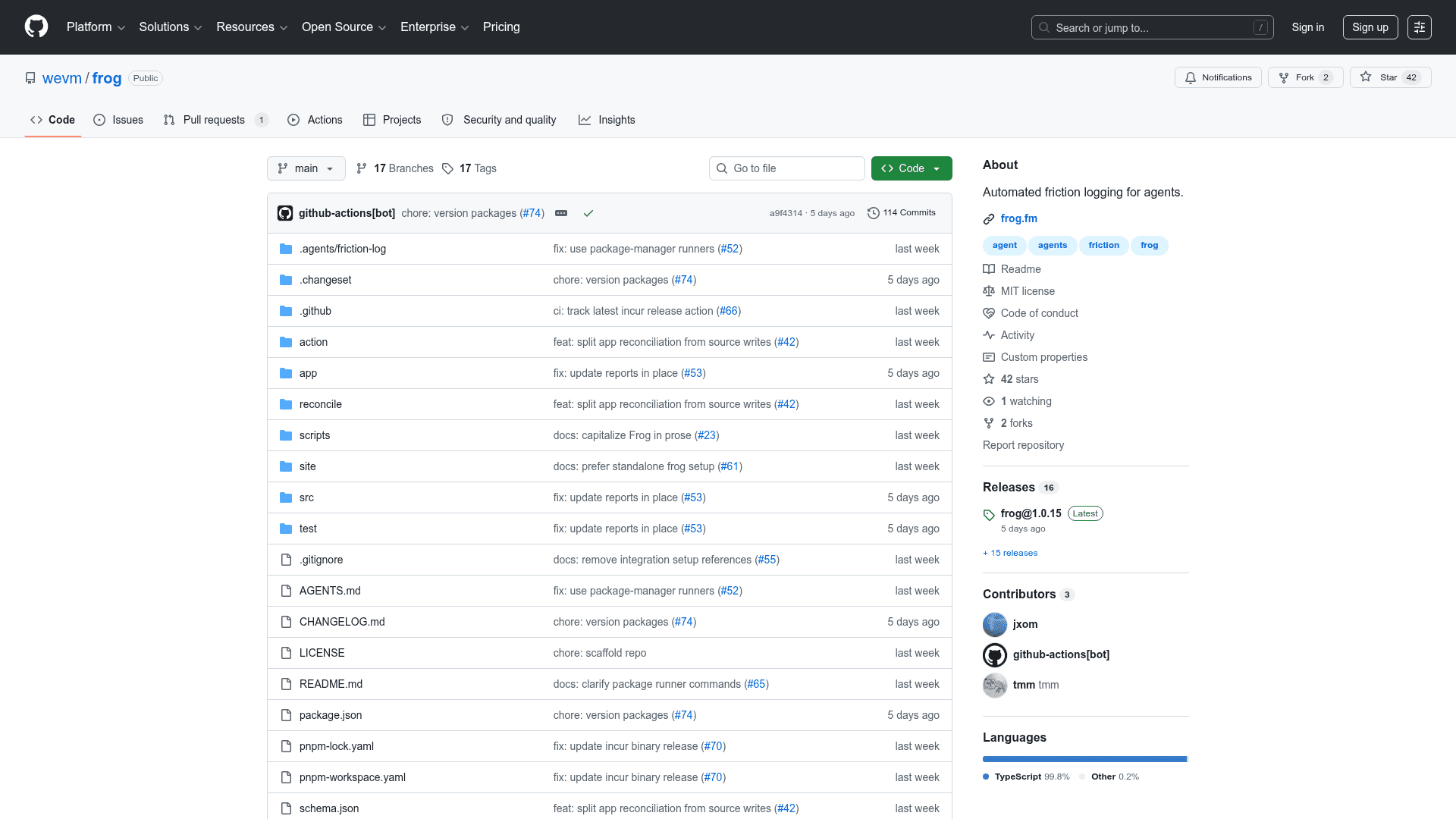
The latest release is frog@1.0.15, published on July 29, 2026. The project launched at 1.0.0 in late July 2026 after being renamed from a prior Farcaster Frames framework (archived at wevm/frog-archived); the ^0.18 version range of the old package does not resolve to this new tool. The repository has seen 114 commits and 16 releases in its first week, with active work on app reconciliation, report identity handling, and package-manager runner support. The name frog on npm now refers exclusively to this friction-logging tool.
Community Discussions
Be the first to start a conversation about Frog
Share your experience with Frog, ask questions, or help others learn from your insights.
Pricing
Open Source
Free and open source under the MIT license. Install via npm, pnpm, bun, or standalone executable.
- Full CLI with all commands
- GitHub App and Action-only automation modes
- Cross-repository friction reporting
- MCP server integration
- Agent skill file syncing
Capabilities
Key Features
- Automated friction logging for AI agents
- Structured friction entries committed alongside code
- GitHub issue creation and lifecycle tracking
- Auto-deletion of resolved entries via pull requests
- GitHub App mode with OIDC authentication
- Action-only mode using GITHUB_TOKEN
- Cross-repository upstream friction reporting
- Consent-gated inbound friction reports
- MCP server registration support
- Agent skill file syncing
- Shell completion generation
- CI check via frog list exit code
- Multiple output formats (json, yaml, md, jsonl)
- Token-count and token-limit output controls
- LLM-readable manifest output