Ghostex
A native, open-source workspace that puts chats, a code editor and a browser for 20+ coding agent CLIs in one window, with iOS and Android companion apps.
At a Glance
Free and open source desktop and mobile agents workspace under the MIT License.
Engagement
Available On
Listed Nov 2026
About Ghostex
Ghostex is an open-source (MIT) native workspace for coding agents, built by Mohamad Yahia (maddada). It brings agent chats, terminals, a code editor and a browser into one window, and works with agent CLIs such as Claude Code, Codex, OpenCode, Cursor, Copilot CLI and others. Desktop apps are available for macOS, Windows and Linux, and companion apps for iOS and Android. The latest release listed is v11.13.0.
What It Is
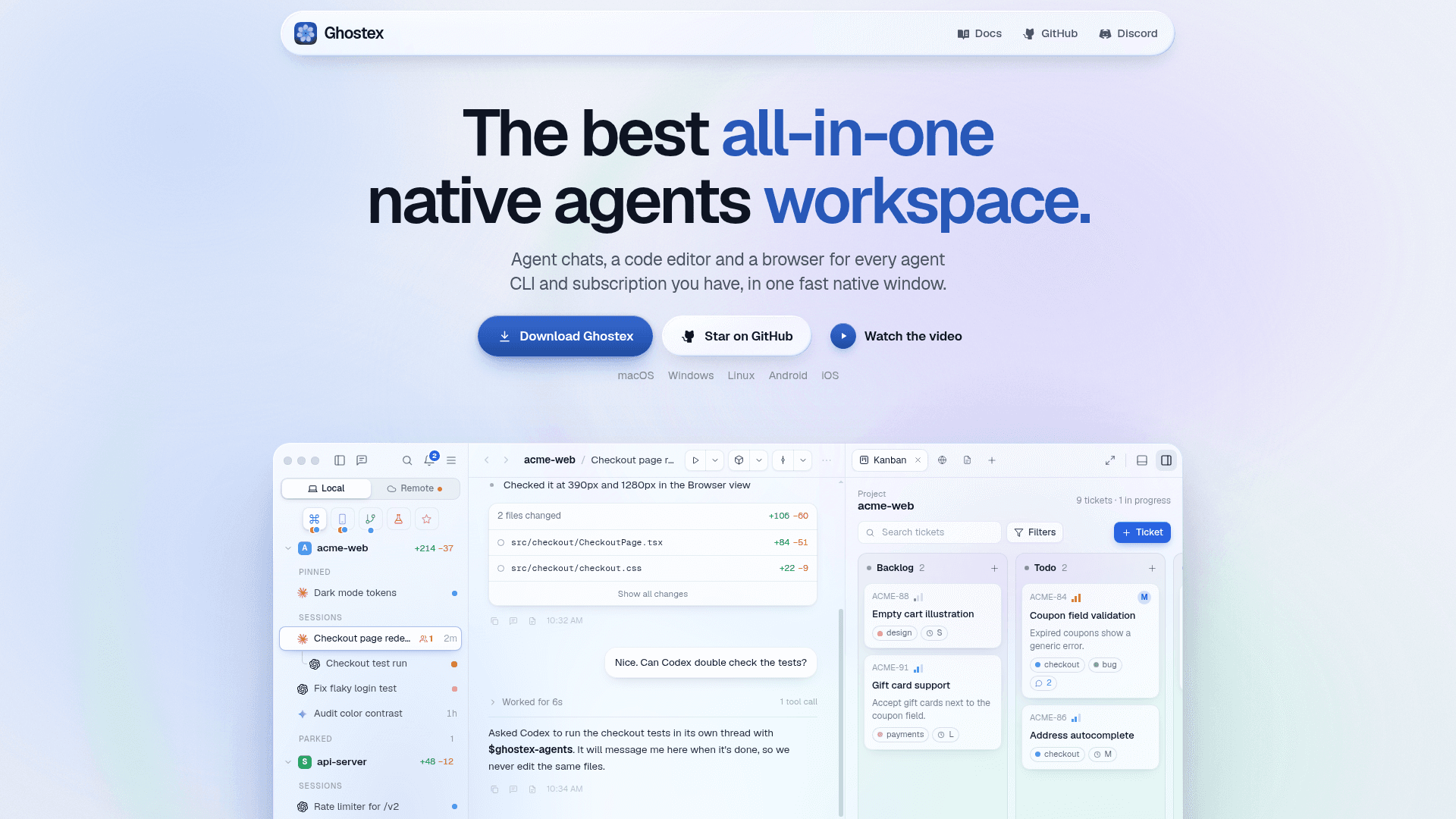
Ghostex is an agents workspace that sits on top of the agent CLIs you already use. Every Ghostex chat is a real session of the agent's own CLI, so it can be resumed in the official apps and CLIs. Sessions appear in one sidebar and can be viewed as a chat with images, readable diffs and sub-agents, or as the raw terminal, which is one hotkey away. The project says it is fully Rust and GPUI-based, with native Ghostty terminals and no Electron or Tauri.
Working With Multiple Agents
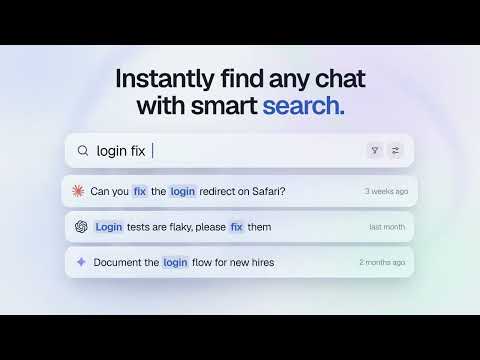
You can pick the model and effort from the chat box or hand a task to another agent mid-task. The ghostex command lets an agent open sessions, prompt other agents and read their replies, and coordinators can keep track of threads across machines. Multiple Claude and Codex accounts can be added and switched, and usage is shown in the interface. Prompts can be queued while an agent works, and past prompts across all agents can be searched with fuzzy search.
Review, Annotation and Layout
Users can mark up web pages, Markdown plans, HTML and diagrams and send the notes to an agent as numbered feedback. A floating capture feature sends screenshots from any app into a prompt. Agents can reply with charts, tables and live pages. The workspace also offers an on-demand VS Code editor, worktrees, splits, spaces, groups, scheduled automations, and optional plugins such as a Kanban board, Browser, Files, GitHub, Linear, Jira, Sentry and Figma.
Remote and Mobile Access
The iOS and Android apps pair with a desktop computer by scanning a code (Easy Connect) or through an existing Tailscale tailnet. From the phone you can read transcripts, send follow-ups, preview localhost pages and receive a push notification when an agent finishes. Remote computers can also be connected over Easy Connect or SSH.
Community Discussions
Be the first to start a conversation about Ghostex
Share your experience with Ghostex, ask questions, or help others learn from your insights.
Pricing
Open Source
Free and open source desktop and mobile agents workspace under the MIT License.
- Free and open source under the MIT License
- macOS, Windows, Linux, iOS, Android
- Works with Claude Code, Codex, OpenCode, Pi, Cursor and more
- Coordinators and live HTML pages
- Built-in VS Code editor and Chromium browser
Capabilities
Key Features
- Chat view and terminal view for each agent session
- Support for 20+ agent CLIs including Claude Code, Codex, OpenCode, Cursor and Copilot CLI
- Switch agents or models mid-task
- Coordinators and ghostex command for agents to orchestrate other agents
- Multiple Claude and Codex account switching with usage display
- Annotation of web pages, Markdown plans and diffs with feedback sent to agents
- Floating screen capture to prompt
- Prompt queue and fuzzy search across past sessions
- Built-in browser, files and on-demand VS Code editor
- Kanban board plugin using Beads
- Scheduled automations
- Worktrees, splits, spaces and groups
- iOS and Android apps with push notifications and localhost preview
- Remote computers via Easy Connect, SSH or Tailscale
- Glass theme customization
Integrations
Demo Video