
GridBash
Cross-platform terminal grid for running and coordinating Codex, Claude, Gemini, and other CLI coding agents side by side in real PTY panes.
At a Glance
GridBash core is MIT licensed, free to use, copy, modify and distribute; no product account or cloud workspace required.
Engagement
Available On
Listed Nov 2026
About GridBash
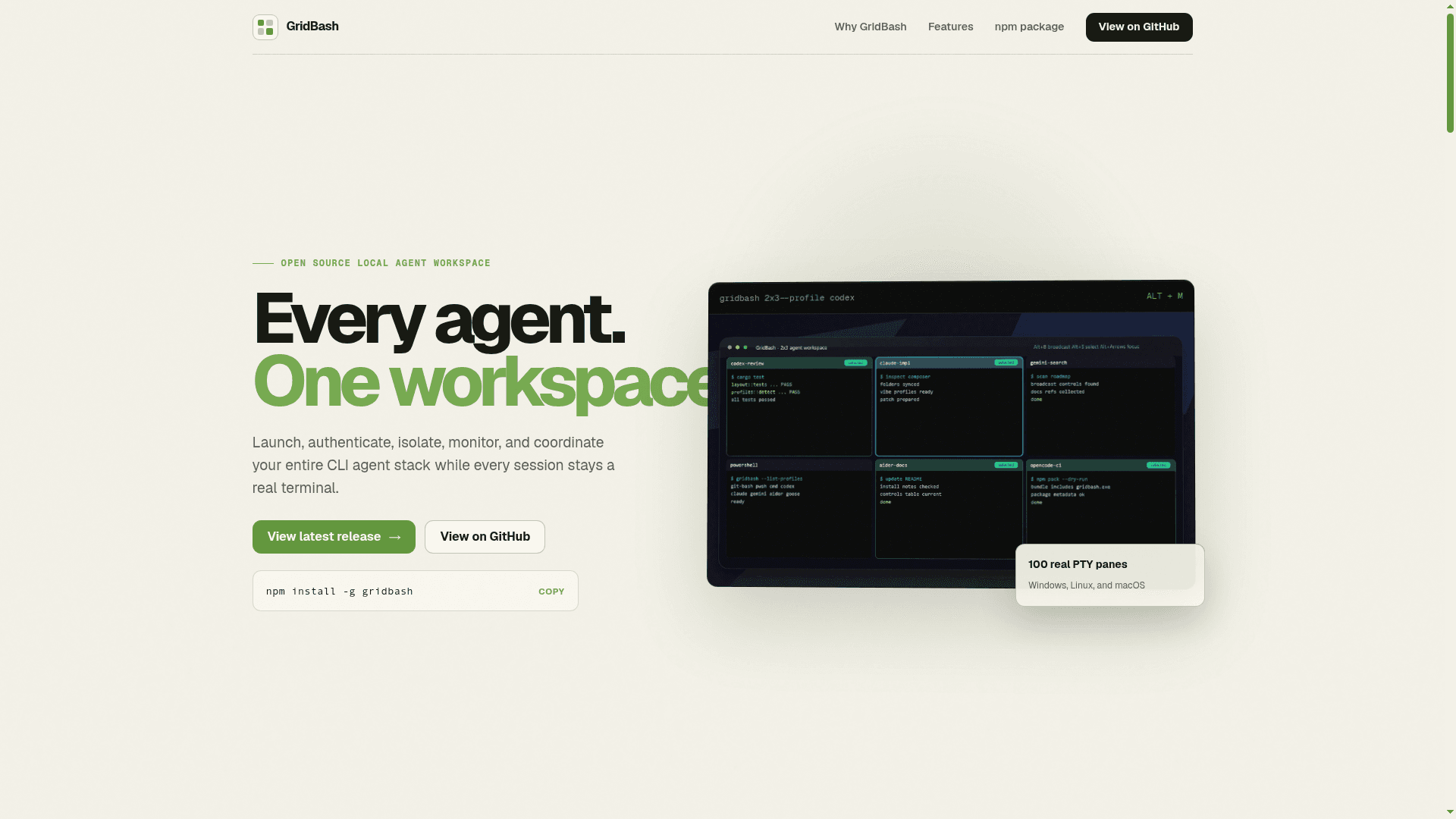
GridBash is an open-source local workspace created and maintained by Jason Matthew Suhari for running CLI coding agents in parallel. It launches agents such as Codex, Claude, and Gemini side by side, each in a real PTY pane inside one terminal UI. It is built in Rust and released for Windows, Linux, and macOS under the MIT license.
What It Is
GridBash is a terminal multiplexer-style workspace aimed at agent-heavy development. Instead of juggling many terminal windows, users arrange up to 100 PTY-backed panes in tabbed grids and launch agent profiles (codex, claude, gemini, opencode, aider, amp, goose, copilot, cursor), shells, or custom commands. Profiles invoke CLIs already installed on the system; GridBash does not bundle the agents themselves.
Workflow and Input Routing
Users start with gridbash for an interactive new-grid screen or launch directly, for example gridbash 2x3 --profile codex. Input can go to the focused pane, a selected set of panes, or the whole grid. Named grids remember their shape and folder so they can be recalled later. Adding --worktrees gives each pane an isolated repo-local git worktree for safer parallel changes.
Coordination and Automation
Panes get a local, authenticated command surface (gridbash agent) so a manager agent can list sibling panes, prompt them, and rename them. A gridbash --mcp mode exposes grid snapshots, bounded pane output, prompting, command sending, and capture to MCP-capable agents, and gridbash ctl offers the same typed API to scripts over localhost with a per-session token. The README also describes a BashBot Director for briefing panes and supervising a stated goal, optional AI work summaries, and dictated prompts.
Sessions and Compatibility
Sessions can be saved and reopened with gridbash resume, and an optional setting keeps terminals running in the background after the UI closes. Running Codex panes are relaunched by conversation ID if the live terminal cannot survive. It targets modern UTF-8 xterm-compatible terminals, works over SSH or tmux, and does not support TERM=dumb or Linux kernel consoles. Background pane hosts are local, so a reboot loses the live PTY.
Community Discussions
Be the first to start a conversation about GridBash
Share your experience with GridBash, ask questions, or help others learn from your insights.
Pricing
Open Source (MIT)
GridBash core is MIT licensed, free to use, copy, modify and distribute; no product account or cloud workspace required.
- MIT licensed core
- Up to 100 real PTY panes
- Windows, Linux, and macOS
- Isolated repo-local git worktrees
- Targeted input routing to one, selected, or all panes
Capabilities
Key Features
- Up to 100 real PTY panes in tabbed grids
- Targeted input to one pane, selected panes, or the full grid
- Isolated repo-local git worktrees per pane
- Agent profiles for Codex, Claude, Gemini, Aider, OpenCode, Goose, Amp, Cursor, Copilot
- Named grids that remember shape and folder
- Session resume and recovery
- Optional background terminals
- Pane-local agent command tools
- MCP server mode (gridbash --mcp)
- Local control API via gridbash ctl
- Manager goals and BashBot Director
- Custom profiles and remappable key bindings
- Dictated prompts and optional AI work summaries