
Hinode
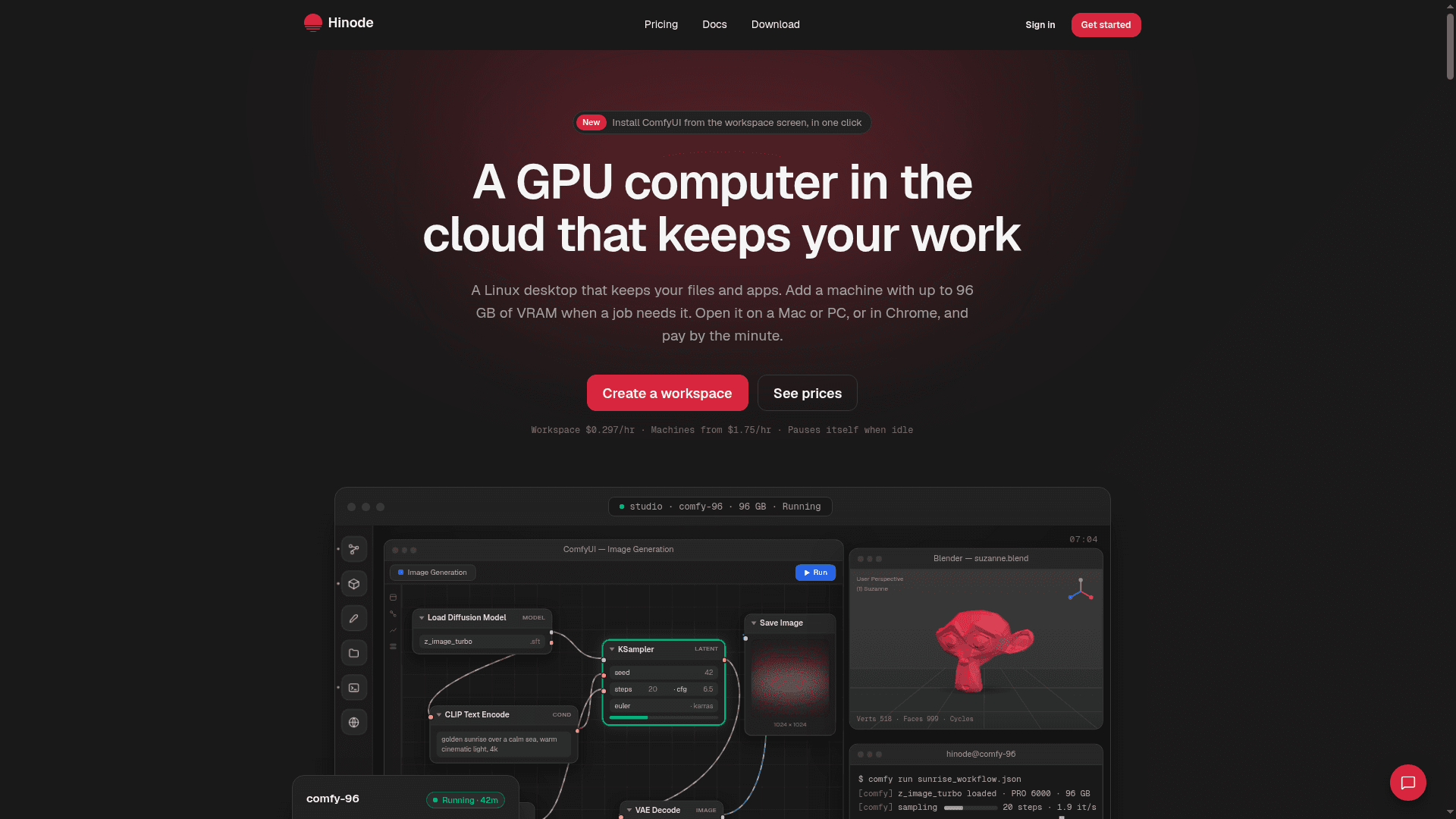
A cloud GPU workspace that keeps your Linux desktop, files, and apps between sessions, with L4, L40S, or RTX PRO 6000 machines billed by the minute.
At a Glance
Engagement
Available On
Alternatives
Listed Sep 2026
About Hinode
Hinode is a cloud GPU workspace built for AI image and video work, offering a persistent Linux desktop that retains your files, installed apps, and ComfyUI setup between sessions. Made by Eternity Cat, LLC, it lets you attach dedicated GPU machines with 24 to 96 GB of VRAM on demand and pay by the minute, with idle machines pausing themselves automatically.
What It Is
Hinode gives you a Linux desktop in the cloud — not a throwaway pod, but a persistent workspace that pauses when you leave and resumes exactly where you stopped. The workspace runs on a slice of an NVIDIA L4 and holds your home folder, installed applications, and a shared folder accessible from every machine you attach. When a job needs more GPU memory, you pick a bigger card (L4, L40S, or RTX PRO 6000 Blackwell) and it starts from your latest workspace snapshot, so ComfyUI, PyTorch, and any custom nodes are already there.
How the Workspace and Machines Fit Together
The architecture separates persistent state from compute:
- Workspace: Your desktop, home folder, and installed apps on 1/8 of an L4. It pauses after 15 minutes of inactivity and costs nothing while paused; storage keeps billing for what is written.
- Machines: Whole dedicated GPU cards (24 GB L4, 48 GB L40S, 96 GB RTX PRO 6000) attached beside the workspace. Each starts from your latest snapshot, so setup happens once.
- Shared folder: A single directory every machine reads simultaneously. Models, datasets, and outputs written on one machine appear instantly on another. Deleting a machine leaves the shared folder untouched.
- Snapshots: Numbered versions of your workspace state. Every machine starts from one, and old snapshots remain available so you can roll back to last Tuesday's setup in one click.
App Catalog and ComfyUI Integration
Hinode highlights one-click installation of ComfyUI as a flagship use case. The app catalog also includes PyTorch (CUDA build), JupyterLab, AI Toolkit (LoRA training), Ollama, vLLM, and Visual Studio Code. Installing on the workspace and saving a snapshot propagates the full setup to every subsequent machine automatically, eliminating repeated environment configuration.
Ways to Access and Automate
Hinode supports five access methods from a single workspace:
- Desktop app: macOS, Windows, and Linux native app at 4K/60 fps
- Chrome/Edge browser: Full desktop in a tab, nothing to install
- SSH: Stable hostnames for
ssh,scp,rsync, and VS Code Remote - CLI (
hinodecommand): Attach machines, submit jobs, manage snapshots, and check spend from a terminal - AI assistant / MCP: Add
https://mcp.hinode.runas a connector in Claude or ChatGPT, or runhinode mcplocally. Assistants can check prices, attach machines, run jobs, and pause them on your behalf.
The hinode run command lets you submit a training job to a machine, detach, and receive an email when it finishes — the machine pauses itself afterward.
Billing Model
Hinode bills by the minute with no upfront plan or allowance. The workspace charges only while running; machines charge only while running; paused machines cost only their disk storage. Disk is billed at a per-GB-month rate for what is actually written, and the shared folder is billed separately per GB-month. Traffic out is metered per GB. A budget setting sends email alerts but does not stop running work. The site states that US and Europe cost the same rates.
Current Status
The documentation footer references a deployment dated web-2026-09-19-2, indicating active development and recent releases. The site is live and accepting new workspaces, with an 11-page documentation set also published as llms.txt and llms-full.txt for AI assistant consumption. The footer copyright reads "© 2026 Hinode • Eternity Cat, LLC."
Community Discussions
Be the first to start a conversation about Hinode
Share your experience with Hinode, ask questions, or help others learn from your insights.
Pricing
Workspace
A persistent Linux desktop on 1/8 of an NVIDIA L4 with your home folder, apps, and shared folder. Pauses itself when idle.
- Linux desktop on 1/8 of an NVIDIA L4
- Persistent home folder
- App catalog (ComfyUI, PyTorch, JupyterLab, Ollama, VS Code, etc.)
- Shared folder access
- Workspace snapshots
- SSH access
- Auto-pause after 15 min idle
- Disk: $0.15/GB-month written
- Shared folder: $0.14/GB-month
- Traffic out: $0.10/GB
Machine · 24 GB (L4)
Dedicated NVIDIA L4 with 24 GB VRAM. Image generation, light fine-tuning, most ComfyUI work. RAM options from 32 to 256 GB.
- NVIDIA L4 · 24 GB VRAM
- RAM options: 32 GB ($1.75/hr), 64 GB ($2.36/hr), 128 GB ($2.73/hr), 256 GB ($5.99/hr)
- Starts from your latest workspace snapshot
- Billed by the minute
- Auto-pause when idle
Machine · 48 GB (L40S)
Dedicated NVIDIA L40S with 48 GB VRAM. Video models, bigger LoRAs, 30B-class inference. RAM options from 32 to 256 GB.
- NVIDIA L40S · 48 GB VRAM
- RAM options: 32 GB ($3.30/hr), 64 GB ($3.96/hr), 128 GB ($5.30/hr), 256 GB ($7.97/hr)
- Starts from your latest workspace snapshot
- Billed by the minute
- Auto-pause when idle
Machine · 96 GB (RTX PRO 6000)
Dedicated RTX PRO 6000 Blackwell with 96 GB VRAM. 70B-class models, long video, largest workloads. RAM options from 64 to 256 GB.
- RTX PRO 6000 Blackwell · 96 GB VRAM
- RAM options: 64 GB ($8.05/hr), 128 GB ($9.56/hr), 256 GB ($12.58/hr)
- Starts from your latest workspace snapshot
- Billed by the minute
- Auto-pause when idle
Capabilities
Key Features
- Persistent Linux desktop that pauses and resumes between sessions
- One-click ComfyUI installation
- Shared folder accessible from all machines simultaneously
- Workspace snapshots for reproducible machine starts
- Dedicated GPU machines: L4 (24 GB), L40S (48 GB), RTX PRO 6000 (96 GB)
- Auto-pause after 15 minutes of inactivity
- Per-minute billing with no upfront plan
- CLI tool (hinode) for machine management and job submission
- MCP server for AI assistant integration (Claude, ChatGPT, Codex)
- SSH access with stable hostnames
- VS Code Remote support
- Desktop app for macOS, Windows, and Linux
- Chrome/Edge browser access
- Email notifications on job completion
- Budget alerts via email
- App catalog: PyTorch, JupyterLab, Ollama, vLLM, AI Toolkit, VS Code
- Encrypted disks
- Shared folder with high-speed reads and local caching