Kuma Voice
A self-hosted, watch-only voice assistant prototype that streams microphone audio from Apple Watch to a FastAPI backend, supporting web search, Notion notes, and Google Calendar.
At a Glance
Fully free and open-source under the MIT License. Self-host the backend and run the Watch app yourself.
Engagement
Available On
Alternatives
Listed Aug 2026
About Kuma Voice
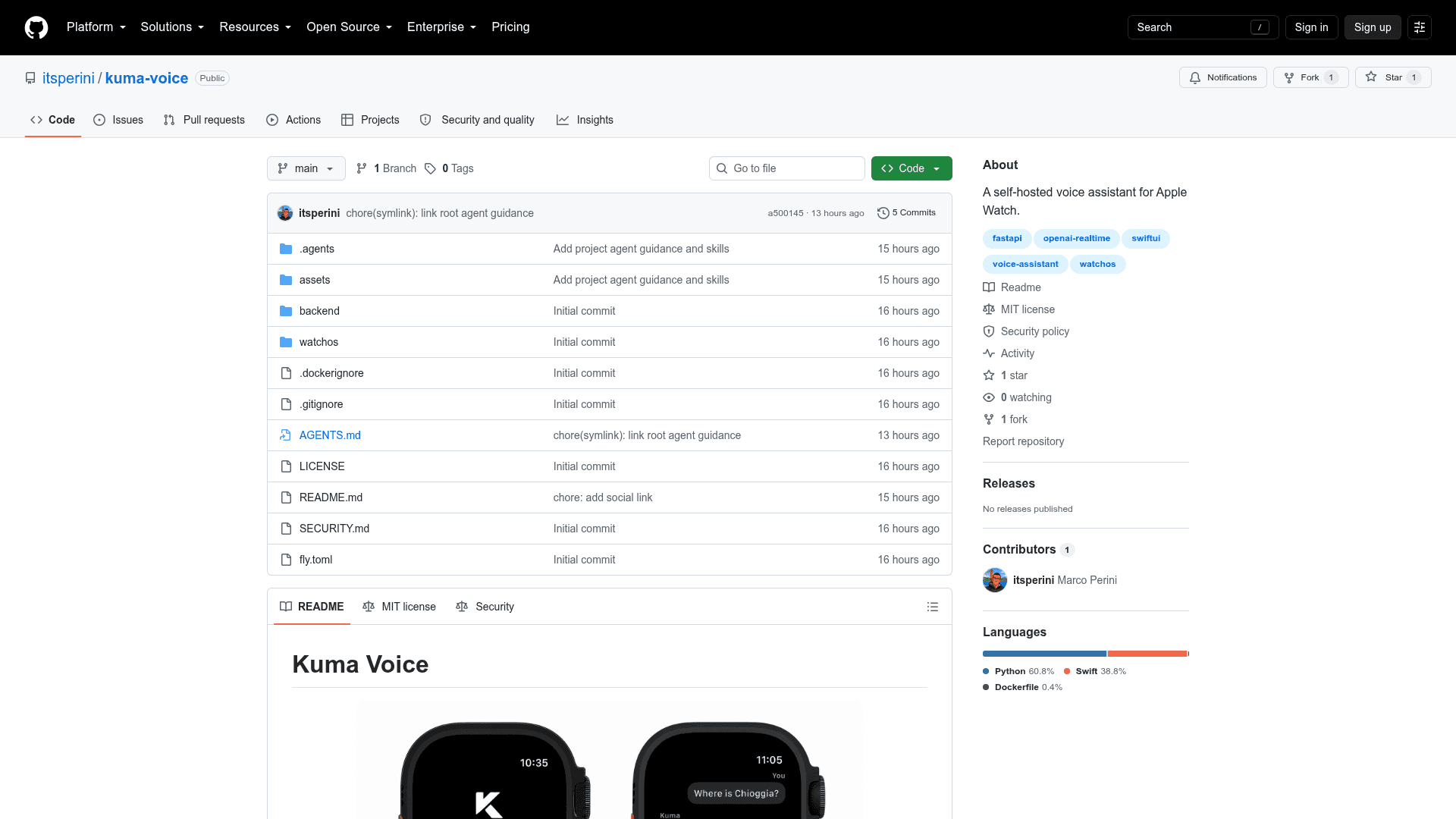
Kuma Voice is an open-source, self-hosted voice assistant prototype built specifically for Apple Watch. Created by developer itsperini, it streams microphone audio from a watchOS SwiftUI app to a FastAPI Python backend, keeping provider credentials off the device and streaming spoken answers back. The project is released under the MIT License and is available on GitHub.
What It Is
Kuma Voice is a watch-only voice assistant that separates the audio capture layer (Apple Watch) from the AI processing layer (a self-hosted FastAPI server). Rather than embedding API keys or AI logic on the device, the Watch app sends raw PCM audio over a WebSocket to the backend, which handles transcription, language model inference, and text-to-speech before streaming audio back. This architecture keeps credentials secure and makes it straightforward to swap providers or extend functionality server-side.
Architecture and Stack
The project is split into two main components:
- watchOS app (
watchos/KumaVoice.xcodeproj): A SwiftUI app targeting Apple Watch. Users tap the microphone button or use Double Tap on supported hardware to start and stop a voice turn. - FastAPI backend (
backend/app): A Python 3.12+ server that exposes REST and WebSocket endpoints for transcription, conversation management, speech synthesis, and realtime voice sessions. Realtime audio is 24 kHz mono, 16-bit PCM.
The primary AI provider is OpenAI (used for the realtime voice flow), with OpenRouter powering an older REST fallback. The backend is managed with uv and can be deployed locally or to Fly.io using the included fly.toml.
Optional Integrations
Kuma Voice supports three optional tool integrations configured via environment variables on the backend:
- Web search via Exa (
EXA_API_KEY) - Notion notes via an internal Notion integration (
NOTION_API_KEY,NOTION_NOTES_PAGE_ID) - Google Calendar via OAuth (
GOOGLE_CALENDAR_CLIENT_ID,GOOGLE_CALENDAR_CLIENT_SECRET,GOOGLE_CALENDAR_REFRESH_TOKEN)
These integrations are opt-in and require the user to supply their own credentials. The README recommends using dedicated test calendars and least-privilege Notion pages when evaluating the prototype.
Security and Deployment Model
Because this is a personal prototype intended to be internet-facing, Kuma Voice includes lightweight shared-secret protection via a KUMA_API_TOKEN environment variable. When set, the token is required on all /api/v1 HTTP and WebSocket endpoints; the /health endpoint remains public. The README explicitly notes this is not multi-user authentication and advises always setting a long random token for any internet-facing deployment.
Fly.io deployment is supported out of the box with an included fly.toml. The README provides step-by-step instructions for creating a Fly app, setting secrets, and pointing the Watch app at the deployed HTTPS URL.
Privacy Considerations
The README notes that microphone audio and conversation content are sent to the configured AI providers, and that web searches, notes, and calendar requests may also reach their respective third-party services. Users are advised to review provider data retention settings before using personal or sensitive data, and to never commit credential files to version control.
Current Status
The repository was created and last updated in August 2026. It is described as a prototype with 1 star and 1 fork on GitHub. There is no public backend or hosted service — users must run their own server and point the Watch app at it.
Community Discussions
Be the first to start a conversation about Kuma Voice
Share your experience with Kuma Voice, ask questions, or help others learn from your insights.
Pricing
Open Source
Fully free and open-source under the MIT License. Self-host the backend and run the Watch app yourself.
- Full source code access under MIT License
- Self-hosted FastAPI backend
- watchOS SwiftUI app
- OpenAI Realtime voice integration
- Optional Exa web search, Notion, and Google Calendar integrations
Capabilities
Key Features
- Watch-only SwiftUI voice interface for Apple Watch
- FastAPI backend keeps provider credentials off the device
- Realtime PCM audio streaming over WebSocket (24 kHz mono, 16-bit)
- OpenAI Realtime API integration for voice conversations
- Optional web search via Exa
- Optional Notion notes integration
- Optional Google Calendar integration
- REST and WebSocket API endpoints for transcription, TTS, and conversation management
- Fly.io deployment support with included fly.toml
- Lightweight shared-secret API token protection
- In-memory conversation management
- Double Tap gesture support on compatible Apple Watch hardware
- MIT licensed and fully self-hosted