
Lutra AI
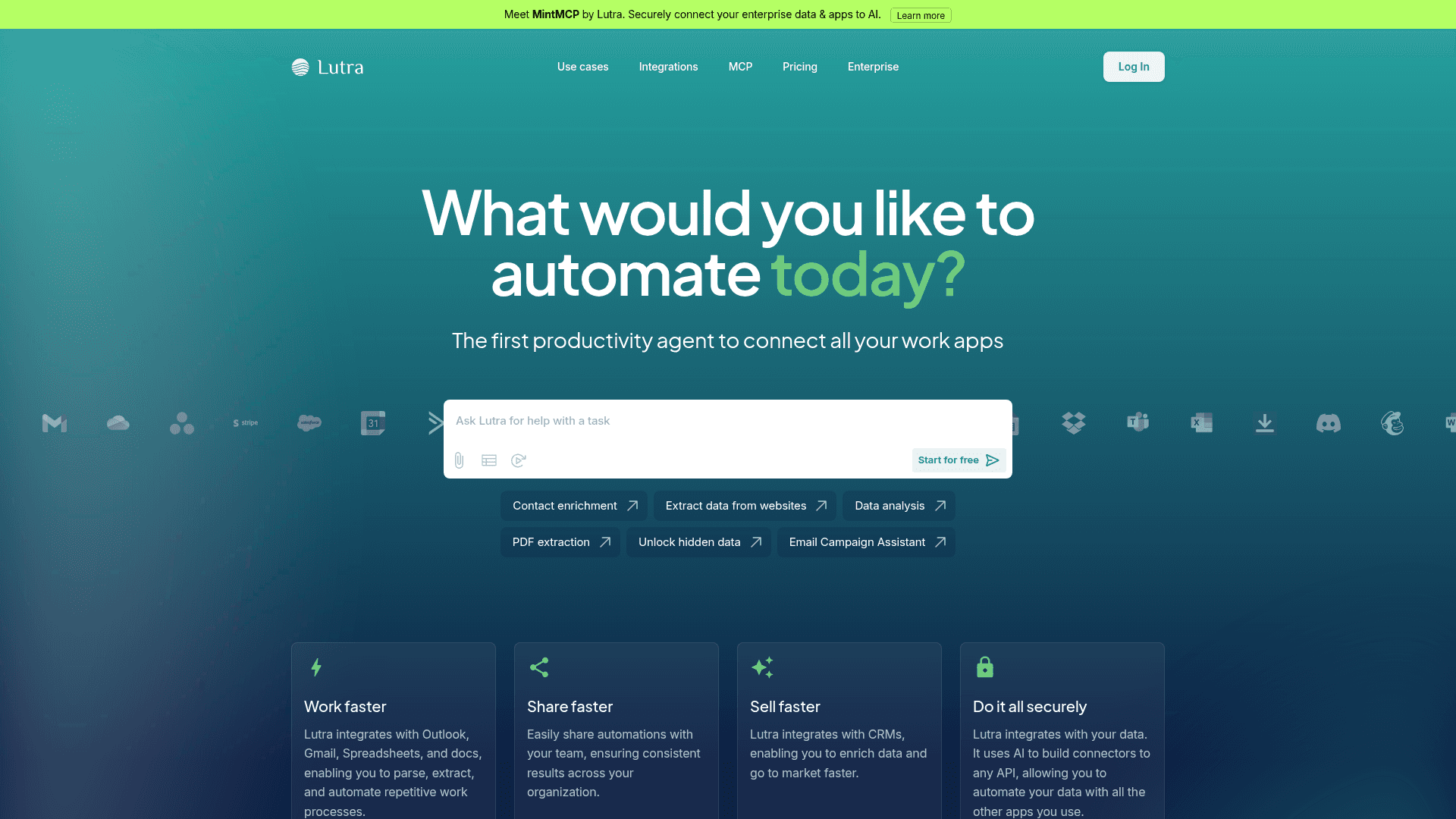
Lutra is an AI productivity agent that converts natural language instructions into executable code workflows, connecting and automating tasks across your work apps.
At a Glance
Try Lutra and understand what it can do for you.
Engagement
Available On
Alternatives
Listed Jul 2026
About Lutra AI
Lutra is an AI agent that generates and runs code-based workflows from plain English instructions, connecting dozens of work applications to automate repetitive tasks. Founded by a team with backgrounds from Google, Coursera, GRAIL, and other major tech companies, Lutra is backed by Coatue Management, Hustle Fund, Maven Ventures, and WVV Capital, along with angel investors including Andrej Karpathy and Jeff Dean.
What It Is
Lutra sits in the category of AI workflow automation agents — tools that go beyond conversational AI by actually executing tasks rather than just describing how to do them. The core mechanic is that Lutra first converses with you to understand your goals, then writes and runs actual code to produce specialized AI workflows. Because the automation is code-backed rather than prompt-based, Lutra claims more reliable and auditable execution than general-purpose chat assistants.
How the Workflow Engine Works
When you describe a task in natural language, Lutra translates it into executable code that orchestrates connected apps. Key workflow capabilities include:
- Playbooks: Reusable, saveable workflows that can be scheduled to run automatically or triggered via webhooks, allowing recurring tasks to run unattended.
- Scheduling: Workflows can run on a time-based schedule, enabling overnight or background automation.
- Code transparency: All actions and code are visible to the user, providing auditability over what the agent does with your data.
- Custom integrations: Lutra can build connectors to arbitrary APIs using MCP (Model Context Protocol), REST, and OpenAPI standards.
Integration Breadth
Lutra connects to a wide range of business applications across categories:
- Productivity & docs: Google Workspace (Docs, Sheets, Gmail, Calendar, Drive), Microsoft (Outlook, OneDrive, Excel, Word, Teams)
- CRM & sales: HubSpot, Salesforce, Affinity CRM, Maximizer CRM, Apollo
- Project management: Airtable, Notion, Asana, Trello, GitHub
- Communication: Slack, Discord, Microsoft Teams
- Finance: Stripe, Xero, QuickBooks Online, Harvest
- Marketing: ActiveCampaign, Mailchimp, Facebook Pages, LinkedIn
- Other: Dropbox, Docusign, Calendly, Typeform, Zoom, Zapier, Crunchbase, YC Companies data
Custom integrations are supported via MCP, HTTP/REST, and database connections (e.g., Supabase).
Use Cases and Target Audience
Lutra targets sales, finance, marketing, and operations professionals who need to automate data-heavy, repetitive processes without writing code themselves. The homepage highlights four primary use case categories:
- Email automation: Personalized outreach at scale using Gmail or Outlook
- PDF extraction: Pulling structured data from PDFs into spreadsheets
- Data enrichment: Keeping CRM records current with fresh external data
- Reporting: Converting raw data into insights and visualizations
The platform also positions itself for enterprise teams, offering organization-wide playbook sharing, custom security and data policies, analytics, and dedicated support through its enterprise tier.
Security and Compliance
Lutra is SOC 2 certified and uses OAuth for all third-party connections. The platform states that user data is only accessed when needed to complete requested tasks and is not stored long-term unless explicitly requested. All actions and generated code are visible to users, providing a verifiable audit trail.
Update: MintMCP Launch
Lutra has introduced MintMCP, a related product described as a way to "securely connect your enterprise data & apps to AI." MintMCP is presented as a distinct offering from the core Lutra agent, with its own site at mintmcp.com, and is highlighted prominently on the Lutra homepage as a new enterprise-focused product direction.
Community Discussions
Be the first to start a conversation about Lutra AI
Share your experience with Lutra AI, ask questions, or help others learn from your insights.
Pricing
Free
Try Lutra and understand what it can do for you.
- Lutra AI Agent
- 15 messages per day
- 200 credits per month
- Basic Tools: Google Workspaces, Slack, Web Search, Airtable, and more
- Trial of Premium Tools: Apollo, HubSpot, and more
Essentials
For individuals who want to use Lutra for automation.
- Lutra AI Agent
- Unlimited messages per day
- 2,000 credits per month
- Basic Tools: Google Workspaces, Slack, Web Search, Airtable, and more
- Premium Tools: Outlook, OneDrive, HubSpot, and more
- Scheduling and Webhooks
Professional
For individuals who want to automate their business operations.
- Lutra AI Agent
- Unlimited messages per day
- 6,000 credits per month
- Basic Tools: Google Workspaces, Slack, Web Search, Airtable, and more
- Premium Tools: Outlook, OneDrive, HubSpot, and more
- Scheduling and Webhooks
- Purchase Bulk Credits
- Priority Support
Enterprise
For companies who want to massively improve productivity at scale.
- Lutra AI Agent
- Unlimited messages per day
- Unlimited credits
- Basic Tools: Google Workspaces, Slack, Web Search, Airtable, and more
- Premium Tools: Outlook, OneDrive, HubSpot, and more
- Scheduling and Webhooks
- Purchase Bulk Credits
- Dedicated Support
- Custom Integrations
- Custom Security and Data Policies
- Analytics
- Custom Workflow Setup
Capabilities
Key Features
- Natural language to code workflow generation
- Reusable Playbooks for recurring tasks
- Scheduled and webhook-triggered automation
- Custom API integrations via MCP, REST, OpenAPI
- PDF data extraction
- Data enrichment for CRMs
- Email automation at scale
- Reporting and data visualization
- SOC 2 certified security
- OAuth-based app connections
- Team playbook sharing
- Credit-based usage system
- Transparent code execution audit trail