
Mandu
Open-source CLI that lets coding agents like Claude Code and Codex work next to real secrets while the AI only sees masked placeholders.
At a Glance
Mandu core CLI released under the Apache License 2.0, free to install via npm and run locally.
Engagement
Available On
Alternatives
Listed Oct 2026
About Mandu
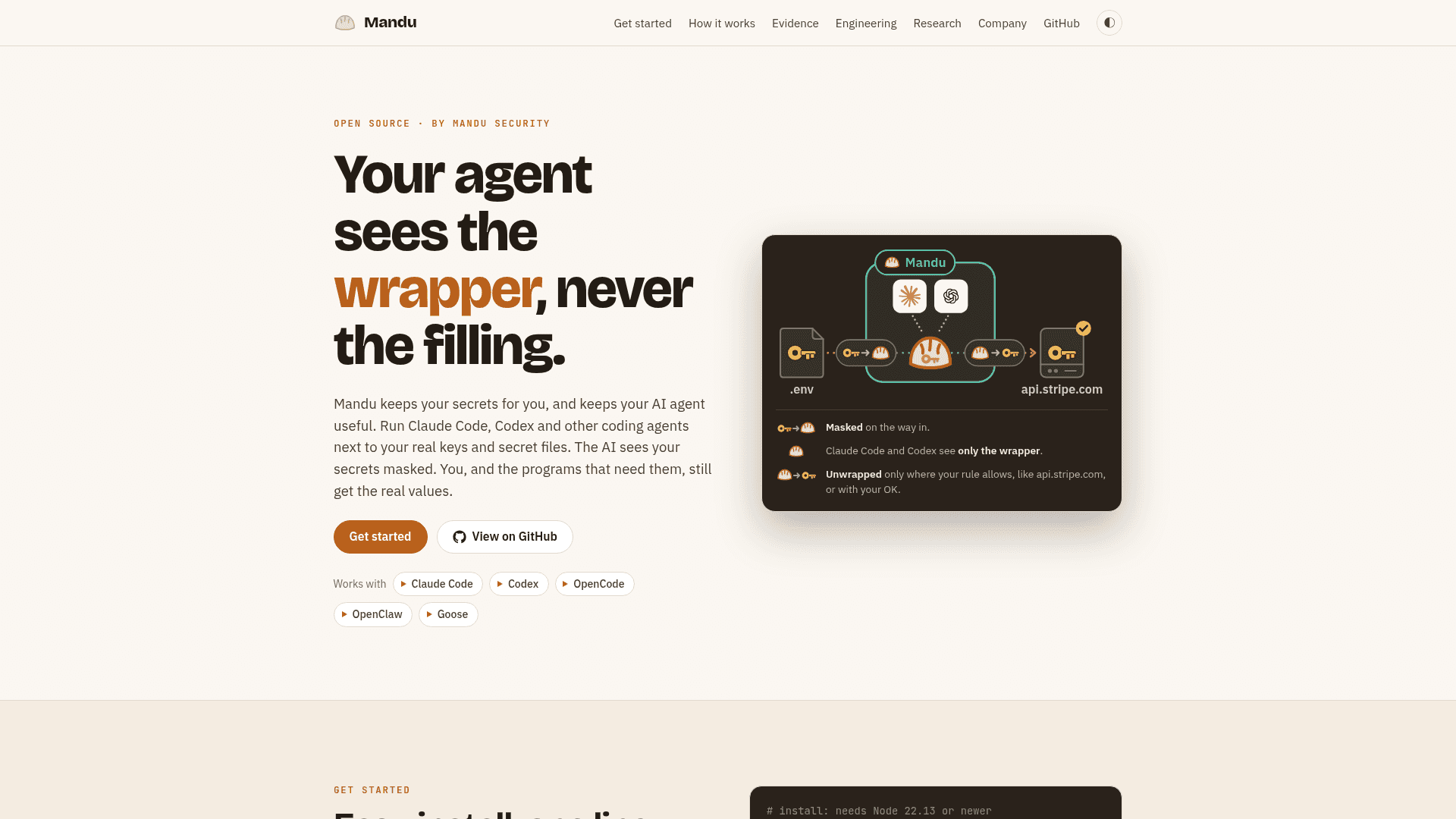
Mandu is an open-source tool from Mandu Security that runs coding agents such as Claude Code, Codex, OpenCode, OpenClaw and Goose next to real keys and secret files. The AI sees secrets as masked placeholders, while you and the programs or hosts you allow still get the real values. It installs through npm, and the latest release listed on GitHub is v0.2.0-beta.7.
What It Is
Mandu is a command-line wrapper for AI coding agents that protects secrets such as .env values, SSH keys, cloud credentials and sensitive documents. You launch your agent through it (for example mandu claude or mandu codex), and it needs no plugin or changes to the agent. According to the project, it uses the agent's own login, needs no API key of its own, requires no account or Mandu server, sends no telemetry, and keeps everything it stores in ~/.mandu.
How the masking and rules work
Each secret has a rule, set on the local dashboard's Rules page or in ~/.mandu/policy.yaml, that answers two questions. The first is which AI may read it: no AI, your own local AI only, any AI when it asks, or not secret. The second is where it may be sent: by default every send of the real value waits for approval (allow once, always allow, or block), or it can go to listed hosts or per-value hosts without asking.
Under the hood, a model proxy masks secrets before they reach the AI, an egress proxy unmasks them only on the way to an allowed or approved host, a file guard gives programs the rule does not name the masked copy, and a reply filter shows you the real values in the agent's replies. It runs as your user without root, adds kernel hardening where available, and fails closed when it cannot decide.
Setup path
Install with npm install -g @mandusec/mandu (Node 22.13 or newer), run mandu doctor to check the machine, then start the agent with mandu claude or mandu codex. mandu dashboard shows what was protected and what awaits approval, and mandu demo runs the components offline against a stand-in AI. Linux x64 is the tested platform; ARM Linux and WSL2 are less tested and macOS is experimental.
Evidence and limits
Mandu's own benchmark ran fifteen everyday tasks three times each with Claude Code, comparing Mandu with eight other protections and none. The authors report Mandu kept the secret and finished the task in 41 of 45 runs on a fresh install, ahead of the other settings tested. They note the caveats: they chose the tasks, improved Mandu using earlier runs of them, and used one agent and one model. Mandu does not cover prompt injection in its default mode, and the agent's own sign-in variables are never masked.
Community Discussions
Be the first to start a conversation about Mandu
Share your experience with Mandu, ask questions, or help others learn from your insights.
Pricing
Open Source
Mandu core CLI released under the Apache License 2.0, free to install via npm and run locally.
- Apache License 2.0 (OSI-approved)
- Installs with npm; needs Node 22.13 or newer
- No account, no Mandu server and no telemetry
- Works with Claude Code, Codex, OpenCode, OpenClaw and Goose
- Uses the agent's own login; needs no API key of its own
Capabilities
Key Features
- Masks secrets from .env files, SSH keys, cloud credentials and documents before they reach the AI
- Per-secret rules: no AI, local model only, any AI, or public
- Unmasks real values only for listed hosts, named programs, or after your approval
- Local dashboard with Rules and Approvals pages
- Policy configuration in ~/.mandu/policy.yaml
- Automatic detection of common credential files
- Kernel hardening with seccomp and Landlock where available
- Fails closed when it cannot decide
- Offline demo mode with a stand-in AI
- No account, Mandu server or telemetry