
MCPHub
A searchable catalog of Model Context Protocol (MCP) servers that helps developers find tools to connect AI assistants to external services, APIs, and data sources.
At a Glance
Full access to the MCPHub catalog, search, collections, and MCP endpoint at no cost.
Engagement
Available On
Listed Sep 2026
About MCPHub
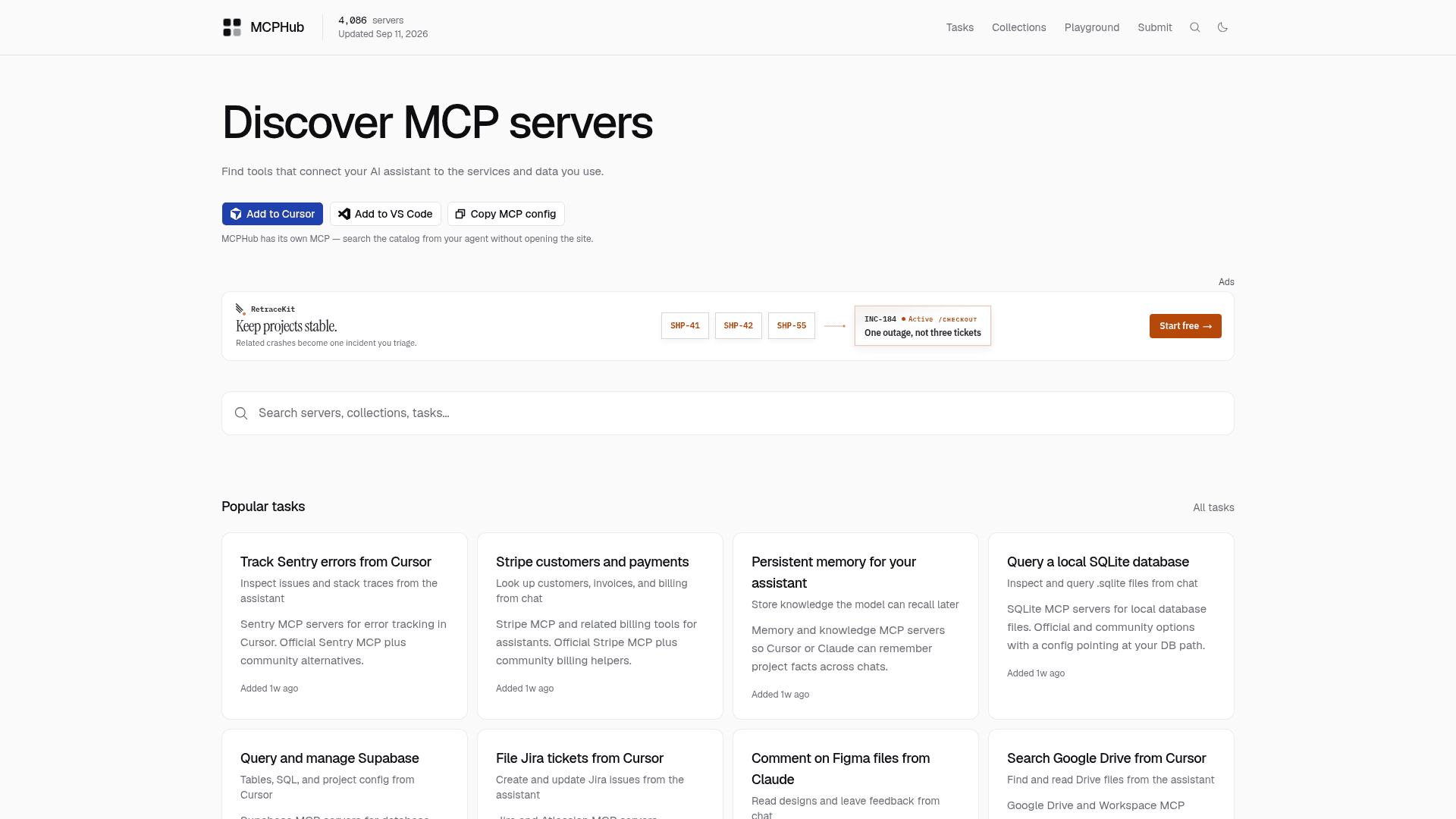
MCPHub is a discovery platform for Model Context Protocol (MCP) servers, designed to help developers find, compare, and configure tools that connect AI assistants like Claude, Cursor, and VS Code to external services and data. The catalog lists over 4,000 servers organized by category, popularity, and task, and is itself queryable via an MCP endpoint so agents can search it without opening the site.
What It Is
MCPHub is a directory and search engine for MCP servers — the connectors that let AI assistants interact with databases, APIs, file systems, browsers, and productivity tools through the Model Context Protocol open standard. Rather than hunting through GitHub repositories or documentation pages, developers can browse MCPHub by category (from Code Execution and Databases to Finance & Fintech and Workplace & Productivity), filter by popularity signals, and land on dedicated server pages with installation and configuration details. The catalog also exposes its own MCP endpoint, meaning an agent running in Cursor or another MCP-compatible client can query the catalog directly from chat.
How Discovery Works
The site organizes servers along several axes:
- Tasks: Curated use-case pages (e.g., "Track Sentry errors from Cursor", "Query a local SQLite database", "Persistent memory for your assistant") that group relevant servers around a specific workflow rather than just a product name.
- Collections: Handpicked multi-server stacks for common setups such as "Local Next.js", "Supabase + Vercel", "SEO research", and "Trip planner".
- Categories: Over 50 categories spanning Browser Automation, Databases, Finance & Fintech, Knowledge & Memory, Search & Data Extraction, and more, each with a server count.
- Trending and Popular: Ranked lists surfacing servers by install or star signals, with official vs. community badges.
Self-Referential MCP Endpoint
A notable design choice is that MCPHub publishes its own MCP server at https://www.mcphub.space/api/mcp. Users can add it to Cursor or VS Code with a one-click deep link, enabling their AI assistant to search the catalog, retrieve server metadata, and get configuration snippets without leaving the coding environment. The about page notes that power users can query the catalog from Cursor via this endpoint.
Catalog Scope and Structure
As of the homepage snapshot, the catalog lists 4,086 servers. Server metadata includes tool counts, example tool names, official vs. community status, category tags, and recency signals. The about page states that server metadata is structured for future ingestion from GitHub, the MCP Registry, and other public sources, indicating a roadmap toward automated catalog updates rather than purely manual curation.
What MCP Is
The homepage includes an explainer: the Model Context Protocol is an open standard for connecting AI assistants to external tools, APIs, and data sources. MCP servers expose capabilities such as database queries, browser automation, and repository access through a consistent protocol that clients like Claude Desktop, Cursor, and VS Code can discover and invoke. MCPHub positions itself as the primary search and discovery layer on top of this growing ecosystem.
Community Discussions
Be the first to start a conversation about MCPHub
Share your experience with MCPHub, ask questions, or help others learn from your insights.
Pricing
Free
Full access to the MCPHub catalog, search, collections, and MCP endpoint at no cost.
- Browse 4,000+ MCP servers
- Search by category, task, and collection
- Access server install and config details
- Query catalog via MCP endpoint from Cursor or VS Code
- Submit servers to the catalog
Capabilities
Key Features
- Searchable catalog of 4,000+ MCP servers
- Browse by category, task, and collection
- Popularity and trending signals for servers
- Official vs. community server badges
- Dedicated server pages with install and config details
- Self-hosted MCP endpoint for agent-based catalog search
- One-click Add to Cursor and Add to VS Code links
- Curated task pages grouping servers by workflow
- Curated multi-server collections for common stacks
- Submit new servers to the catalog