
MeetNote
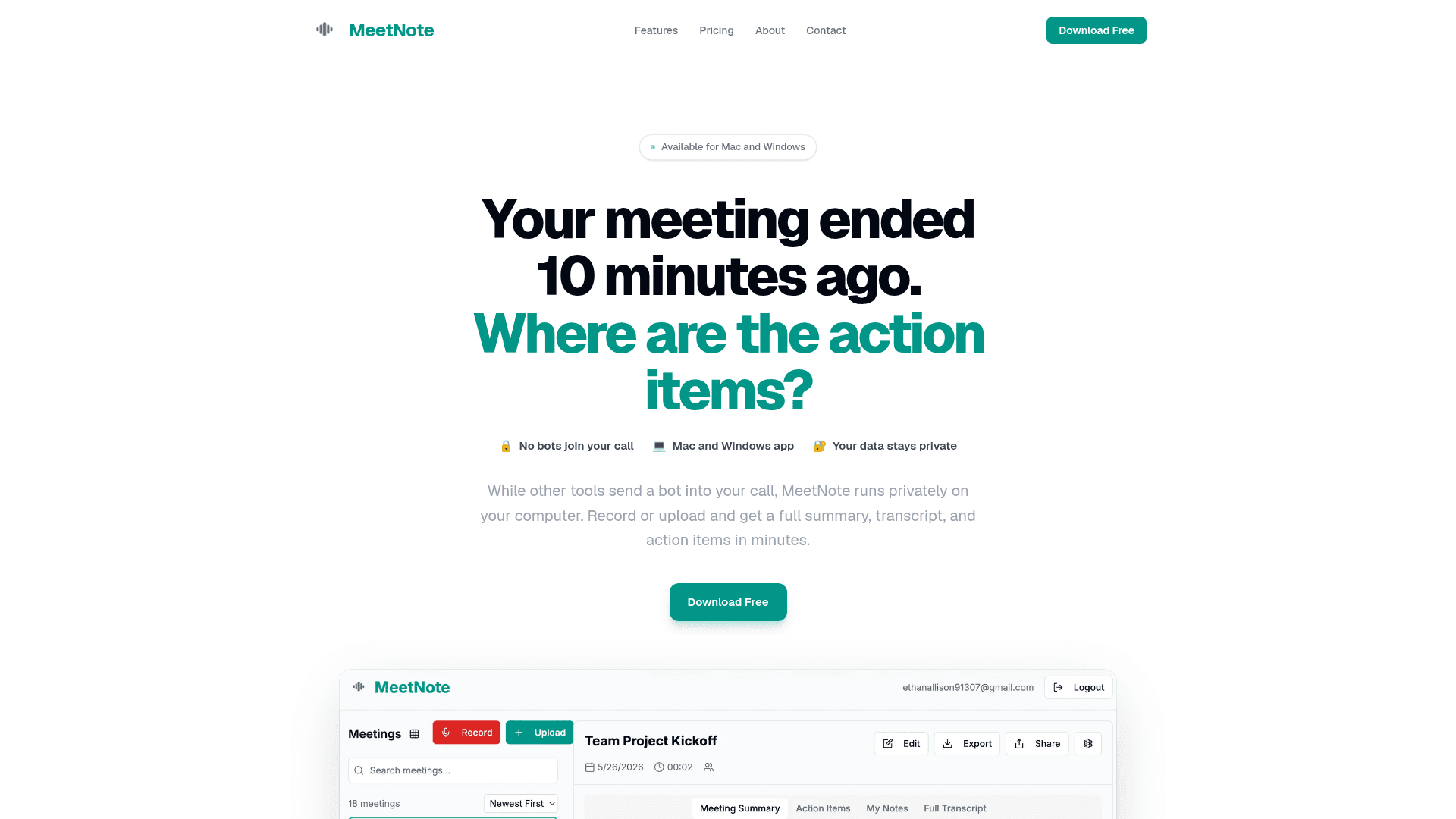
MeetNote is a desktop app for Mac and Windows that records meetings locally, then generates AI-powered transcripts, summaries, and action items without sending a bot into your call.
At a Glance
Try it out, no commitment.
Engagement
Available On
Listed May 2026
About MeetNote
MeetNote is a desktop meeting notes tool built by Ethan, a CS student at UMass Lowell, as a solo project with no external funding or team. It runs directly on your computer — recording audio locally rather than joining calls as a visible bot — and delivers a full transcript, summary, and action items within minutes. Version 1.0.0 was released on May 29, 2026, and the desktop client is available for both macOS and Windows.
What It Is
MeetNote sits in the category of AI meeting assistants, but takes a distinctly local-first approach. Instead of injecting a named participant ("Notetaker", "Otter.ai") into a video call, it captures audio from the computer's system audio. The result is that no one on the call sees any indication that MeetNote is running. After a meeting ends, the app sends the audio to MeetNote's servers for transcription and AI processing, then returns a clean summary, full transcript, and extracted action items.
How It Works
The workflow has three steps as described on the product page:
- Record or upload — start a live recording from the app, or drop in any audio or video file exported from Zoom, Teams, Google Meet, or any other source.
- AI processing — MeetNote transcribes the audio and extracts key information; the product page states no setup or configuration is required.
- Output — a summary, full transcript, and action items are delivered in the app.
Because recording happens at the OS audio layer rather than through a meeting platform API, the tool works with any conferencing platform: Zoom, Google Meet, Microsoft Teams, Webex, or any uploaded file.
Privacy Model
The about and FAQ pages are explicit about the data handling approach: recordings are processed on MeetNote's servers and stored in the cloud linked to the user's account, but the company states that data is never sold to third parties and never used to train AI models. Users can delete individual meetings or their entire account at any time. Free accounts retain data for 30 days; Pro accounts retain data indefinitely until deleted.
Platform and Deployment
MeetNote ships as a native desktop application for macOS (12+) and Windows. The desktop client repository is hosted publicly on GitHub under the handle ethan10174, written primarily in JavaScript. There is also a companion web app included with both plans. The v1.0.0 release binaries are distributed directly from GitHub Releases — a .dmg for Apple Silicon Macs and a .zip installer for Windows.
Update: v1.0.0 Launch
The first public release, MeetNote 1.0.0, was published on May 29, 2026. The GitHub repository was created just days earlier on May 28, 2026, making this a very early-stage product at initial launch. The about page notes planned future additions including better search, calendar integration, and team sharing, while stating the no-bot, privacy-first core will remain unchanged.
Community Discussions
Be the first to start a conversation about MeetNote
Share your experience with MeetNote, ask questions, or help others learn from your insights.
Pricing
Free
Try it out, no commitment.
- 3 meetings per month
- Full AI transcription
- Meeting summaries
- Action item extraction
- Desktop app
Pro
When three meetings a month isn't enough.
- Unlimited meetings
- Everything in Free
- Unlimited storage
- Priority AI processing
- Export to PDF & Markdown
- Full meeting search history
Capabilities
Key Features
- Local audio recording (no bot joins your call)
- AI transcription
- Meeting summaries
- Action item extraction
- Upload any audio or video file
- Export to PDF and Markdown
- Full meeting search history
- Unlimited storage (Pro)
- Priority AI processing (Pro)
- Web app access
- Desktop app for Mac and Windows