
modelmap
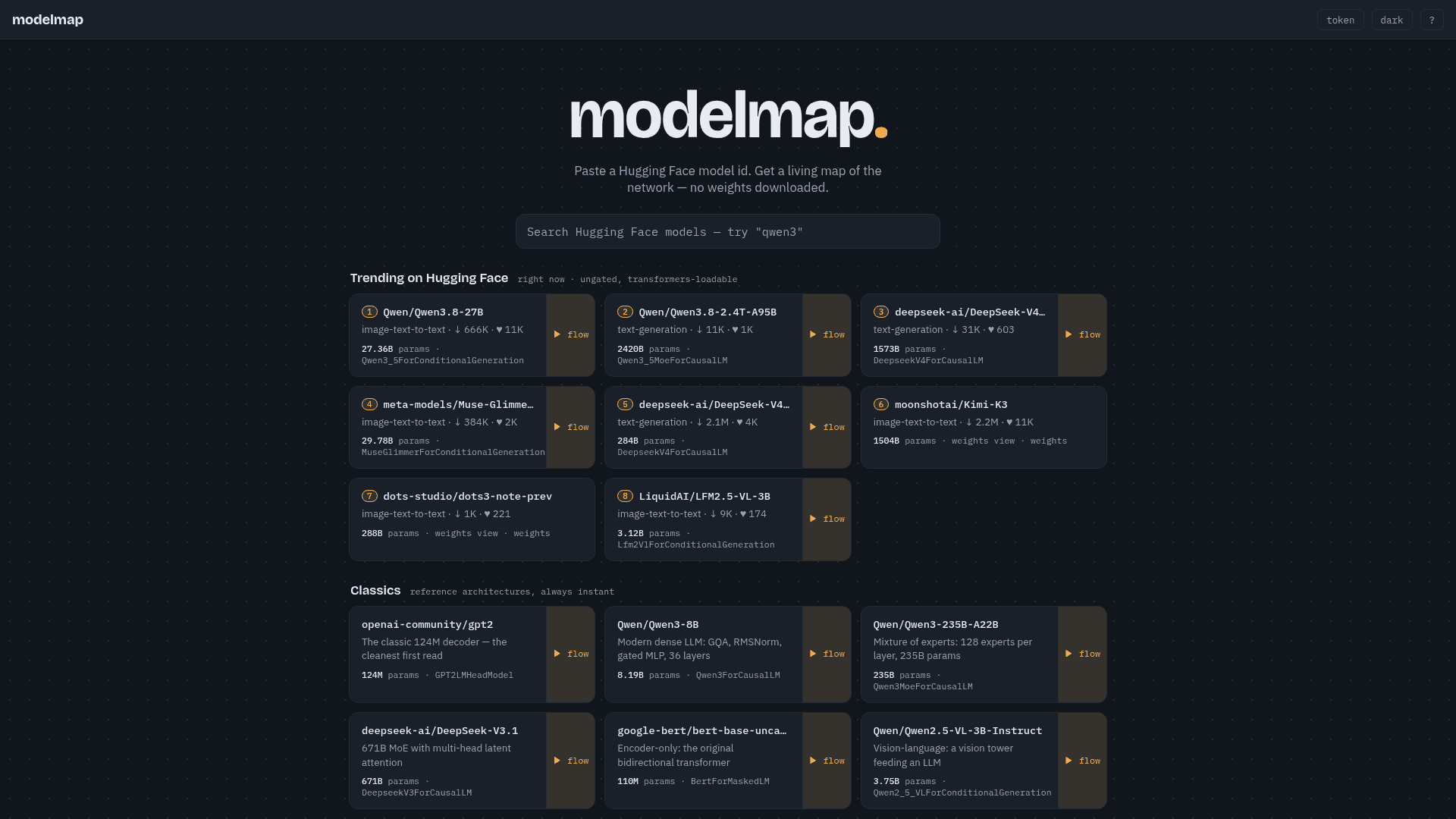
Paste a Hugging Face model ID to instantly visualize its architecture as a living network map — no weights downloaded required.
At a Glance
About modelmap
ModelMap is a free web tool that lets you explore the internal architecture of any public Hugging Face model by generating an interactive network map — without downloading model weights. It works by using a meta-device instantiation for structure and a traced fake forward pass for tensor shapes, making it fast and lightweight for any public repository.
What It Is
ModelMap is an AI model architecture visualization tool. You paste a Hugging Face model ID into the interface and get back a "living map" of the model's computational graph — showing layers, parameter counts, and data flow. It targets ML practitioners, researchers, and curious developers who want to understand how a model is structured without the overhead of actually loading its weights locally.
How It Works
The tool uses two techniques under the hood:
- Meta-device instantiation to extract the model's structural graph (layer types, connections, hierarchy)
- Traced fake forward pass to derive tensor shapes at each node
This means any public Hugging Face repo works instantly. Gated models are also supported after you supply a Hugging Face access token. No GPU, no local environment, and no weight download is needed.
What You Can Explore
ModelMap surfaces a curated set of trending and classic reference architectures directly on the homepage:
- Trending models pulled live from Hugging Face, filtered to ungated, transformers-loadable models (e.g., Qwen3, DeepSeek-V4, Kimi-K3)
- Classic reference architectures like GPT-2 (124M), BERT-base, Qwen3-8B, Qwen3-235B MoE, DeepSeek-V3, and Qwen2.5-VL for vision-language
Each listed model shows parameter count, architecture class name (e.g., Qwen3ForCausalLM, BertForMaskedLM), task type, download count, and a direct link to its flow map.
Model Comparison
ModelMap includes a side-by-side comparison mode (triggered via ⌘K) that lets you load two models simultaneously — for example, Qwen2.5-7B vs Qwen3-8B — to visually diff their architectures. This is useful for understanding what changed between model generations or families.
Audience and Use Cases
The tool is aimed at:
- ML researchers who want to audit or understand a model's architecture before fine-tuning or deployment
- AI engineers evaluating model families (dense vs. MoE, encoder-only vs. decoder-only)
- Students and educators using reference architectures like GPT-2 or BERT as teaching examples
Because it requires no local setup and no weight download, it lowers the barrier to architectural exploration significantly compared to loading models in a notebook or using print(model) in PyTorch.
Community Discussions
Be the first to start a conversation about modelmap
Share your experience with modelmap, ask questions, or help others learn from your insights.
Pricing
Free
Full access to model architecture visualization and comparison with no cost and no weight downloads.
- Visualize any public Hugging Face model architecture
- No weights downloaded
- Trending model feed
- Classic reference architectures
- Side-by-side model comparison
Capabilities
Key Features
- Visualize Hugging Face model architecture as an interactive network map
- No model weights downloaded — uses meta-device instantiation
- Tensor shape derivation via traced fake forward pass
- Supports any public Hugging Face repository
- Gated model support with user-supplied access token
- Live trending model feed filtered to ungated, transformers-loadable models
- Classic reference architecture library (GPT-2, BERT, Qwen, DeepSeek)
- Side-by-side model comparison mode
- Parameter count and architecture class display
- Task type and download stats per model