
MyLens AI
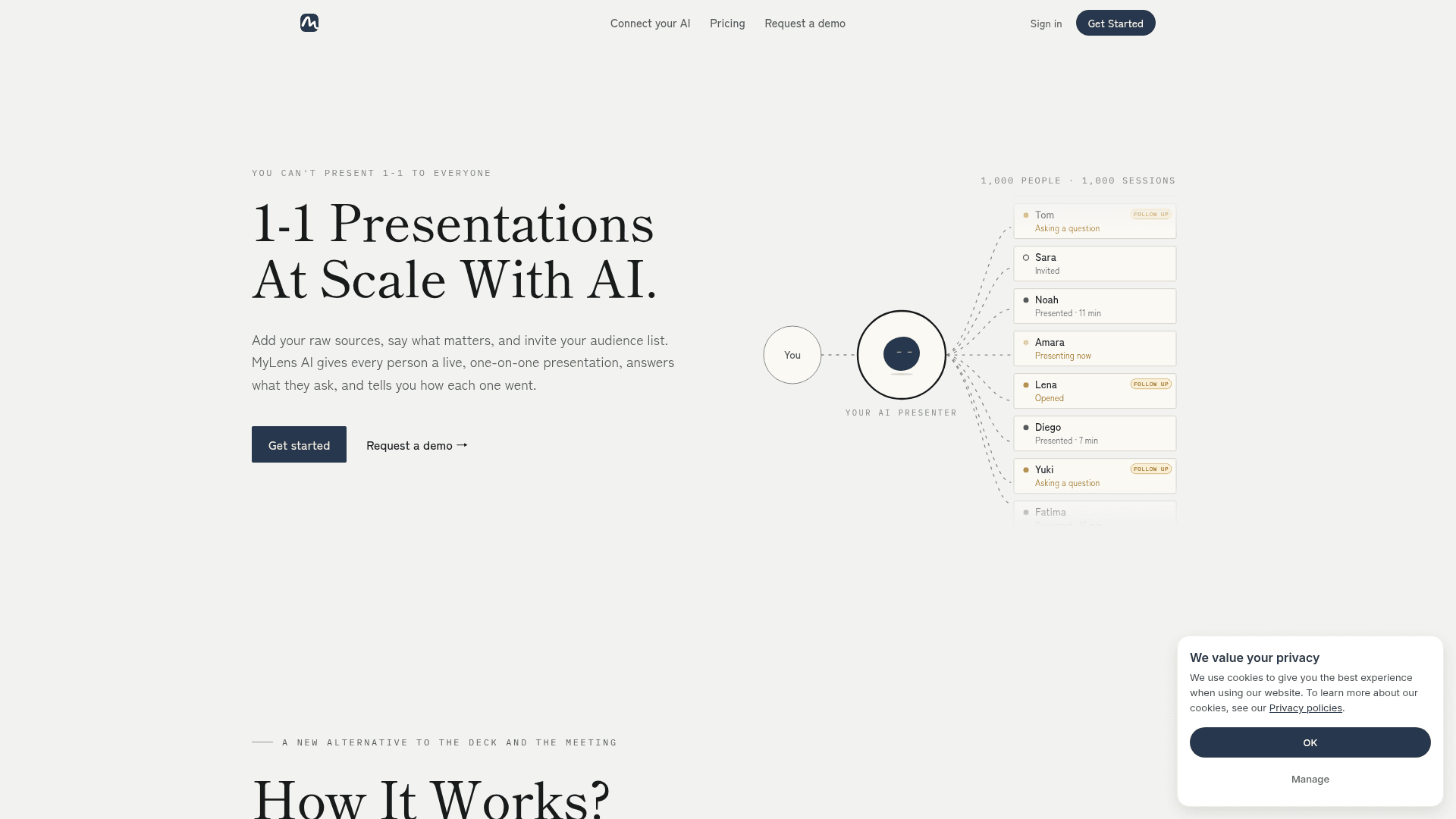
MyLens AI turns raw sources into visual presentations that an AI presenter delivers live, one-on-one, to each invited person.
At a Glance
Permanent free plan
Engagement
Available On
Alternatives
Listed Oct 2026
About MyLens AI
MyLens AI turns documents, notes, recordings and links into a visual presentation, then has an AI presenter deliver it privately to each person on an invite list. It answers audience questions from the supplied sources and reports on how each session went. The site also offers a Chrome extension and an MCP connection for AI tools.
What It Is
MyLens is a web-based presentation tool for people who explain the same thing to many individuals, such as sales, customer success, HR onboarding, founders updating investors, educators and leaders. Instead of building a deck and holding meetings, the presenter adds sources and knowledge (goal, audience, tone), and MyLens builds the slides.
How the Workflow Runs
The homepage describes six steps: add sources, teach the AI, let it create the presentation, choose what the AI may do (such as new slides, drill-downs and source citations), invite an audience, and go live. Each person opens a private link with a code and is presented to when ready. During a session they can ask questions on a slide, and MyLens answers from the supplied sources, and can create a new slide or layer when words are not enough. If an answer is not in the sources, the site says it tells the person so and flags it for the presenter.
Session Tracking and Inputs
A dashboard shows how many people were invited, opened and presented, total time, and per-person status, session date and code, so presenters can see who needs follow-up. Accepted inputs listed on the homepage include PDFs, Word files, slides, YouTube, websites, Markdown, audio, images, spreadsheets, Google Drive files and ChatGPT output.
Connecting Your Own AI
Research done in ChatGPT, Claude, Cursor or custom agents can be sent to MyLens over MCP and turned into a presentation. The vendor states that user data is never used to train AI models, is private by default and can be deleted on request.
Community Discussions
Be the first to start a conversation about MyLens AI
Share your experience with MyLens AI, ask questions, or help others learn from your insights.
Pricing
Free
Permanent free plan
- 15 AI Credits / Month
- 3 Live Sessions / Month
- 10K Source Limit
- Multi Sources per Storyboard
- AI Narration
Pro
Per member pricing
- Includes all in Free
- 150 AI Credits / Month
- 25 Live Sessions / Month
- Manual Edit
- Plus features
Premium
Per member pricing
- Includes all in Pro
- 450 AI Credits / Month
- 100 Live Sessions / Month
- 30K Source Limit
- Brand Kit
- Priority Customer Support
Business
Per member pricing
- Includes all in Premium
- 2,000 AI Credits / Month
- 500 Live Sessions / Month
- 100K Source Limit
- Deep Web Search
- Priority Customer Support
- Customer Success Manager
Contact sales
Custom plan for teams
Capabilities
Key Features
- Turns raw sources into visual presentations
- Live one-on-one AI presentation for each invitee
- Private link and code per session
- Live Q&A grounded in your sources
- Generates new slides or layers in response to questions
- Configurable AI permissions (new slide, drill down, source citation)
- Per-person session analytics and follow-up flags
- Supports PDFs, docs, slides, YouTube, websites, audio, images, spreadsheets and Google Drive
- MCP connection for ChatGPT, Claude, Cursor and custom agents
- Chrome extension