
Nexus Cloud
Execution infrastructure for AI agents that lets developers host Python agents while users attach and authorize their own computers and Android phones.
At a Glance
Self-hosted community edition under a modified Apache-2.0 license (not OSI-approved due to additional conditions); personal use, evaluation, modification, redistribution and single-tenant self-hosting permitted.
Engagement
Available On
Alternatives
Listed Oct 2026
About Nexus Cloud
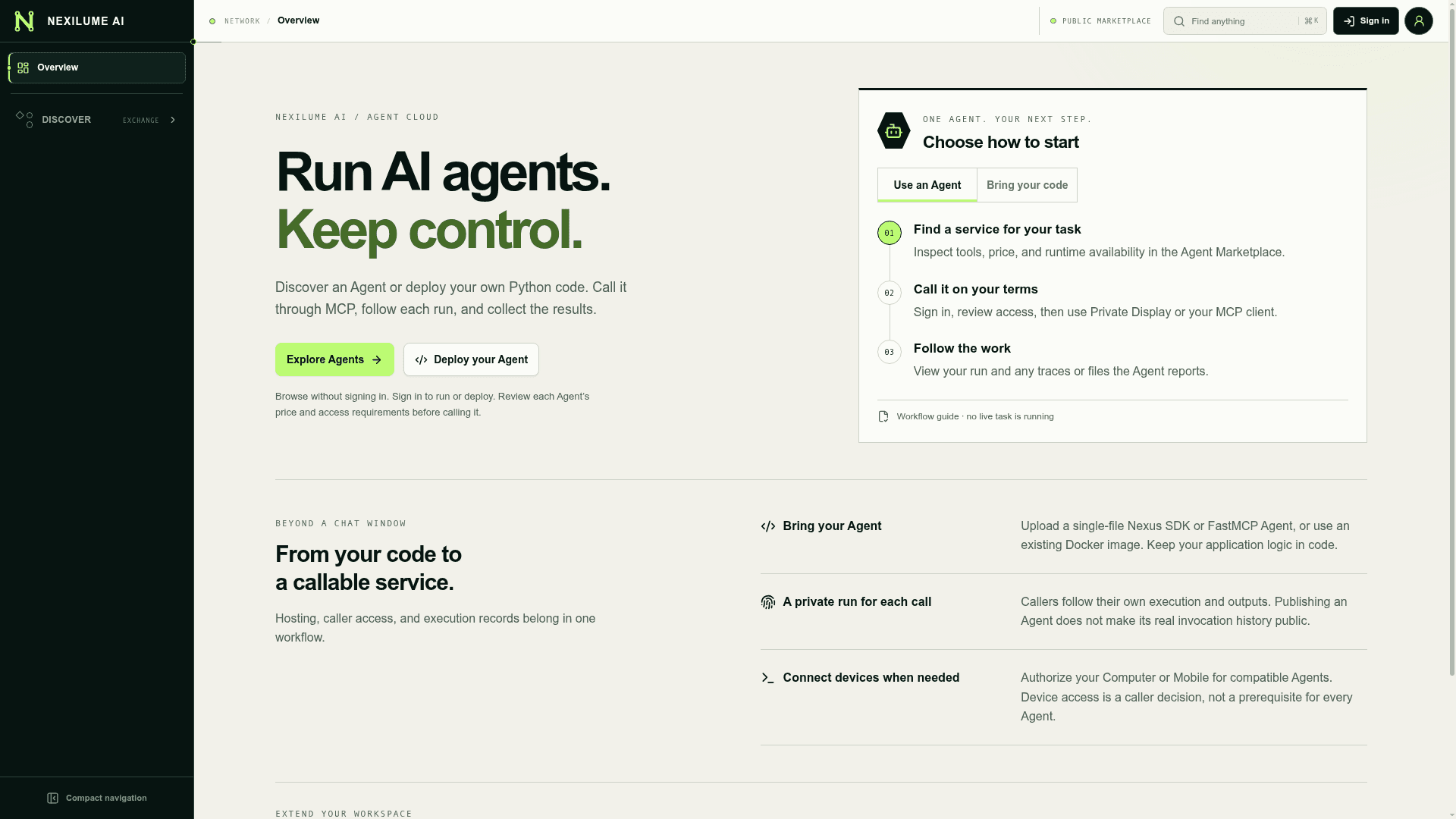
Nexus Cloud is an agent execution platform from Nexilume AI. Developers deploy Python agents, hosted in Docker, on a developer machine, or at an OpenWrt-connected edge, and callers run them through MCP or a built-in chat interface called Private Display. Users attach their own computers or Android phones and approve the permissions an agent requests. The Community edition is self-hostable from the GitHub repository, and a hosted instance is available at cloud.nexilume.com.
What It Is
Nexus Cloud is a server and web console that separates where an agent is deployed from the devices it operates. The README calls this a decoupled agent execution fabric, connected through a shared Run Context. A developer builds an agent with the Python SDK (package nexilume, imported as nexus_agent) or FastMCP, uploads a single-file agent or Docker image, and deploys it. Callers then run it, follow progress, answer inline questions and retrieve output files.
How the Workflow Runs
A caller finds an agent, attaches a Computer or Mobile device, and approves specific permissions such as file list, read and write. In the README demo, a Docker-hosted agent reads a CSV from the caller's authorized workspace, asks for confirmation in Private Display, and writes a Markdown report beside the CSV. A private copy is available for preview and download in Files. Devices need a compatible runtime, working connectivity and explicit authorization; pairing alone does not grant an agent access. The Computer Runtime and Android app connect outbound to Cloud rather than requiring inbound SSH.
Models, Data and Observability
Providers can be connected and organized behind Execution and Aggregation Routers, giving applications a consistent API for configured models. Files and images can be imported and agent outputs archived into Data Assets, with scanning and access controls where configured. Runs, errors, terminal output and generated artifacts can be inspected.
Community and Enterprise Editions
The Community edition targets authenticated, single-owner self-hosting and is started with Docker Compose. Marketplace, organization access administration and billing are Enterprise capabilities, distributed separately as a proprietary implementation. The license is a modified Apache 2.0 that requires written authorization for multi-tenant service operation and for removing Nexus UI branding.
Setup Path
The quick start requires Git, Docker with Linux containers, Compose v2 and at least 4 GiB of available memory on the recommended x86_64 host. The default stack starts Cloud, not a ready-made agent execution fleet, so execution controllers must be configured separately. Remote device pairing requires working HTTPS/WSS.
Community Discussions
Be the first to start a conversation about Nexus Cloud
Share your experience with Nexus Cloud, ask questions, or help others learn from your insights.
Pricing
Community (self-hosted)
Self-hosted community edition under a modified Apache-2.0 license (not OSI-approved due to additional conditions); personal use, evaluation, modification, redistribution and single-tenant self-hosting permitted.
- Personal use, evaluation, modification, redistribution and single-tenant self-hosting, including commercial single-tenant use
- Operating as a service for two or more independent tenants requires prior written commercial authorization
- Must retain Nexus names, logos and attribution in the user interface
- Enterprise edition adds commercial billing and is not publicly priced
- Upstream model usage may incur charges
Capabilities
Key Features
- Deploy agents independently of user devices (Docker, developer computer, OpenWrt edge)
- Attached Computer and Android Mobile with files, terminal, isolated browser and Android actions
- Python SDK and MCP integration
- Private Display built-in chat, progress, plans and file output interface
- User-authorized, run-scoped device permissions
- Run history, error inspection, terminal output and artifact retrieval
- Model API routing with Execution and Aggregation Routers
- Files and reusable Data Assets with scanning and access controls
- Marketplace for agents, models and data (Enterprise)
- Community self-hosting via Docker Compose