
OpenScreen
Free, open-source desktop screen recorder and editor that turns raw captures into polished product demos with auto-zooms, local captions, and an optional AI editing agent.
At a Glance
MIT-licensed open-source desktop screen recorder and editor; every feature is free for personal and commercial use, with no watermark or account.
Engagement
Available On
Alternatives
Listed Nov 2026
About OpenScreen
OpenScreen is a free, open-source desktop app for Windows, macOS, and Linux that records the screen and turns the capture into a finished demo or walkthrough. It is a community-maintained continuation of the original OpenScreen project, which its creator archived after v1.5.0, and is MIT licensed. The latest release listed is v2.2.2.
What It Is
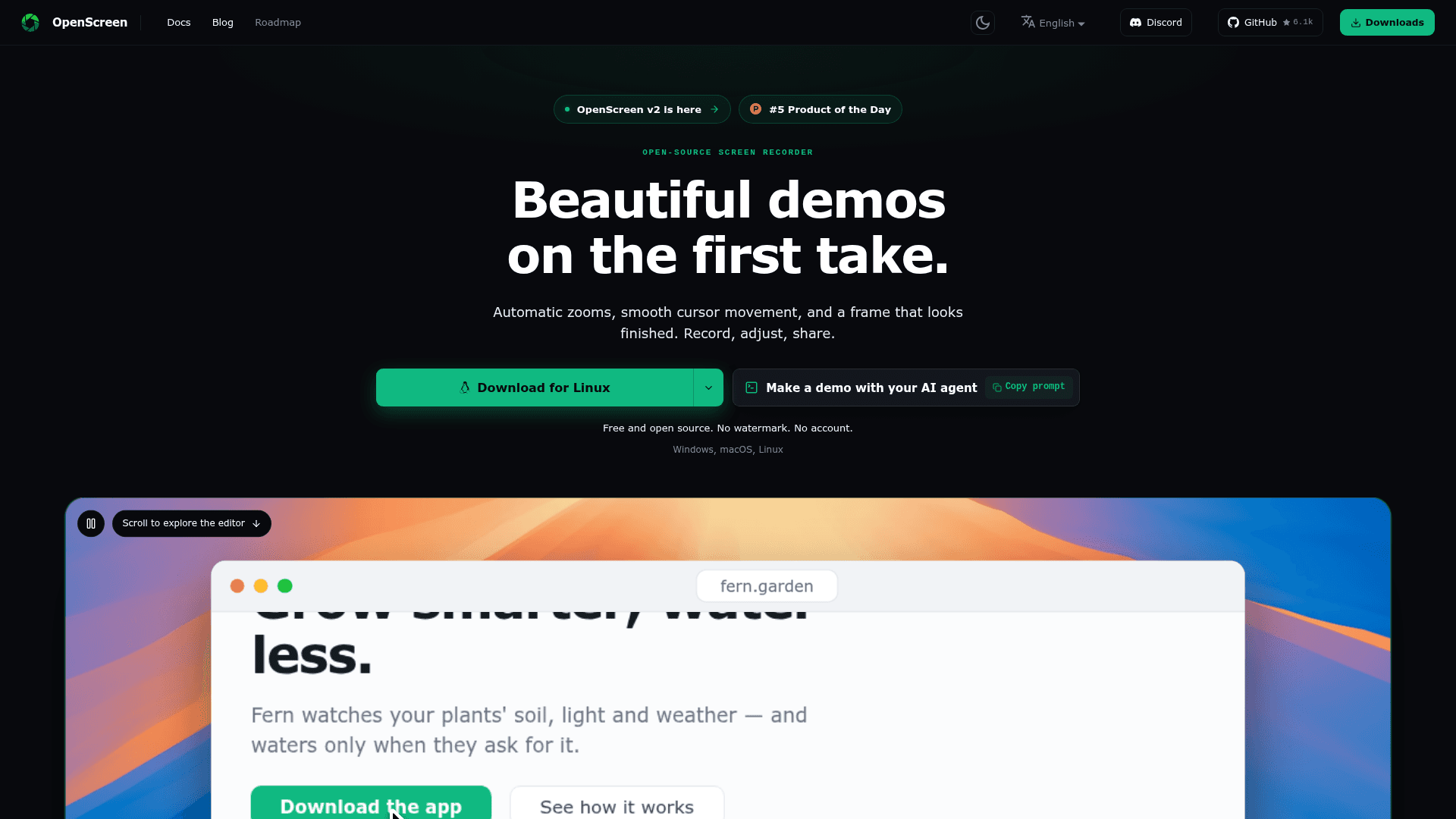
OpenScreen is a screen recorder and video editor in one. You record a window or display, with microphone, system audio, and an optional webcam, then restyle the take in a timeline editor. Recordings open already zoomed on clicks, with a wallpaper, padding, shadow, rounded corners, and motion blur applied. The pointer is recorded as data separate from the pixels, so its size, smoothing, and click effects can be changed after the take. Exports go to MP4 or GIF in several aspect ratios and resolutions.
Editing workflow
The editor supports auto or manual zooms, speed ramps, trims, crop, text, arrow and image annotations, and blur regions for hiding sensitive data. A 3D camera, 3D cursor packs, device frames, and animated backgrounds are available. Webcam footage can be shown as picture in picture, dual frame, or vertical stack, with background blur, cut-out, or replacement done by a local segmentation model.
Local captions and AI editing
Captions are transcribed on-device with whisper.cpp, working offline after a one-time model download, and the editable transcript lets you cut video by deleting words. An optional AI editing assistant applies edits from chat requests. It is off by default and needs a provider key you supply, such as Claude, OpenAI, Gemini, Mistral, OpenRouter, MiniMax, or an OpenAI-compatible endpoint. Its edits are ordinary undoable ones.
Agents, CLI, and MCP
OpenScreen includes a headless CLI for recording, editing project JSON, and rendering MP4 or GIF in scripts or CI. An MCP server and an installable demo skill let agents such as Claude Code, Codex, or Cursor record the app, edit the take, export the video, and attach it to a pull request.
Setup path
Capture uses ScreenCaptureKit on macOS 13+, Windows Graphics Capture on Windows, and PipeWire with the ScreenCast portal on Linux. Installers include a .dmg, a Microsoft Store listing, an .exe, .deb, .rpm, .pacman, an AppImage, and a Nix flake. The README notes the project is under active development, with possible breaking changes to the .openscreen project format and the CLI.
Community Discussions
Be the first to start a conversation about OpenScreen
Share your experience with OpenScreen, ask questions, or help others learn from your insights.
Pricing
Free
MIT-licensed open-source desktop screen recorder and editor; every feature is free for personal and commercial use, with no watermark or account.
- MIT licensed
- No watermark
- No account
- No paywalls, no premium tier, no usage caps
- Free for personal and commercial use
Capabilities
Key Features
- Window and full-screen recording with microphone and system audio
- Automatic zooms that follow clicks and manual zoom controls
- Editable cursor size, smoothing, and click effects
- 3D camera, 3D cursors, device frames, and animated backgrounds
- Webcam layouts with local background blur, cut-out, or replacement
- On-device captions with editable transcript and text-based cutting
- Optional AI editing assistant with bring-your-own key
- Crop, trim, speed ramps, annotations, and blur regions
- Export to MP4 or GIF in multiple aspect ratios with GPU encoding
- Headless CLI and MCP server for agents and CI
- No watermark and no account required
- Interface in 15 languages