
Pappardelle
A terminal UI that turns a task description into an issue, git worktree, and Claude Code session in a 3-pane tmux layout.
At a Glance
Pappardelle is an MIT-licensed TUI, free to use, copy, modify and distribute. Running it relies on external tools and subscriptions (e.g. Claude Code, Linear/Jira, tmux) that are not sold by Pappardelle.
Engagement
Available On
Listed Nov 2026
About Pappardelle
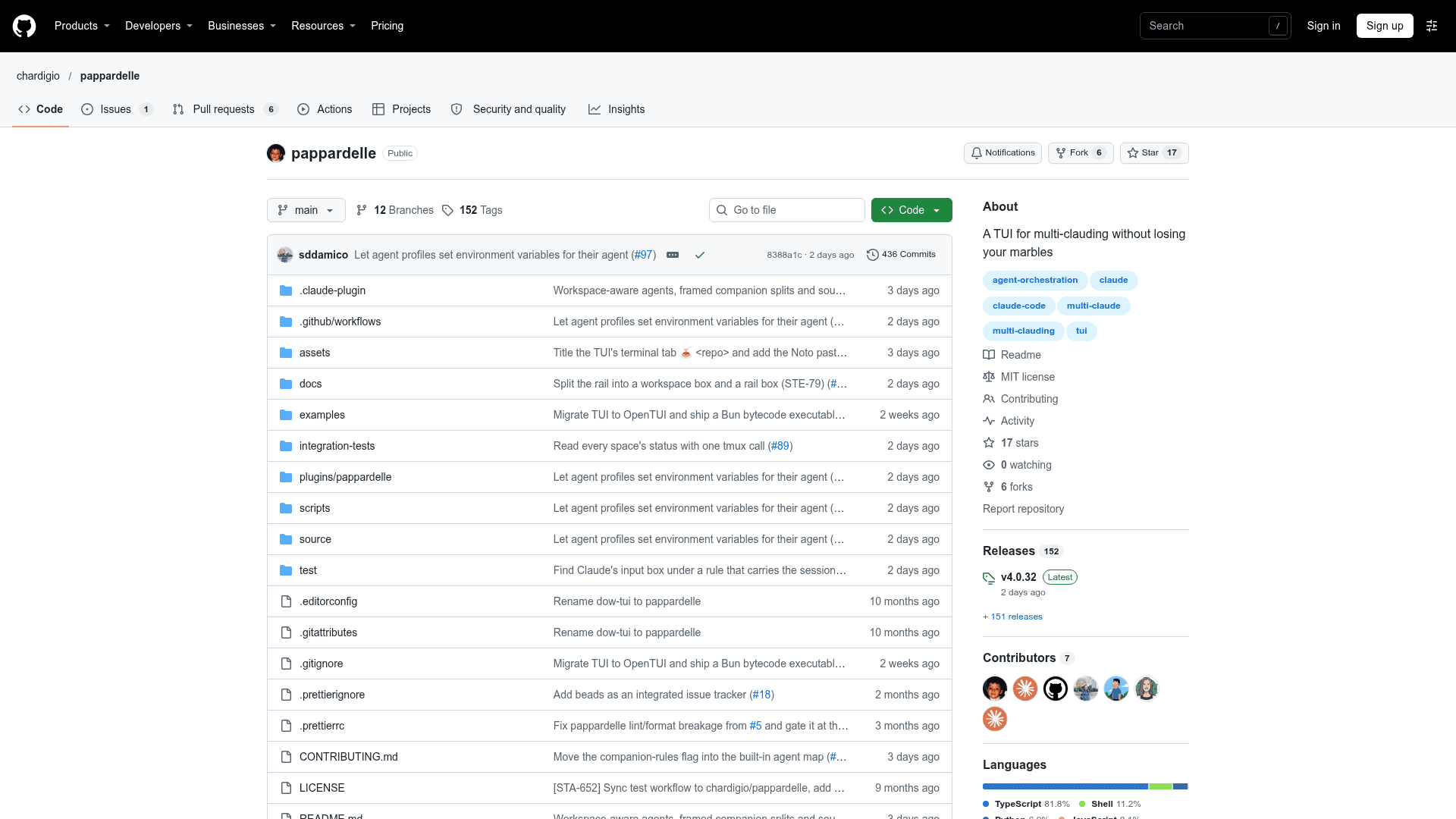
Pappardelle is an open-source terminal UI by chardigio for running multiple Claude Code sessions in parallel. You type a description or issue key, and it reads or creates an issue in Linear, Jira or beads, creates a configured git worktree, and starts an agent session beside a companion pane, all in a tmux layout.
The repository is MIT-licensed and published with tagged GitHub releases; the latest listed is v4.0.32.
What It Is
Pappardelle is a workspace manager for AI coding agents that runs inside tmux. Each workspace corresponds to an issue and has its own isolated git worktree, an agent session (Claude Code by default, or others such as Codex via agent profiles), and a companion session (gitui by default, or any configured command). It is configured per repository through a .pappardelle.yml file.
How a Workspace Is Provisioned
When you create a workspace, Pappardelle matches your input to a profile by keyword, then creates or fetches the issue and builds a worktree under ~/.worktrees/. It runs profile setup commands and post-init hooks, then launches the agent and companion tmux sessions. An optional initialization skill such as /do starts the agent with a planning-first workflow, and agent questions and answers can be posted back to the issue as comments.
The Three-Pane Layout and Status Tracking
The left pane is a ticket rail for navigating and creating workspaces, the center pane shows the highlighted workspace's agent, and the right pane shows its companion. Agent sessions run in independent tmux sessions, so they keep running if the TUI exits. The rail displays working, idle, blocked, and error states, read from OSC 7501 program status reports or Claude Code hooks.
Automation and Remote Use
A CLI and MCP server let agents and scripts inspect, message, wait on, schedule, and open or close other workspaces. The README also describes watchlists that auto-spawn workspaces for assigned issues, custom keybindings, push notifications through ntfy, and accessing sessions over SSH from a phone. An experimental multi-repo setup uses a parent repository.
Community Discussions
Be the first to start a conversation about Pappardelle
Share your experience with Pappardelle, ask questions, or help others learn from your insights.
Pricing
Open Source
Pappardelle is an MIT-licensed TUI, free to use, copy, modify and distribute. Running it relies on external tools and subscriptions (e.g. Claude Code, Linear/Jira, tmux) that are not sold by Pappardelle.
- MIT License
- Self-hosted CLI/TUI
- 3-pane tmux layout
- Linear, Jira and beads issue tracker providers
- GitHub and GitLab VCS providers
Capabilities
Key Features
- 3-pane tmux layout with ticket rail, agent pane, and companion pane
- Automatic issue creation or fetch from Linear, Jira, or beads
- Isolated git worktree per workspace
- Configurable companion command (gitui by default)
- Keyword-matched profiles and agent profiles
- Agent status indicators via OSC 7501 and Claude hooks
- Issue watchlist to auto-spawn workspaces
- MCP server and CLI for agent-driven workspace control
- Sous-chef coordinator mode
- Slash-command skill autocomplete
- Custom keybindings and lifecycle hooks
- ntfy push notifications
- Built-in self-update