
ProjectStore
A plugin for Claude Code and Codex that keeps a project's decisions, specs, epics and stories as reviewed Markdown in git.
At a Glance
ProjectStore core plugin, CLI and MCP server released under the MIT License; free to use, copy, modify and distribute.
Engagement
Available On
Alternatives
Listed Oct 2026
About ProjectStore
ProjectStore is an open-source project workflow plugin from SmartAndPoint for Claude Code and OpenAI Codex (experimental). It records what a project decided, what is in flight and what was checked as reviewed Markdown in a git repository, readable by any agent and anyone with the repo. The latest release listed is v0.30.6, and the code is MIT licensed.
What It Is
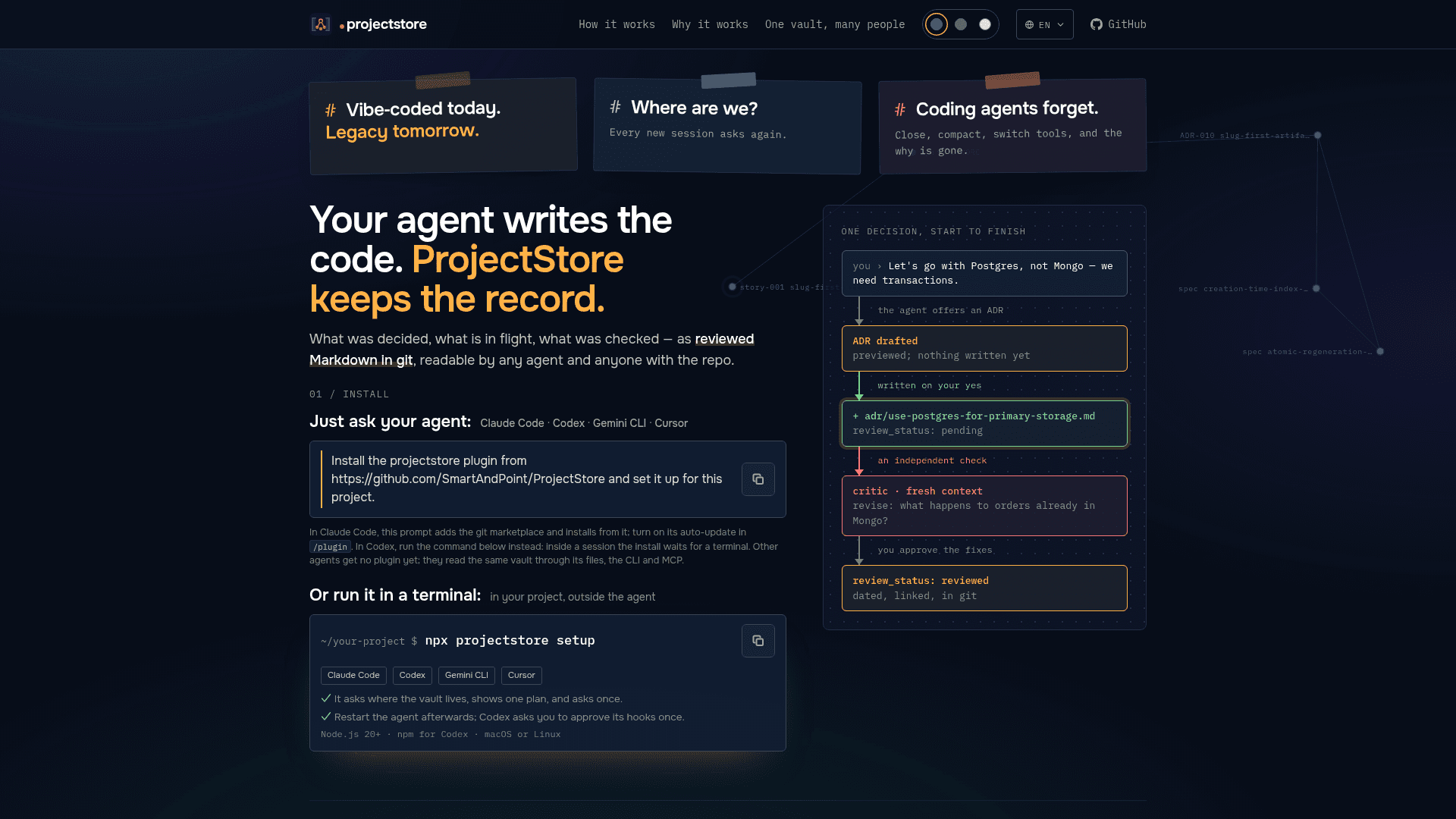
ProjectStore is a project-record layer that sits next to a coding agent. Instead of relying on agent memory, it writes artifacts such as ADRs, specs, epics, stories and research notes into a vault. The vault is a plain Markdown folder with its own git repository, and each artifact carries a status, a date and links.
The README separates it from agent memory, instruction files like AGENTS.md and per-feature spec tools. It says ProjectStore adds decision logs, validators, session-start orientation and independent review over one linked record.
How the Loop Works
The agent opens an artifact before it opens an editor: an ADR for a decision, an epic and stories for work, a spec when the how is non-trivial. Each draft is previewed and written only after the user approves it. A fresh-context critic then reviews the draft, and the artifact carries review_status: pending until a critic pass is applied.
When an agent picks up a story, a planner reads how earlier epics landed in the code and says where the change belongs. A reviewer then checks the diff against each acceptance criterion and asks for evidence before the story is closed. Closing a story regenerates the kanban board, the link graph (graph.md) and the code map (code-map.md). A deterministic doctor command checks mechanical consistency without AI.
Setup and Access Surfaces
Setup runs with npx projectstore setup. It detects the agents in use, asks where the vault lives, prints one plan and asks once before writing. It can also be installed by asking Claude Code to install the plugin from the GitHub repository. A configure command sets each agent's model and effort, the status line and band, template language, and spec policy.
The same data is exposed through a token-free CLI and an MCP server with eight read-only tools: status, search, get_artifact, neighbors, lineage, code_refs, orientation and doctor. Requirements listed are Node.js 20+ and macOS or Linux; Windows is not verified yet. npm is needed for Codex, and the agent's own CLI must be on PATH.
Teams and Data Handling
The vault can live in its own repository, so several people, sessions and agents share the same decisions. ADRs and specs can be reviewed as pull requests, and sessions on the same vault warn each other. The README states that ProjectStore has no server, account or telemetry. Its own code makes only a few requests, such as an npm registry version check, made by commands the user runs.
Community Discussions
Be the first to start a conversation about ProjectStore
Share your experience with ProjectStore, ask questions, or help others learn from your insights.
Pricing
Open Source (MIT)
ProjectStore core plugin, CLI and MCP server released under the MIT License; free to use, copy, modify and distribute.
- MIT License
- Plugin for Claude Code and Codex (experimental)
- Token-free CLI and MCP server
- Reviewed Markdown artifacts (ADRs, epics, stories, specs) in git
- Requires Node.js 20+; macOS or Linux
Capabilities
Key Features
- ADRs, specs, epics and stories as reviewed Markdown in git
- Fresh-context critic review of drafts
- Planner and reviewer agents with per-criterion evidence
- Approval gate before any write
- Generated kanban board, link graph and code map
- Session-start orientation and status line
- Deterministic doctor consistency check
- Read-only MCP server with eight tools
- Token-free CLI with JSON output
- Team vault shared through git
- Templates in six languages
- Configurable agent models and effort