
Main Menu
  • Tools
  • Developers
  • Topics
  • Discussions
  • Communities
  • News
  • Blogs
  • Builds
  • Contests
  • Compare
  • Arena
Create
    EveryDev.ai
    Sign inSubscribe
    Home
    Tools

    2,261+ AI tools

    • New
    • Trending
    • Featured
    • Compare
    • Arena
    Categories
    • Agents1228
    • Coding1045
    • Infrastructure455
    • Marketing414
    • Design374
    • Projects340
    • Analytics319
    • Research306
    • Testing200
    • Data171
    • Integration169
    • Security169
    • MCP164
    • Learning146
    • Communication131
    • Prompts122
    • Extensions120
    • Commerce116
    • Voice107
    • DevOps92
    • Web73
    • Finance19
    1. Home
    2. Tools
    3. Puck
    Puck icon

    Puck

    Content Management Systems
    Featured

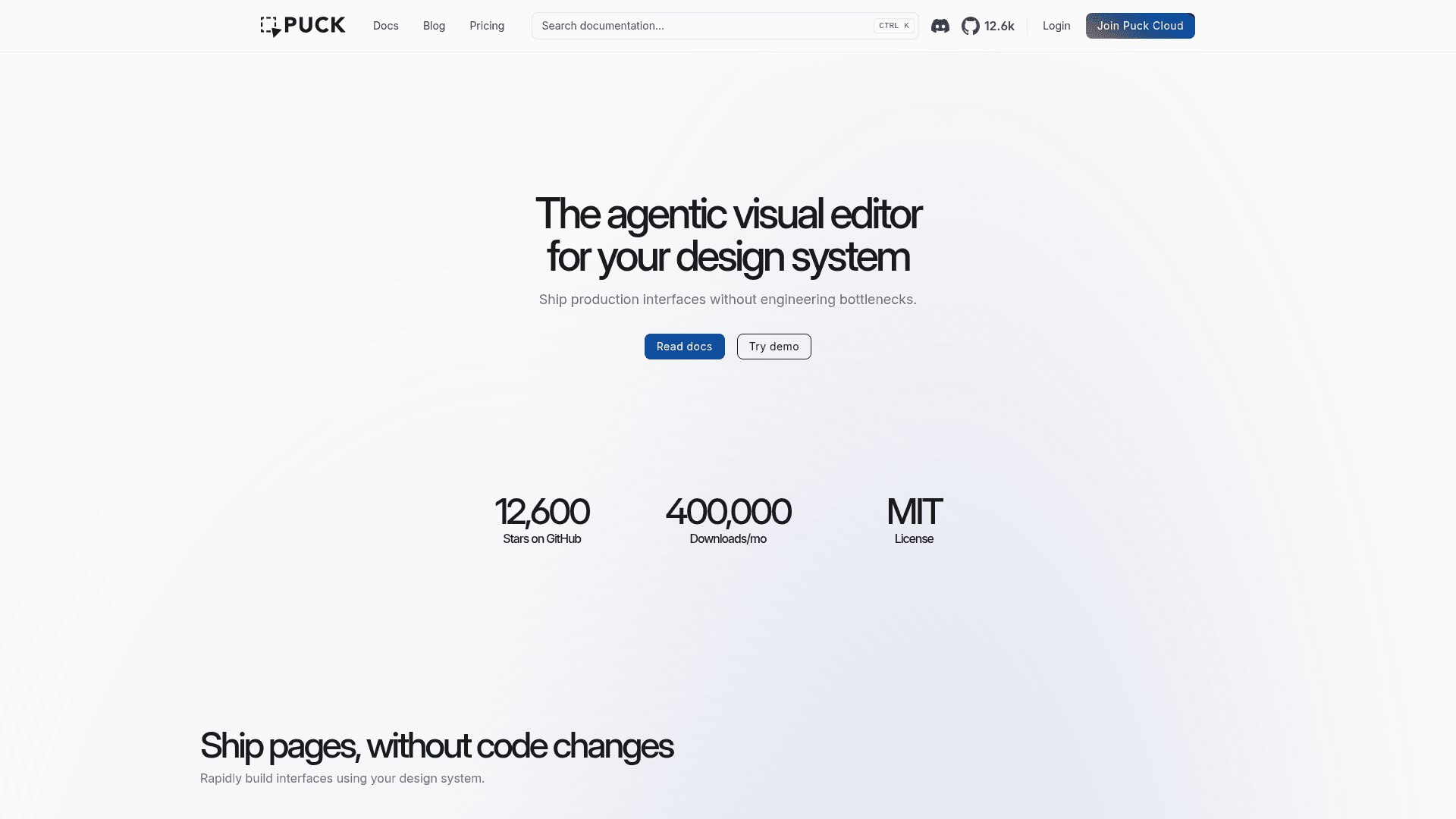
    Puck is an open-source, modular visual editor for React.js that lets teams build drag-and-drop page editing experiences constrained to their own design system.

    Visit Website

    At a Glance

    Pricing
    Open Source
    Free tier available

    The core Puck editor is free and open-source under the MIT license. Self-host and integrate into any React project.

    Pro: $25/mo
    Business: $150/mo
    Growth: $500/mo
    +1 more plan

    Engagement

    Available On

    Web
    API
    SDK

    Resources

    WebsiteDocsGitHubllms.txt

    Topics

    Content Management SystemsUX DesignPrototyping

    Alternatives

    YcodeTiptapCosmic
    Developer
    PuckManchester, United KingdomEst. 2020

    Listed May 2026

    About Puck

    Puck is a modular, open-source visual editor for React.js, licensed under MIT, that enables teams to ship production interfaces without engineering bottlenecks. It integrates directly into any React or Next.js application as a component, giving you full ownership of your data with no vendor lock-in. Puck Cloud extends the core editor with AI-powered page generation, a versioned page datastore, and multiplayer collaboration features. With 12,600+ GitHub stars and 400,000+ monthly downloads, it is widely adopted for standalone CMS setups, automated publishing workflows, white-label products, and no-code development tooling.

    • Drag-and-drop editor — Install the @measured/puck package and render the <Puck> component with your own React components to get an intuitive drag-and-drop interface immediately.
    • Component configuration — Map your existing React components to Puck by providing render functions and field definitions, keeping every experience on-brand by default.
    • Inline editing — Update headlines, copy, and calls to action directly in the live preview without switching to a separate form.
    • Multi-column layouts — Create nested, multi-column layouts with advanced CSS layout support out of the box.
    • Dynamic props & fields — Dynamically set props or fields based on user input and mark fields as read-only for controlled editing experiences.
    • External data sources — Load content from third-party CMSes or any data source to power component props.
    • Server Components support — Opt-in support for React Server Components for improved performance.
    • Viewports — Preview and edit content in a same-origin iframe to simulate different device viewports.
    • AI copilot (Puck Cloud) — Generate full pages via the editor UI or headless API using AI constrained to your components, brand, and data.
    • Puck Cloud Pages — A versioned datastore for pages that combines with AI to orchestrate content at scale (coming soon).
    • Multiplayer (Puck Cloud) — Live syncing between editor sessions for real-time collaboration (coming soon).
    • Feature toggling — Control which Puck features (duplication, deletion, etc.) are available via the permissions API.
    • Data migration — Migrate between breaking Puck releases and your own breaking prop changes with built-in migration utilities.
    Puck - 1

    Community Discussions

    Be the first to start a conversation about Puck

    Share your experience with Puck, ask questions, or help others learn from your insights.

    Pricing

    OPEN SOURCE

    Open Source (MIT)

    The core Puck editor is free and open-source under the MIT license. Self-host and integrate into any React project.

    • Drag-and-drop visual editor
    • Component configuration
    • Multi-column layouts
    • Dynamic props and fields
    • External data sources

    Pro

    Access to Puck AI copilot and support for open-source development.

    $25
    per month
    • Support open-source editor
    • AI copilot – generate pages with your components
    • Monthly AI credit: $25
    • Early-bird bonus: $50
    • Top-up available
    • ~85 AI generations/month

    Business

    AI copilot plus headless API generation and GitHub issue prioritization.

    $150
    per month
    • Support open-source editor
    • AI copilot – generate pages with your components
    • Headless AI generation via API
    • Prioritize GitHub issues
    • Monthly AI credit: $150
    • Early-bird bonus: $300
    • Top-up available
    • ~500 AI generations/month

    Growth

    Full-featured plan with dedicated Slack support, bring-your-own-key, and SSO.

    $500
    per month
    • Support open-source editor
    • AI copilot – generate pages with your components
    • Headless AI generation via API
    • Prioritize GitHub issues
    • Dedicated Slack support channel with Puck core team
    • Bring-your-own-key
    • SSO (coming soon)
    • Monthly AI credit: $500
    • Early-bird bonus: $1,000
    • Top-up available
    • ~1,670 AI generations/month

    Enterprise

    Custom enterprise plan. Contact sales for pricing.

    Custom
    contact sales
    • Everything in Growth
    • Custom pricing
    • On-premises option available
    View official pricing

    Capabilities

    Key Features

    • Drag-and-drop visual editor
    • Inline editing
    • Component configuration
    • Multi-column layouts
    • Dynamic props and fields
    • External data sources
    • React Server Components support
    • Viewport preview
    • Feature toggling via permissions API
    • Data migration utilities
    • AI page generation (Puck Cloud)
    • Headless AI generation via API
    • Versioned page datastore (Puck Cloud)
    • Multiplayer collaboration (Puck Cloud)
    • GitHub issue prioritization
    • Dedicated Slack support
    • Bring-your-own-key
    • SSO (coming soon)

    Integrations

    React.js
    Next.js
    Third-party CMS
    Puck Cloud AI
    GitHub
    API Available
    View Docs

    Reviews & Ratings

    No ratings yet

    Be the first to rate Puck and help others make informed decisions.

    Developer

    Puck Team

    Puck builds an open-source visual editor for React.js that lets product teams ship on-brand pages without engineering bottlenecks. The core editor is MIT-licensed and integrates as a React component, giving teams full data ownership and no vendor lock-in. Puck Cloud extends the editor with AI-powered page generation, a versioned page datastore, and multiplayer collaboration. The project is led by Chris and backed by a growing open-source community with 12,600+ GitHub stars.

    Founded 2020
    Manchester, United Kingdom
    10 employees

    Used by

    Various digital agencies and software…
    Read more about Puck Team
    WebsiteGitHubX / Twitter
    1 tool in directory

    Similar Tools

    Ycode icon

    Ycode

    An open-source visual website builder and CMS that lets you build and manage websites with a modern drag-and-drop interface, available as a self-hosted or fully managed cloud solution.

    Tiptap icon

    Tiptap

    Headless, open-source rich text editor framework for building AI-native document editors with real-time collaboration, comments, AI agents, and 100+ extensions.

    Cosmic icon

    Cosmic

    AI-powered headless CMS that enables teams to build, deploy, and scale modern apps faster with content management, AI agents, and automated workflows.

    Browse all tools

    Related Topics

    Content Management Systems

    AI-powered platforms for creating, managing, and delivering digital content with intelligent organization, automated workflows, and headless architecture capabilities.

    14 tools

    UX Design

    AI tools that help create user-centered designs and experiences.

    43 tools

    Prototyping

    AI-enhanced tools for quickly creating interactive design prototypes from concepts, wireframes, or user flows with intelligent component suggestions and interaction patterns.

    35 tools
    Browse all topics
    Back to all tools
    Explore AI Tools
    • AI Coding Assistants
    • Agent Frameworks
    • MCP Servers
    • AI Prompt Tools
    • Vibe Coding Tools
    • AI Design Tools
    • AI Database Tools
    • AI Website Builders
    • AI Testing Tools
    • LLM Evaluations
    Follow Us
    • X / Twitter
    • LinkedIn
    • Reddit
    • Discord
    • Threads
    • Bluesky
    • Mastodon
    • YouTube
    • GitHub
    • Instagram
    Get Started
    • About
    • Editorial Standards
    • Corrections & Disclosures
    • Community Guidelines
    • Advertise
    • Contact Us
    • Newsletter
    • Submit a Tool
    • Start a Discussion
    • Write A Blog
    • Share A Build
    • Terms of Service
    • Privacy Policy
    Explore with AI
    • ChatGPT
    • Gemini
    • Claude
    • Grok
    • Perplexity
    Agent Experience
    • llms.txt
    Theme
    With AI, Everyone is a Dev. EveryDev.ai © 2026
    Discussions