
Remote WebView Debugger
Open-source, self-hosted tool that lets AI agents debug H5 pages and app WebViews on real users' phones over MCP.
At a Glance
Self-hosted gateway, page SDK and web console released under the MIT License.
Engagement
Available On
Alternatives
Listed Nov 2026
About Remote WebView Debugger
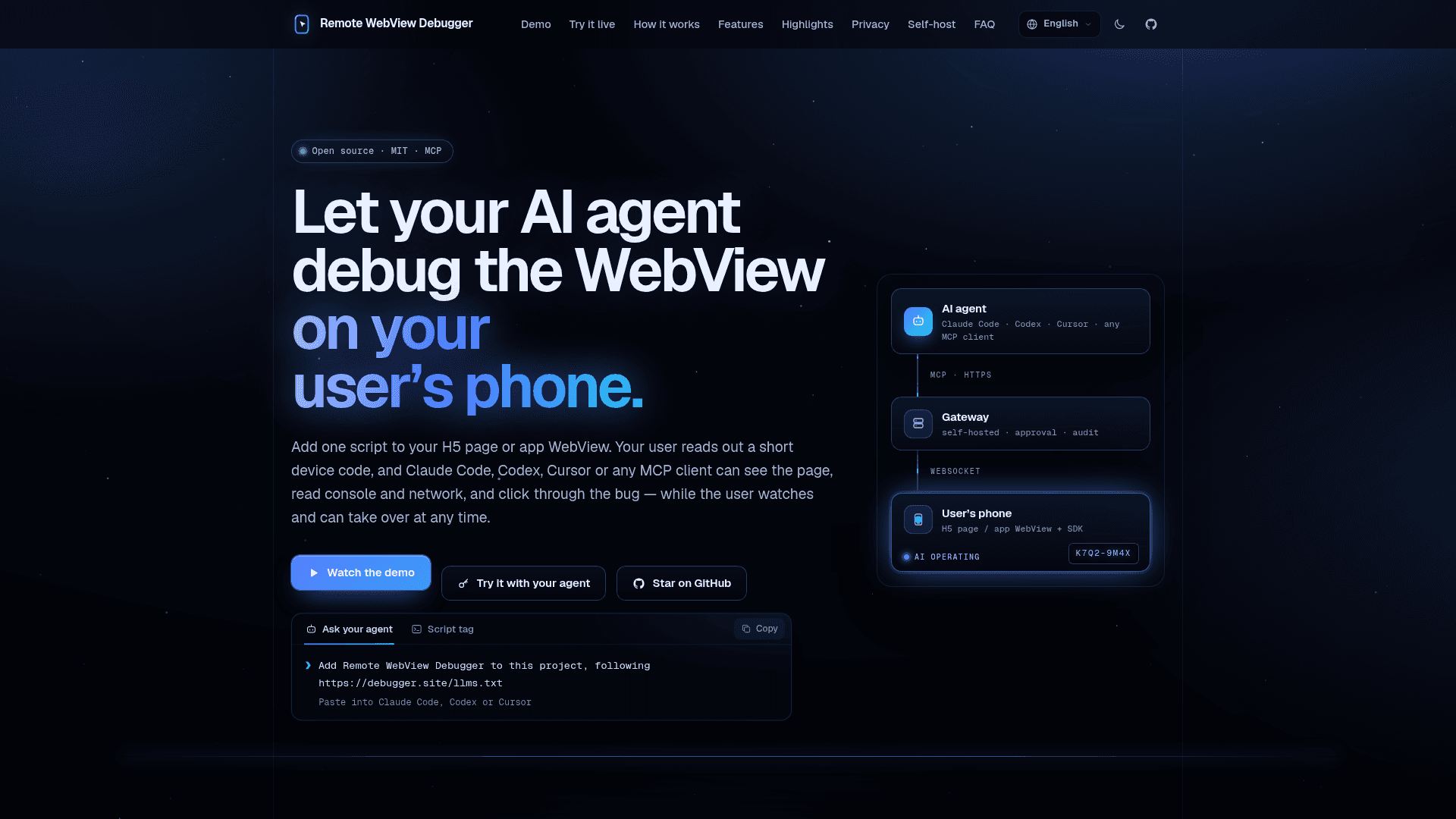
Remote WebView Debugger is an open-source (MIT) project from ZaneL1u that lets MCP clients such as Claude Code, Codex and Cursor debug H5 pages and app WebViews running on a user's phone. A page SDK is added with one script tag or a native injection, and the user shares a short device code and approves the agent on the device. The latest gateway release listed is v0.3.1.
What It Is
It is a remote debugging system for bugs that only occur on a specific user's device, where no USB cable or remote-debugging port is available. It has three parts: a page SDK running in the WebView, a self-hosted Go gateway that exposes an MCP endpoint, and a web console. The agent connects through the gateway, and the gateway relays requests over WebSocket to the SDK in the page.
How the Debugging Workflow Works
The SDK is loaded from a CDN or npm, or injected at document start in iOS (WKUserScript) and Android (addDocumentStartJavaScript). Each device shows a device code in a small pill, and users can tap Request assistance. The agent calls tools such as connect_device, and the user approves on the phone at a chosen level. The agent can then read accessibility snapshots with element refs, console output, network requests and screenshots, and click, fill, type, scroll and drag. The documentation lists 31 MCP tools in groups covering devices, pages, viewing, acting, debugging and history. The SDK also keeps a session log on the device in IndexedDB, which an approved agent can read later. At the advanced level, evaluate_script can patch the running page in memory to verify a fix.
Privacy and User Control
Sessions require on-device approval, with observe, interact and advanced permission levels. The user can take over or end a session at any time, and a task card shows the agent's plan. Passwords and elements marked data-rwd-mask are masked in snapshots, screenshots, console, network data and the session log. Buttons marked data-rwd-confirm require the user to confirm each agent click. An audit log records actions without page content.
Self-Hosting
The gateway is one Go binary that embeds the console and the SDK. It uses SQLite by default or Postgres, and ships as a Docker image, release binaries for Linux and macOS, and a Docker Compose setup with Caddy for HTTPS. The console covers devices, API keys, members and roles, invites, policies and an audit log, and the gateway exposes Prometheus metrics. A public demo gateway is available for trying it with your own agent under documented limits.
Community Discussions
Be the first to start a conversation about Remote WebView Debugger
Share your experience with Remote WebView Debugger, ask questions, or help others learn from your insights.
Pricing
Open Source (Self-hosted)
Self-hosted gateway, page SDK and web console released under the MIT License.
- Self-hosted Go gateway with embedded console and SDK; SQLite or Postgres
- MCP server for Claude Code, Codex, Cursor or any MCP client
- On-device approval levels (observe / interact / advanced)
- Sensitive data masking in snapshots, console and network
- Members and roles, API keys, quotas, Prometheus metrics
Capabilities
Key Features
- MCP endpoint for Claude Code, Codex, Cursor and other MCP clients
- Accessibility snapshots with element refs
- Click, fill, type, press, select, hover, scroll and drag actions
- Console and network capture with bodies at the advanced level
- Screenshots via native bridge or DOM rendering
- Multi-page sessions with cross-page timeline
- On-device session log stored in IndexedDB
- Live patching with evaluate_script
- On-device approval with observe, interact and advanced levels
- Take over or end session at any time
- Masking of sensitive fields and confirmation for sensitive clicks
- Audit log, members and roles, API keys, QR invites
- Self-hosted Go gateway with SQLite or Postgres
- Prometheus metrics
- 11 languages
- Chrome DevTools access from the console
- Optional eruda integration