
Retake
Open-source demo-as-code tool that lets coding agents record web app walkthrough videos from a YAML file using a real browser.
At a Glance
Retake is open source under the MIT license; recording runs locally on your own computer with no Retake account or API key needed.
Engagement
Available On
Alternatives
Listed Oct 2026
About Retake
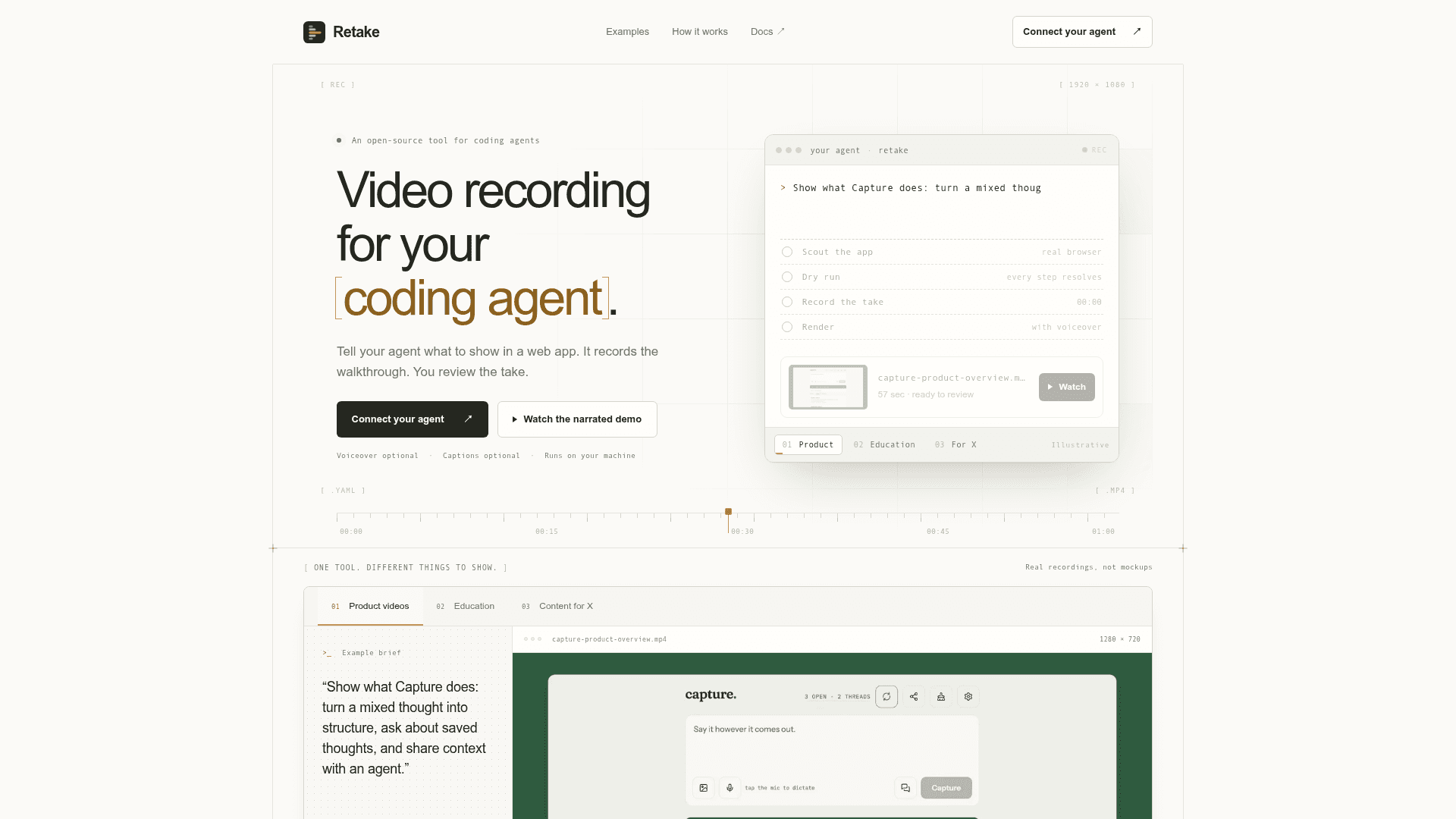
Retake is an open-source tool by Gleb Bogachev that lets a coding agent record product walkthrough videos of a web app. The walkthrough is stored as a small YAML file, so it can be edited and rerun when the interface changes instead of being re-shot. It drives Chromium through Playwright and produces an MP4 with optional captions and voiceover, plus scene stills and a proof log.
What It Is
Retake is a demo-as-code recorder for coding agents. You describe what to show in a web app, the agent drafts a manifest, and Retake records the real browser rather than generating scenes. It is aimed at product videos, tutorials, content clips and client walkthroughs. The homepage notes it is not a general desktop or native mobile screen recorder.
How the Workflow Runs
The agent validates the manifest, dry-runs every selector and wait without the camera, records a quick draft preview, checks the proof log, fixes failures, and then records the final take. When a step fails, Retake stops and the proof log states which step failed and what was on screen. The first draft is silent, and narration is added only after the recording and script are reviewed. A local UI (retake ui) shows the video, scene stills and proof log.
Outputs and Rendering
Each run writes a shareable demo.mp4 with burned-in captions, per-scene stills, a thumbnail, a proof-log.md and a raw take.json timeline. Captions, camera, speed and format are render-time settings, so changing them re-renders in seconds without reopening the browser. Presets cover landscape, square, vertical, GIF and master formats. Voiceover options include Edge TTS and local Kokoro or Qwen3-based voices, and optional music beds can be mixed in.
Agent Setup and Privacy
Retake works with Claude Code, Codex, Cursor and other MCP clients, or directly via the CLI. It needs Node.js 20 or newer; ffmpeg is bundled and Chromium downloads once. No Retake account or API key is needed for local recording. Recording and the review library run locally, though the coding agent may use its own model provider and some narration or visual-check options use external services. Logins for demo accounts can be stored in the system keyring rather than shared with the agent.
Routines and Batches
Routines hold format, captions, voice, rate and music as reusable settings applied to every manifest. A plan queue allows batches of videos to be recorded and scheduled, with environment checks to confirm the app is in a clean state before recording.
Limits
Retake records one browser tab per take. The documentation says macOS is where it is used daily, with hardware encoding falling back to libx264 elsewhere. Flows are reusable but not self-healing, so steps may need updating after interface changes.
Community Discussions
Be the first to start a conversation about Retake
Share your experience with Retake, ask questions, or help others learn from your insights.
Pricing
Open Source (MIT)
Retake is open source under the MIT license; recording runs locally on your own computer with no Retake account or API key needed.
- MIT license
- Runs on your machine
- No Retake account or API key needed for local recording
- Works with Claude Code, Codex, Cursor via CLI or MCP
- Optional voiceover and captions
Capabilities
Key Features
- YAML demo-as-code manifests for web app walkthroughs
- Real browser recording via Playwright and Chromium
- Dry run that validates every selector and wait without recording
- MP4 output with burned-in captions, scene stills and proof log
- Optional voiceover with Edge TTS or local Kokoro/Qwen3 voices
- Render-time changes to captions, camera, speed and format
- Presets for landscape, square, vertical, GIF and master formats
- MCP server and CLI for coding agents
- Local web UI for reviewing takes
- Saved logins stored in system keyring with TOTP support
- Routines, batch plans and scheduled recording
- Video stitching and visual verification checks