
Shape
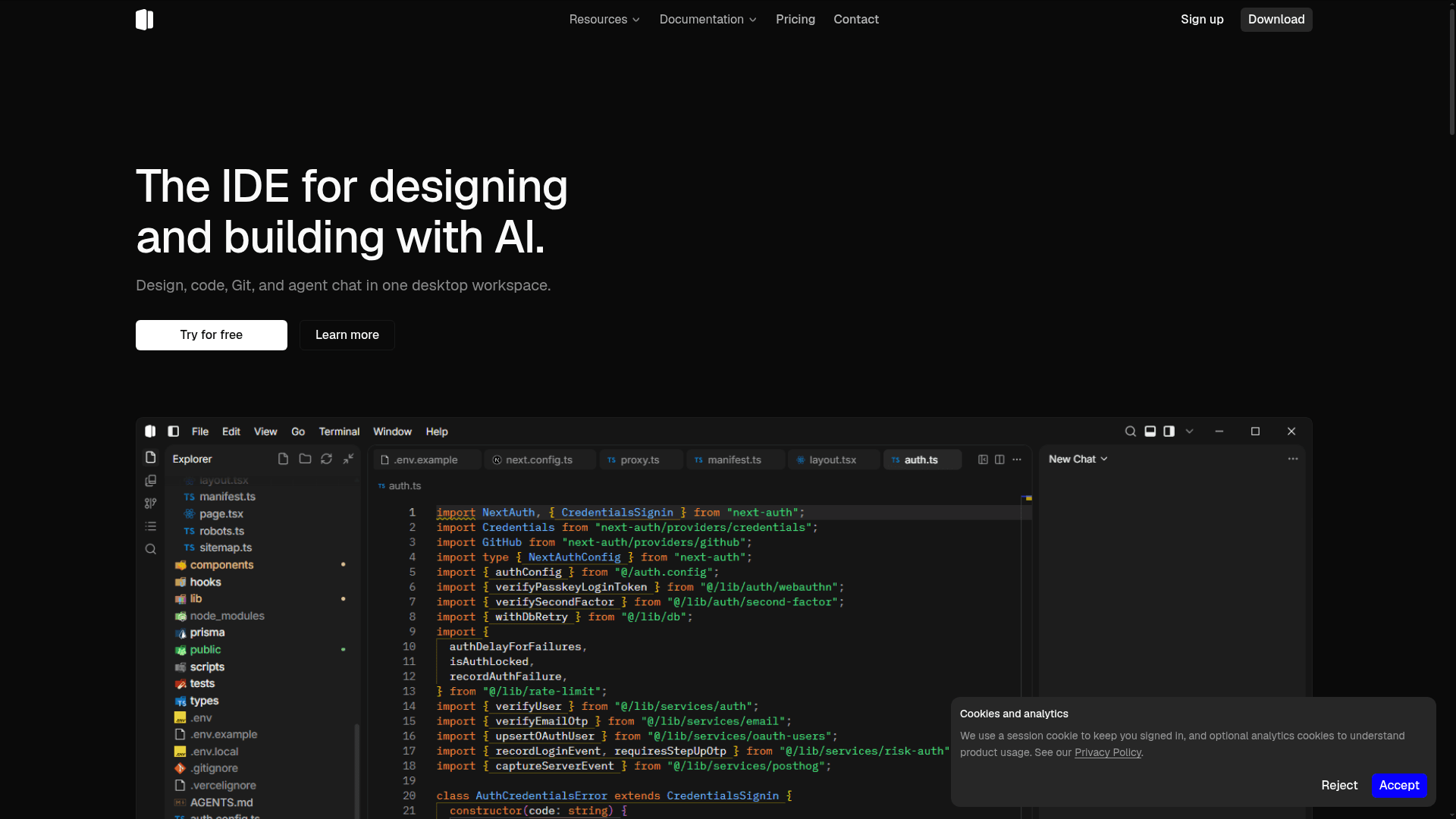
A desktop IDE that combines agentic AI chat, visual design tools, Git management, and code editing in one unified workspace.
At a Glance
Try Shape with the Auto model included and a monthly token pool.
Engagement
Available On
Listed Aug 2026
About Shape
Shape is a desktop IDE built for designers and programmers who want to design, code, manage Git, and chat with an AI agent without switching between tools. Currently available for Windows, Shape is built on Tauri and TypeScript and reached its v0.1.0 release in August 2026.
What It Is
Shape is an agentic desktop IDE that unifies four workflows — visual design editing, code editing, Git management, and AI agent chat — into a single workbench. Rather than treating design and development as separate phases, Shape lets users click elements in a live preview, adjust layout and style tokens in a sidebar, and write those changes directly back to source files. The AI agent operates in the same thread as file reads, edits, doc lookups, and CI checks, so context is never lost between steps.
Core Workflow: Design, Code, Git, and AI Together
Shape's workbench is organized around four tightly integrated panels:
- Visual design on the live page — Select any element in the live preview, adjust layout, fill, typography, and border-radius in a sidebar, and apply changes back to the source file. Color swatches, scrubbers, and layout panels open directly on the tokens in the file.
- Agentic AI chat — A single conversation thread can search the codebase, open external docs, read and edit files, and run checks. Diffs land in the project as reviewable changes, not pasted code blocks.
- Git graph and PR management — Branch topology, commits, refs, pull request threads, CI checks, and hunk-level staging all live next to the editor. PRs can be summarized with AI and opened on GitHub from the same panel.
- Code editor — IntelliSense, diff and merge, tabs and splits, markdown preview, and an integrated terminal round out the editing experience.
Language and Framework Support
Shape supports all major web programming languages and frameworks, including TypeScript, JavaScript, Python, Go, Rust, HTML, CSS, Tailwind, Vue, Svelte, Astro, and Node.js. Language server support, linting, and LSP configuration are documented in the settings layer.
Licensing and Open-Source Status
Shape's source code is publicly available on GitHub under the Business Source License 1.1 (BUSL-1.1). The license permits personal, educational, internal, and commercial use — including self-hosting and deploying modified versions — but prohibits reselling or white-labeling Shape as a competing IDE product. The Change Date is 2030-06-22, at which point the codebase converts to Apache License 2.0. BUSL-1.1 is not an OSI-approved open-source license, so Shape is best described as source-available rather than fully open source.
Update: v0.1.0 Launch
Shape published its first public release, v0.1.0, on August 19, 2026. The GitHub repository was created in June 2026 and last pushed in August 2026, indicating active early development. At launch, Windows is the only supported platform; the README notes that other platforms are not yet available. The project is built with Tauri (Rust-based desktop shell) and Next.js on the frontend, reflecting a modern cross-platform architecture that could support macOS and Linux in future releases.
Community Discussions
Be the first to start a conversation about Shape
Share your experience with Shape, ask questions, or help others learn from your insights.
Pricing
Free
Try Shape with the Auto model included and a monthly token pool.
- Auto model included
- Monthly token pool for Auto
- Local-first desktop editor
Plus
For daily builders with all models unlocked.
- 450 credits/month
- All models unlocked
- Commercial usage
- Dashboard usage tracking
Pro
For heavy usage with a higher credit pool and priority support.
- 1500 credits/month
- All models unlocked
- Higher credit pool
- Priority support
Max
For teams shipping fast with the largest included credit pool.
- 4500 credits/month
- All models unlocked
- Largest included pool
- Priority support
Capabilities
Key Features
- Visual design editing on live page preview
- Agentic AI chat with real tool calls (file read, edit, search, run checks)
- Git graph with branch topology and commit history
- Pull request management with threaded discussion and CI checks
- Hunk-level staging and diff review
- AI-powered PR summarization
- IntelliSense and language server support
- Integrated terminal
- Tabs and splits
- Diff and merge editor
- Markdown preview
- Command palette
- Workspace search
- File bookmarks
- NPM scripts panel
- Design tokens sidebar (layout, fill, type, radius)
- Zen mode
- GitHub sign-in integration