
Sidekick
An AI agent for macOS that acts across your apps, files, and system using plain English commands.
At a Glance
The Sidekick app is free to download and always free. Includes $0.50 credit with every download.
Engagement
Available On
Listed Aug 2026
About Sidekick
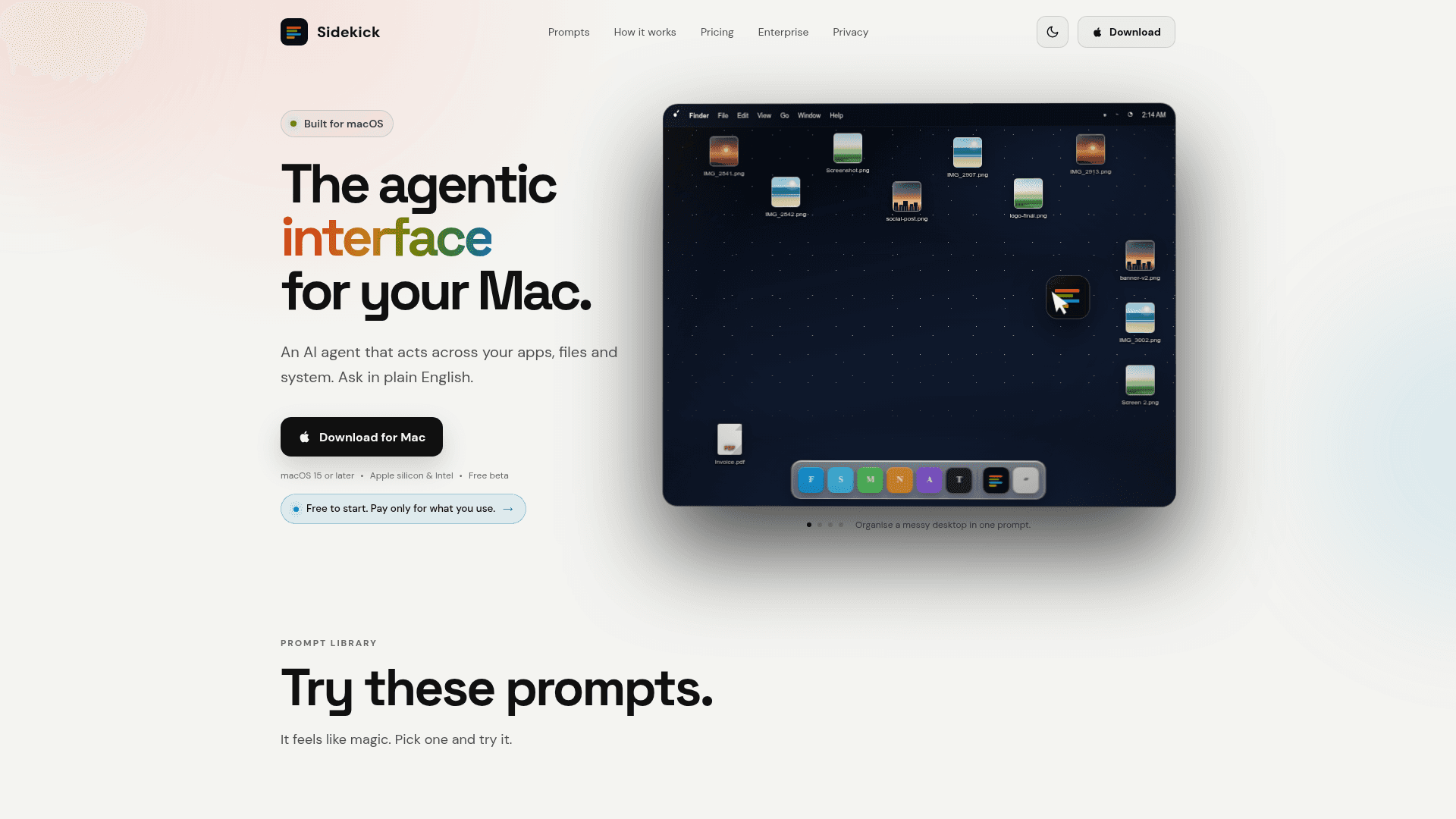
Sidekick is a macOS AI agent that lets users control their Mac — files, apps, and system settings — using plain English. It sits on the desktop as a floating bubble or is summoned via a keyboard shortcut (⌥ Space), and it currently ships as a free beta for macOS 15 or later on both Apple Silicon and Intel machines.
What It Is
Sidekick is a desktop AI agent in the autonomous-systems category. Rather than answering questions in a chat window, it takes real actions on the Mac: moving files, scheduling calendar invites, renaming photos by their content, merging PDFs, converting video formats, cleaning up disk space, and reading documents on screen. The core interaction model is tap → ask in plain English → review what it did → optionally undo.
How the Workflow Works
The agent is always one interaction away through two entry points:
- The Bubble — a persistent floating icon on the desktop, always visible on top of other windows.
- Spotlight-style shortcut — pressing ⌥ Space opens a command bar with a prompt library of common jobs.
After a prompt is submitted, Sidekick executes the task, shows a summary of what it did (e.g., "4 PNG files moved into Images"), and offers an Undo option. Sensitive actions are surfaced for user review before execution, and secure fields (like password inputs) are kept off limits.
Prompt Library and Capabilities
The homepage showcases a curated prompt library covering a wide range of macOS tasks:
- File organisation — sort a messy desktop into folders by project and date
- Scheduling — fill in and send a Teams meeting invite from a natural-language description
- Writing — type a reply in a specified language directly into the active app
- File search — find a file by describing it rather than knowing its name
- Disk cleanup — identify and remove caches, duplicate photos, and old installers with user confirmation
- Batch rename — rename photos by subject, invoices by date inside the PDF, MP3s by tags
- Media conversion — convert MOV to MP4, resize images, extract audio, trim clips locally without uploading
- PDF operations — merge, split, or extract pages from PDFs
- System info — read chip, memory, storage, GPU, and serial number
- Diagnostics and repair — detect and rebuild a corrupt Spotlight index
- Document understanding — summarise a contract on screen and flag unusual clauses
Enterprise Offering
Sidekick Enterprise is in private preview ("rolling out to design partners") and adds a central management console with five pillars:
- AI Visibility — live dashboard of which AI tools teams use, adoption trends by department, and sensitive data alerts
- AI Cost Optimisation — tracks subscriptions, unused licences, and duplicate tools; surfaces model-downgrade recommendations
- Workflow Intelligence — detects repetitive desktop patterns and offers to automate them without requiring anyone to build a workflow
- Desktop Intelligence — app-usage analytics, context-switching metrics, and manual-work hotspots
- Endpoint Operations — IT device provisioning, software installation, and policy enforcement via natural language
Privacy and Permission Model
The site emphasises a user-initiated, permission-first design: the agent only acts when explicitly asked, sensitive actions are reviewed before execution, and automatic sending is disabled. The homepage lists three explicit commitments: user-initiated actions, clear permission controls, and no automatic sending.
Current Status
Sidekick is in free beta as of 2026, available as a direct .dmg download for macOS 15 or later. The pricing model is usage-based with no subscription required: the app itself is free, a small credit is included with every download, and users top up when they run low. Enterprise access is by request only and described as a private preview.
Community Discussions
Be the first to start a conversation about Sidekick
Share your experience with Sidekick, ask questions, or help others learn from your insights.
Pricing
App
The Sidekick app is free to download and always free. Includes $0.50 credit with every download.
- Full macOS agent app at no cost
- $0.50 free credit included with every download
- No subscription required
- No credit card to get started
Top Up
Pay-as-you-go credit top-up when you run low. No subscription or seat count.
- Usage-based credit top-up
- No subscription
- No seat count
Enterprise
Fleet-wide AI agent management with central governance console. Private preview for design partners.
- AI visibility dashboard
- Cost optimisation and licence tracking
- Workflow intelligence and automation detection
- Desktop usage analytics
- Endpoint operations via natural language
- Usage and spend by department
- Sensitive data alerts
Capabilities
Key Features
- Plain English commands to control macOS apps, files, and system
- Floating desktop bubble always accessible with one click
- Keyboard shortcut (⌥ Space) to open command bar
- Prompt library with common macOS tasks
- File organisation and sorting by project and date
- Meeting scheduling via Teams integration
- In-app typing and reply in any language
- Natural language file search without knowing file name
- Disk cleanup with user confirmation before deletion
- Batch file renaming by content (photos, PDFs, MP3s)
- Local video and image conversion (MOV to MP4, resize, trim)
- PDF merge, split, and page extraction
- System info retrieval (chip, memory, serial number)
- Spotlight index diagnostics and repair
- On-screen document summarisation and clause flagging
- Undo support for all actions
- Sensitive action review before execution
- Enterprise AI visibility dashboard
- Enterprise cost optimisation and licence tracking
- Enterprise workflow detection and automation
- Enterprise desktop usage analytics
- Enterprise endpoint operations via natural language