Skills Hub
A cross-platform desktop app that manages AI agent Skills in one library and syncs them to dozens of AI coding tools.
At a Glance
Free and open source desktop app (MIT License) for macOS, Windows and Linux.
Engagement
Available On
Listed Oct 2026
About Skills Hub
Skills Hub is an open-source desktop app for macOS, Windows, and Linux that keeps AI agent Skills in a single central library and distributes them to the coding tools and projects you use. The project is published by qufei1993 on GitHub under the MIT License, with the latest release listed as v1.0.0.
What It Is
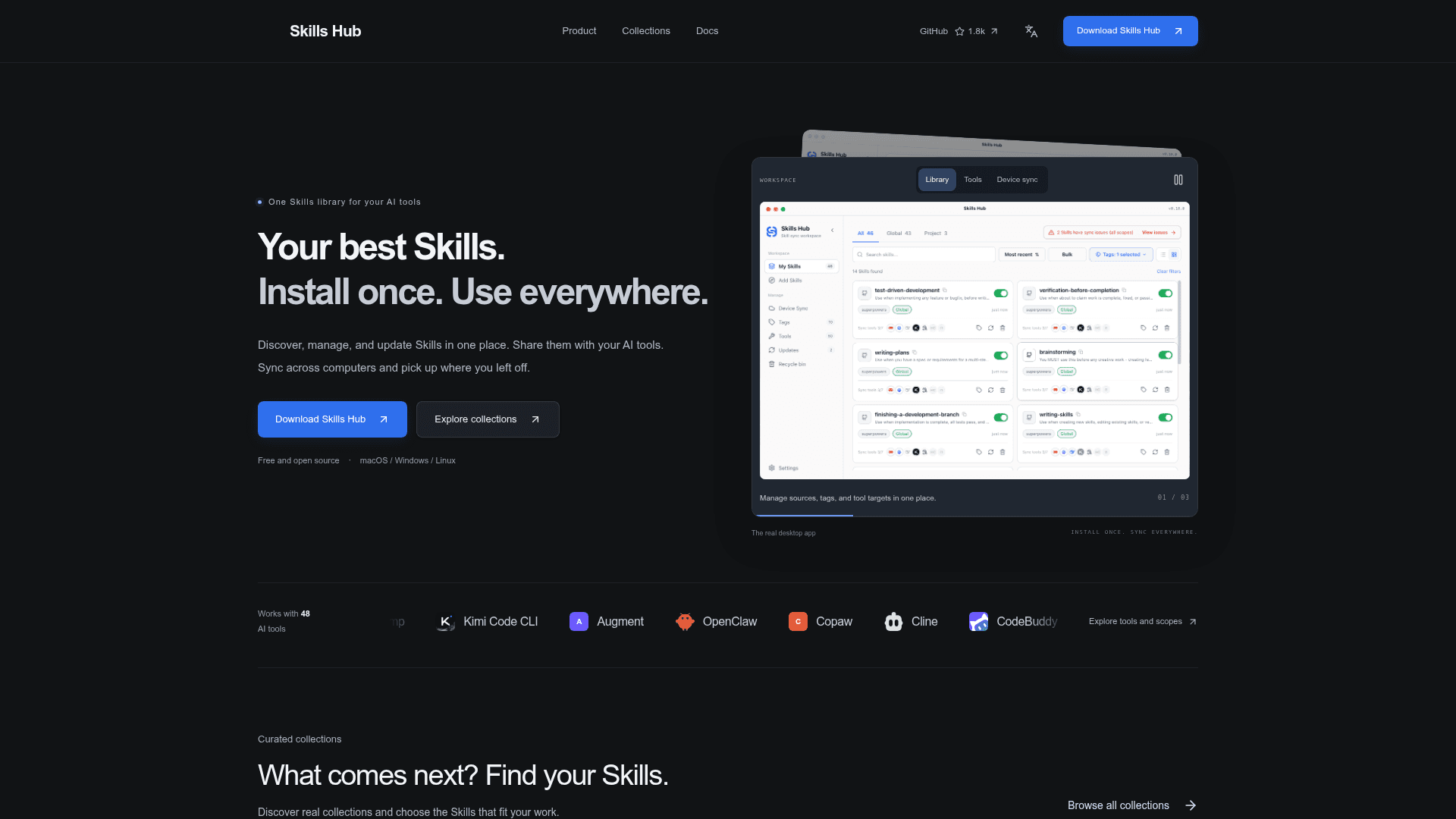
Skills Hub is a Skills manager for AI coding tools. Instead of copying Skill folders into each tool's directory by hand, you install a Skill once into a central library (default ~/.skillshub) and then choose which tools receive it. The app installs and distributes files; the AI tool itself decides how to discover and use the Skill. It does not install the AI tools themselves.
Workflow
The Add Skills flow lets you search individual Skills, browse curated collections, install from a Git repository, or import a local folder. After source detection, you select the Skills you want, choose tags, pick target tools, and set global or supported project scope. Custom tool directories are also supported. The My Skills view shows each Skill's source, files, and per-tool distribution status, and a failed target can be retried without deleting the Skill. You can also update multiple Skills at once and restore deleted ones.
Managing Skills Through an Agent
AI Management can be enabled from Settings, so you can ask your coding agent to install, update, and organize Skills using the same library as the desktop app. The README states that no Node.js or npm is required. A standalone CLI is also documented.
Device Sync
Skill files, descriptions, and tags can be kept aligned across computers through a GitHub, GitLab, or Gitee repository that you connect yourself. The site says local paths and credentials stay local, and changes can be previewed with a sync history.
Supported Tools
Skills Hub supports 48 AI coding tools, including Claude Code, Codex, Cursor, and OpenCode. Collections shown in the app are maintained in the separate Awesome Skills repository.
Community Discussions
Be the first to start a conversation about Skills Hub
Share your experience with Skills Hub, ask questions, or help others learn from your insights.
Pricing
Open Source
Free and open source desktop app (MIT License) for macOS, Windows and Linux.
- MIT License
- Works with 48 AI coding tools
- Install once, sync to multiple tools
- Device sync via your own GitHub, GitLab, or Gitee repository
- AI Management via your coding agent
Capabilities
Key Features
- Central Skills library with source and tag tracking
- Search and install individual Skills
- Curated task-focused collections
- Install from Git or import local folders
- Distribute to 48 AI coding tools plus custom directories
- Global and project scope
- Bulk tag, enable/disable, and update
- AI Management through your coding agent
- Device sync via GitHub, GitLab, or Gitee repository
- Delete and restore Skills
- Standalone CLI