
Stacksync Genies
Stacksync AI agents that read and act across ERP, CRM and database systems with optional human approval steps and run logs.
At a Glance
14-day free trial of Stacksync AI agents; no credit card.
Engagement
Available On
Alternatives
Listed Nov 2026
About Stacksync Genies
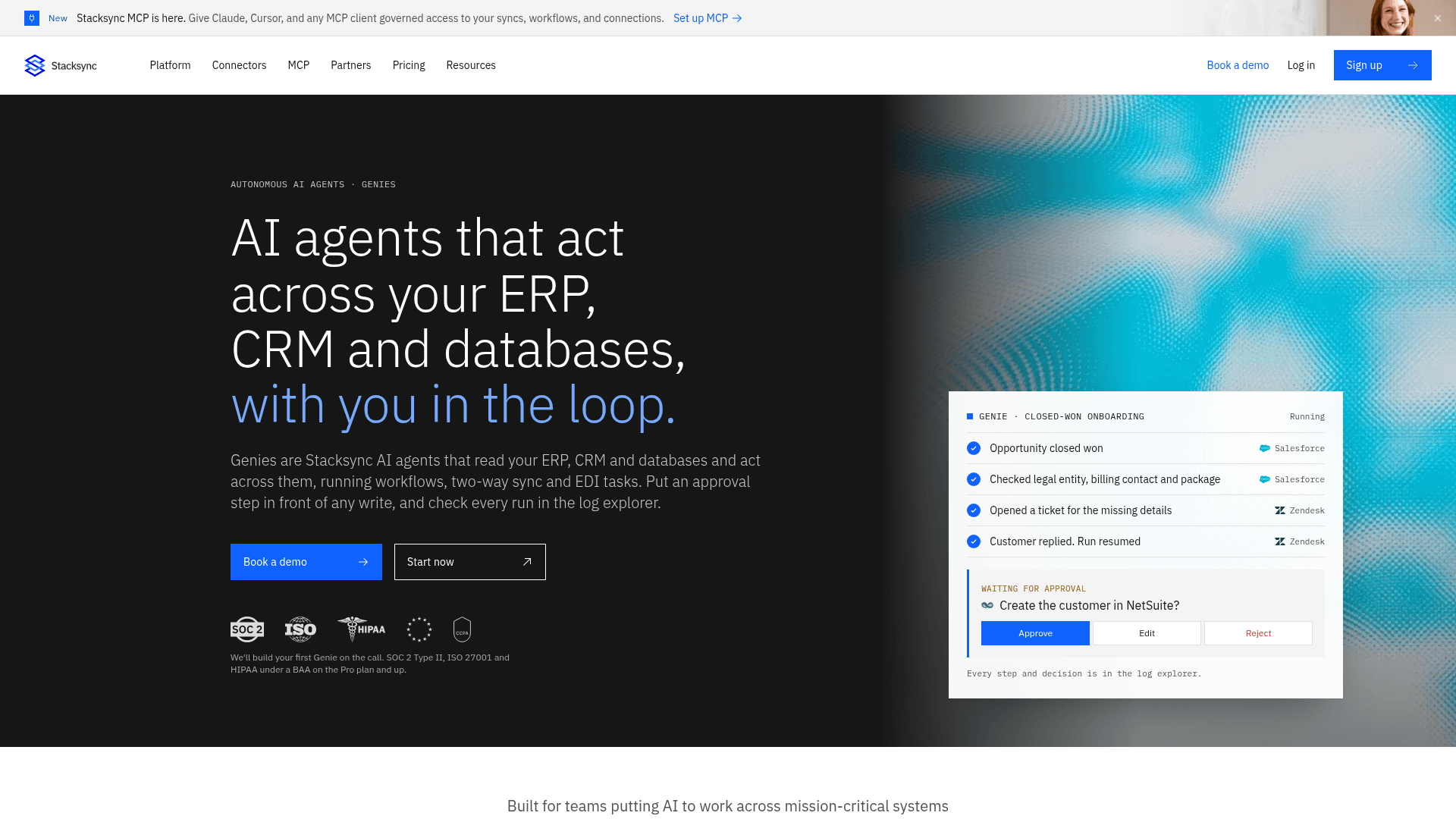
Genies are AI agents from Stacksync that read data across connected ERP, CRM, database and support systems and act on it through workflows, two-way sync and EDI tasks. You give a Genie a job description, connect the systems it may use, and add approval steps before writes that matter. Every run is recorded in a log explorer.
What It Is
A Genie is an AI agent that works on the systems you connect to Stacksync rather than inside a single application. Stacksync's example is one run that reads a deal in Salesforce, checks an order in NetSuite, looks up a shipment in Postgres and opens a ticket in Zendesk. It is aimed at operations, finance and RevOps-style jobs such as closed-won onboarding, freight invoice disputes, order questions from Slack and invoice or document intake.
How a Genie is set up
Setup has four parts: a job description (what to do, what evidence it needs and when to stop for a person), the connected systems it can use, the workflow around it, and checkpoints. Workflows can be built from a prompt with Stacksync AI Copilot or by hand in no-code or pro-code, and definitions export as YAML. A use-case library lists 40 configurable jobs across 9 industries, each with a copyable job description. Stacksync says the agent can also read from a synced database, where rows it writes flow back to the source system within the configured field mappings and write directions.
Approvals, logs and access
An approval step pauses a run with the full payload until a reviewer approves, rejects or edits it, and the run then continues; each decision and who made it is logged. The log explorer shows each step of a run so failures can be fixed and replayed. Role-based access control governs who can build, run and deploy, and the vendor lists audit logs, SSO and SCIM on the Enterprise plan. Two-way sync and workflows can also run without Copilot or Genies for teams whose policy rules out AI.
EDI and connectors
Genies can parse inbound EDI documents such as 850s, 810s and 856s, map X12, EDIFACT and TRADACOMS segments to your systems, and generate 997 acknowledgments and outbound documents. Stacksync lists 1,000+ connectors and says an agent can build a connector from an API URL.
Community Discussions
Be the first to start a conversation about Stacksync Genies
Share your experience with Stacksync Genies, ask questions, or help others learn from your insights.
Pricing
Free trial
14-day free trial of Stacksync AI agents; no credit card.
AI Agents
Usage-based plan for AI Genies (cross-system agents), billed on agent runs.
- Create unlimited Genies
- $200 credits included
- Unlimited concurrent runs
- Slack, Claude, Teams and MCP access
- Access control and guardrails included
Capabilities
Key Features
- AI agents defined by a plain-language job description
- Cross-system reads and writes across ERP, CRM, database and support tools
- Human approval steps before writes, with approve, reject or edit
- Log explorer showing every run step with replay
- Workflow automation and two-way sync underneath
- EDI parsing, mapping and acknowledgment generation (X12, EDIFACT, TRADACOMS)
- Stacksync AI Copilot builds workflows from a prompt
- Role-based access control; SSO and SCIM on Enterprise
- Library of 40 configurable jobs across 9 industries
- Workflow definitions export as YAML