
Supabase MCP Server
An open-source MCP server that connects AI assistants like Cursor, Claude, and Windsurf directly to Supabase projects for database management, querying, and more.
At a Glance
Free to use, modify, and distribute under the Apache 2.0 license.
Engagement
Available On
Alternatives
Listed Aug 2026
About Supabase MCP Server
The Supabase MCP Server implements the Model Context Protocol (MCP) standard to bridge AI coding assistants with Supabase's backend platform. It is published under the Apache 2.0 license and maintained by Supabase in the open, with the repository hosted at github.com/supabase/mcp. As of July 2026, the project has over 2,800 GitHub stars and is actively maintained with regular releases.
What It Is
The Supabase MCP Server is a protocol adapter that lets Large Language Models (LLMs) interact with Supabase projects on a developer's behalf. Using the Model Context Protocol — a standard for connecting LLMs to external services — the server exposes a structured set of tools covering database operations, Edge Functions, authentication, storage, branching, and account management. Developers configure their AI client (Cursor, Claude, Windsurf, or any MCP-compatible tool) to point at the hosted server endpoint at https://mcp.supabase.com/mcp, then authenticate via OAuth. Once connected, the AI assistant can list tables, run SQL queries, apply migrations, deploy Edge Functions, and more — all through natural language prompts.
Available Tool Groups
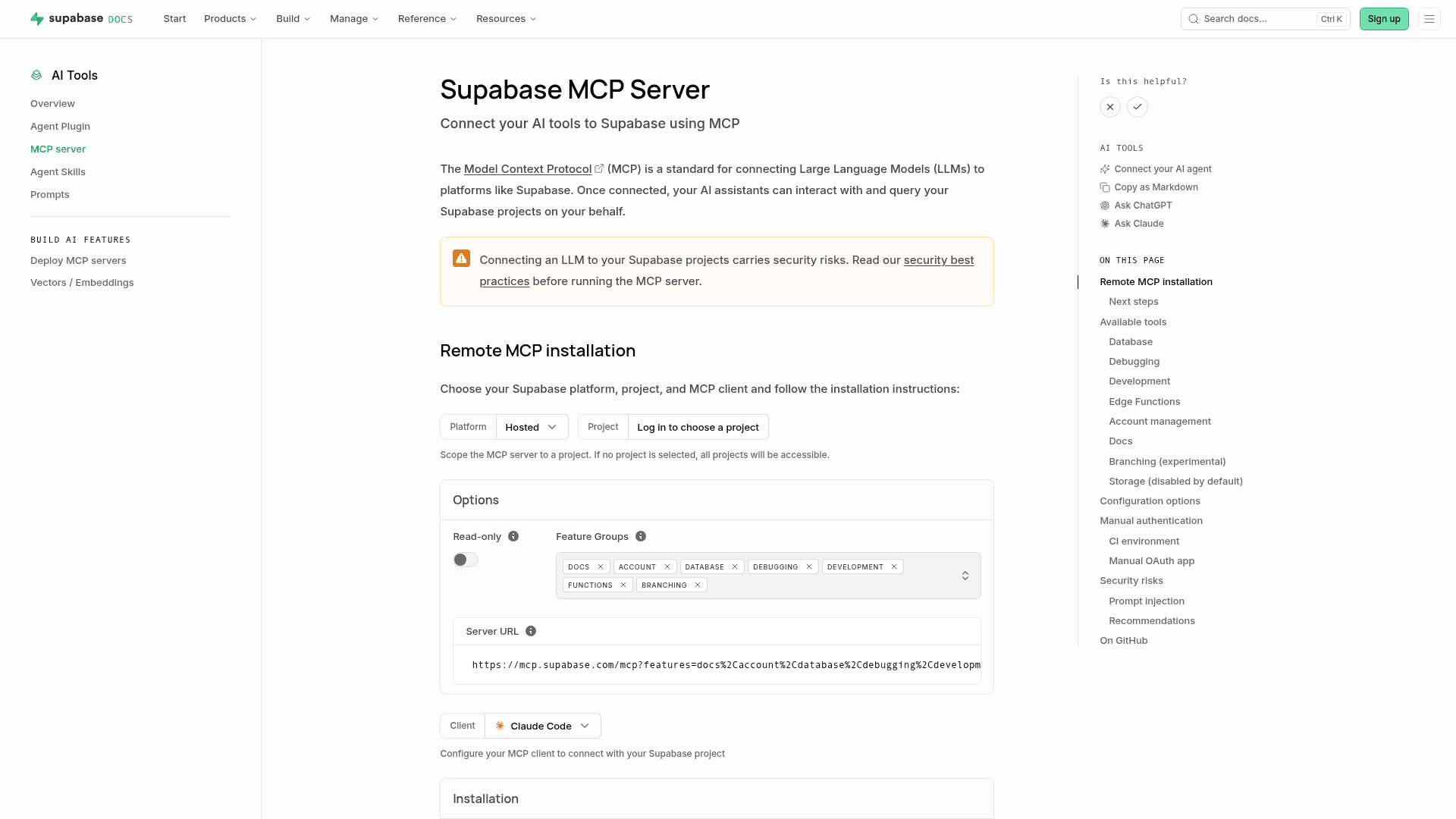
The server organizes its capabilities into feature groups, all enabled by default except Storage:
- Database:
list_tables,list_extensions,list_migrations,apply_migration,execute_sql - Debugging:
get_logs(API, Postgres, Edge Functions, Auth, Storage, Realtime),get_advisors - Development:
get_project_url,get_publishable_keys,generate_typescript_types - Edge Functions:
list_edge_functions,get_edge_function,deploy_edge_function - Account management: project and organization CRUD, cost information (disabled in project-scoped mode)
- Docs:
search_docsfor Supabase documentation search - Branching (experimental): branch create/list/delete/merge/reset/rebase (requires a paid Supabase plan)
- Storage (disabled by default): bucket listing and storage configuration
Deployment and Configuration
The server runs as a hosted remote endpoint, so no local installation is required for most users. Configuration is handled via URL query parameters:
read_only=true— executes all queries as a read-only Postgres userproject_ref=<id>— scopes the server to a single project and disables account-level toolsfeatures=<groups>— enables only specific tool groups (comma-separated)
For local development, the Supabase CLI exposes the MCP server at http://localhost:54321/mcp. Self-hosted Supabase deployments can also enable the MCP server, though both local and self-hosted modes offer a limited subset of tools and do not include OAuth 2.1.
Authentication uses dynamic client registration by default, meaning no personal access token (PAT) is required for standard setups. CI environments and OAuth-requiring clients (such as Azure API Center) can use PAT-based or manual OAuth app authentication as alternatives.
Integration with the Vercel AI SDK
The @supabase/mcp-server-supabase npm package exports a createToolSchemas() function for use with Vercel AI SDK's MCP client. This enables static tool schemas with client-side validation and inferred TypeScript types for tool inputs and outputs. Filtering options mirror the server's URL parameters: features, projectScoped, and readOnly. This makes it straightforward to embed Supabase MCP tools into AI-powered applications built on the AI SDK.
Security Model and Recommendations
The documentation explicitly warns that connecting any data source to an LLM carries inherent risks, particularly prompt injection — where malicious content in user-generated data could trick an LLM into executing unintended queries. Supabase MCP wraps SQL results with additional instructions to discourage LLMs from following injected commands, but the documentation notes this is not foolproof. The project's published recommendations include: never connecting to production data, using read-only mode when real data is necessary, scoping the server to a specific project, enabling manual tool-call approval in the MCP client, and using Supabase's branching feature to isolate development environments.
Update: v0.9.0
The latest release is mcp-server-supabase-v0.9.0, published on July 17, 2026. The repository was last pushed to on July 31, 2026, indicating active development. A notable recent change is that the hosted server no longer requires a personal access token (PAT) for authentication — dynamic client registration via OAuth is now the default flow, simplifying setup for most MCP clients.
Community Discussions
Be the first to start a conversation about Supabase MCP Server
Share your experience with Supabase MCP Server, ask questions, or help others learn from your insights.
Pricing
Open Source
Free to use, modify, and distribute under the Apache 2.0 license.
- Full source code access
- Remote hosted MCP endpoint
- All tool groups
- OAuth 2.1 authentication
- Local CLI support
Capabilities
Key Features
- Remote hosted MCP endpoint (no local install required)
- Database tools: list tables, execute SQL, apply migrations
- Edge Functions management: list, get, deploy
- Debugging tools: service logs and security/performance advisors
- TypeScript type generation from database schema
- Account management: projects, organizations, cost info
- Supabase documentation search
- Branching support (experimental)
- Storage bucket management (optional)
- Read-only mode for safe data access
- Project-scoped mode to limit access to a single project
- Feature group filtering via URL parameters
- OAuth 2.1 dynamic client registration (no PAT required)
- PAT-based authentication for CI environments
- Manual OAuth app support for clients like Azure API Center
- createToolSchemas() for Vercel AI SDK integration
- Local development support via Supabase CLI
- Self-hosted Supabase support
- Prompt injection mitigations in SQL result wrapping