
Synara
Open-source, local-first desktop workspace that runs multiple AI coding agents in parallel, each in its own Git worktree.
At a Glance
About Synara
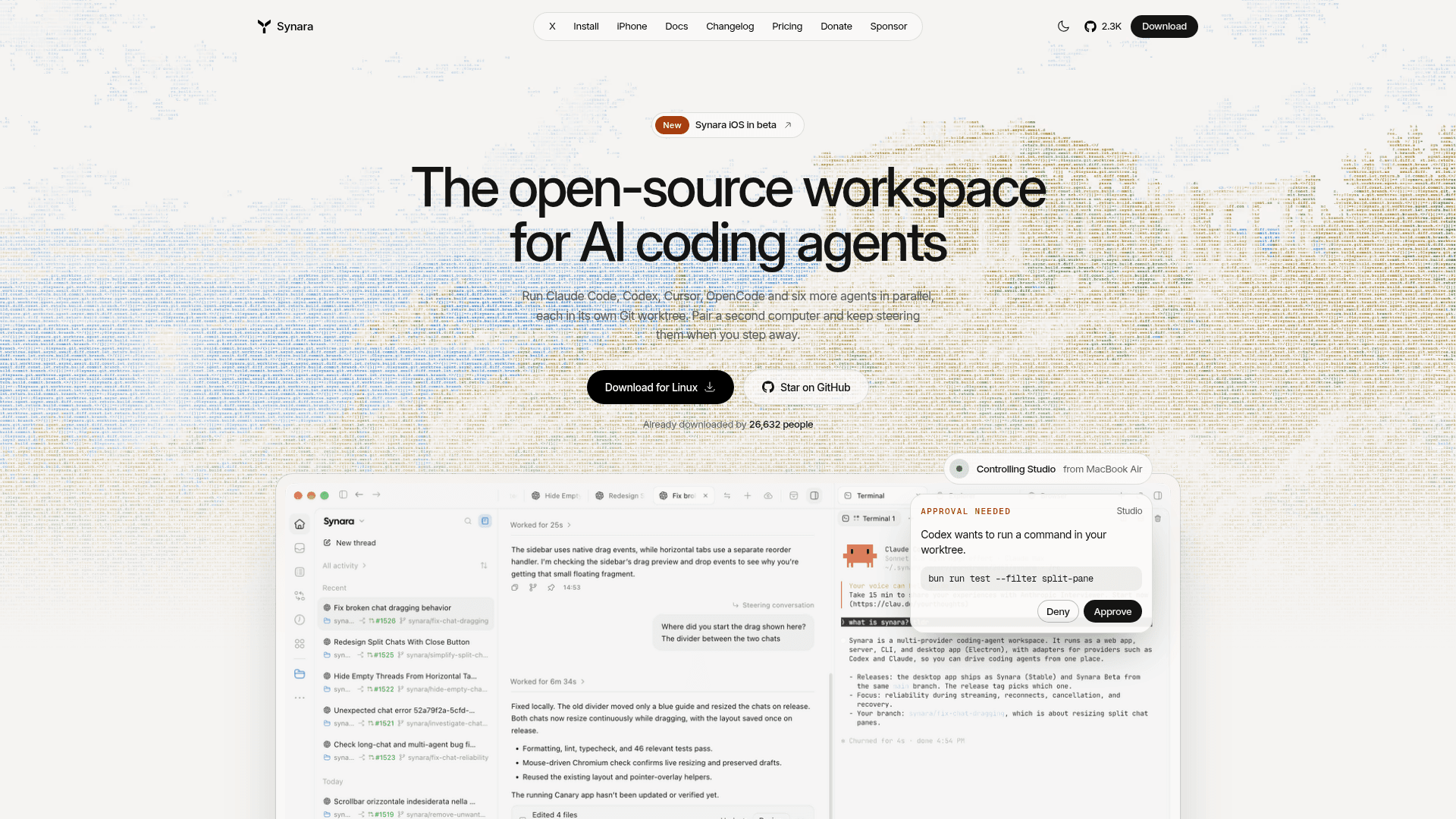
Synara is an open-source, local-first desktop workspace for coding agents, made by Emanuele Di Pietro (@emanueledpt). It lets developers run Claude Code, Codex, Cursor, OpenCode and other agent runtimes side by side, with terminals, browser previews, diffs and Git delivery attached to each task. The latest release listed on GitHub is v1.6.4, and the project is MIT licensed.
What It Is
Synara is a control plane that sits on top of coding-agent runtimes already installed and authenticated on your machine. It does not sell a model plan; each provider keeps its own authentication, models, limits and permissions. Work is organized into projects and threads, where a thread preserves a task's conversation, state, files and history. The README notes that Synara is early-stage software and that APIs and interface details are still under active development.
Parallel Work and Handoffs
Each task can run in a local checkout or an isolated managed Git worktree, with its own branch, terminal, browser and diff, so concurrent agents do not overwrite each other. Provider handoffs let a task move from one runtime to another, with the next agent continuing in the same environment using the context Synara passes forward. The docs advise reviewing the working tree before and after a handoff, because providers differ in tools and session semantics. Automations support recurring agent runs attached to projects and threads.
Review and Delivery Tools
The task surface includes changed-file diffs, a terminal, a built-in browser for verifying the running app, a file browser and editor, and split views with browser or device previews. Git actions cover branches, commits, pushes and pull requests, so a change can go from prompt to PR in one place. The README also documents scoped, user-approved external MCP integrations for other local clients.
Remote Connections and Privacy Model
Remote Connections, introduced in Synara 1.5, let you pair a second computer and open the source computer's chats, workspaces and approvals while agents keep running there. Traffic between paired computers goes through a configured relay or a managed Cloudflare tunnel. A Synara iOS companion is described as in public beta on TestFlight. Per the site, project and task history stay on your machine, no Synara account is required for local use, and optional analytics are off by default.
Setup Path
Install the desktop app plus at least one supported agent runtime, authenticate that runtime outside Synara, then confirm Synara detects it in provider settings. Native targets are Windows x64, macOS Intel, macOS Apple Silicon and Linux x64. Git features require Git 2.29 or newer, and running from source uses Bun and Node.js.
Community Discussions
Be the first to start a conversation about Synara
Share your experience with Synara, ask questions, or help others learn from your insights.
Pricing
Free
Free, open source, local-first desktop workspace for coding agents; no card, no account.
- 10 coding agents, side by side
- Git worktrees, diffs, browser and PRs
- Open source and local-first, no account
- MIT License
Alto
Adds Remote: approve, steer and ship from another computer running Synara or from iPhone and iPad (beta).
- Everything in Free
- Remote from your iPhone and iPad (Beta)
- Remote from any computer running Synara
- Approvals and alerts when an agent needs you
- Your own page at trysynara.com/@handle
- Synara Bots (Coming soon)
- Yearly: about four months free each year
Capabilities
Key Features
- Run multiple coding agents in parallel on separate tasks
- Isolated Git worktrees per task
- Provider handoffs between agent runtimes
- Integrated terminal, browser, files and editor
- Diff review and Git actions including commit, push and pull requests
- Split views with browser and device previews
- Automations for recurring agent runs
- Scoped external MCP integration
- Remote Connections between paired computers
- Local-first workspace state with opt-in anonymous analytics