
Termio
A native Mac terminal and agentic development environment for running and supervising Claude Code, Codex and other CLI coding agents.
At a Glance
Termio for macOS is free with no account required and is released under the MIT license.
Engagement
Available On
Listed Nov 2026
About Termio
Termio is a native macOS app that gives CLI coding agents a shared home: each agent runs in a real terminal, with live status shown per session. The project is open source under the MIT license, and the docs describe it as free to use with no account. An iPhone companion app is in public beta on TestFlight.
What It Is
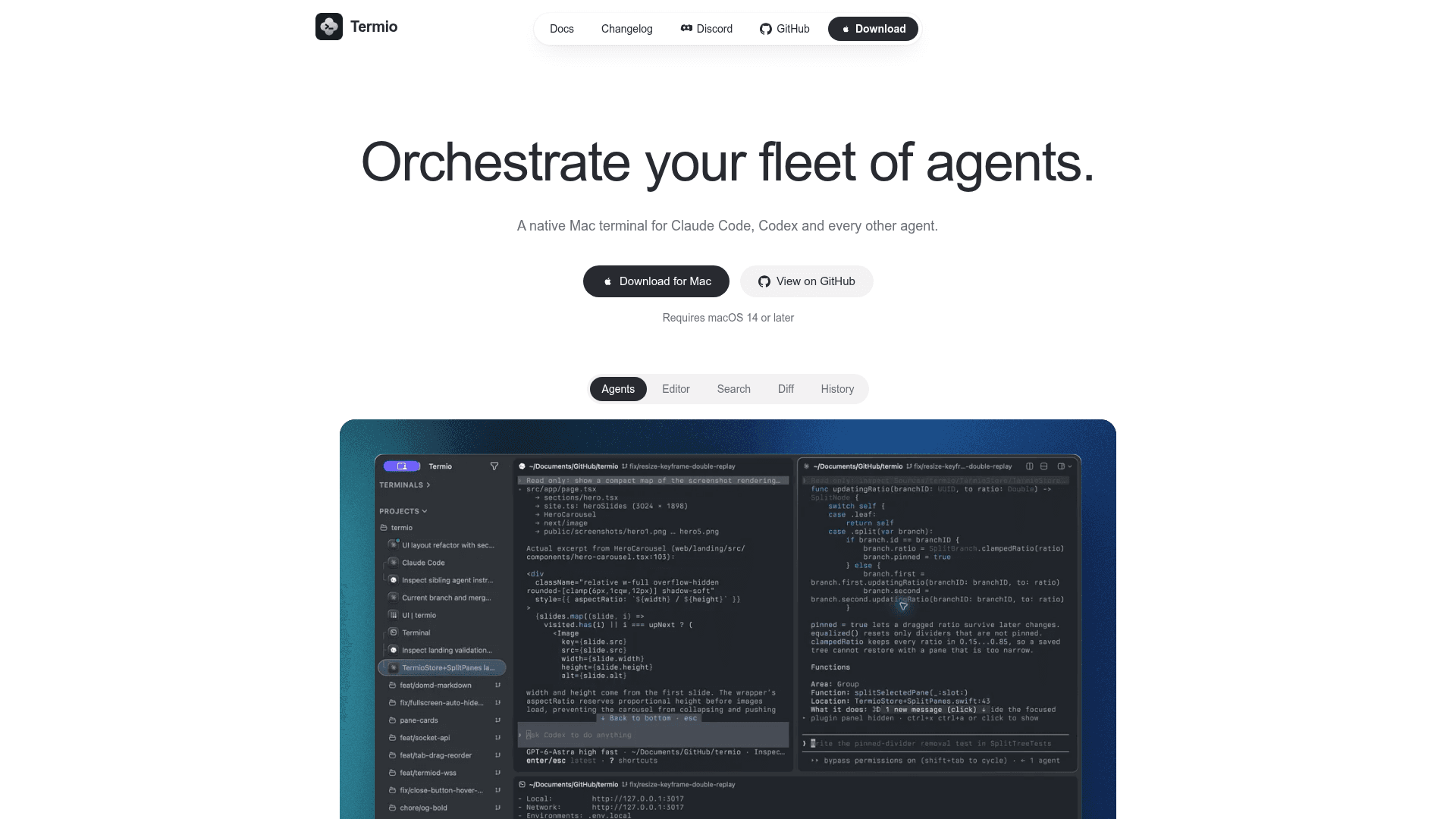
Termio is a terminal-first agentic development environment. Instead of scattering agents across terminal tabs, you run Claude Code, Codex, OpenCode, Amp, Cursor, Copilot and other CLI agents side by side, each in a genuine PTY. A sidebar lists every session and shows whether it is working, idle, done, or needs you. Termio wires up each supported agent's own hooks on first launch to report this status, and any other CLI can be added as a custom agent.
Sessions, Panes and the Inspector
Projects hold sessions, one project per checkout, and git worktrees can be created from the sidebar so parallel tasks stay on separate branches. Split panes let an agent, a dev server and a shell share one window, and horizontal tabs are optional. A built-in inspector offers a file tree with a syntax-highlighting editor, a read-only git diff pane, project-wide search and a command palette. Commit, push and PR stay in the terminal.
Persistence and Remote Machines
Every session's shell lives in a daemon called termiod, so quitting the app only detaches and the agent keeps running with the same scrollback. For remote work, Termio reads your ~/.ssh/config, copies one binary to a Linux box over SSH, starts the daemon and installs the agent hooks there. Sessions live on that machine and survive dropped connections. The docs state that terminals, code and agent conversations do not pass through Termio servers.
Orchestration CLI and iPhone Companion
The termio CLI controls the running app: agents or scripts can list sessions, spawn sibling agents on a prompt, send answers to prompts, read screen output, watch status changes, and wait for a turn to finish, with JSON output available. Termio installs a termio agent skill into supported agents' skill folders. The iOS beta mirrors live sessions and lets you answer prompts from your phone after pairing with a QR code. The README roadmap lists a TUI client, Android, Windows, web and issue triage as planned work.
Community Discussions
Be the first to start a conversation about Termio
Share your experience with Termio, ask questions, or help others learn from your insights.
Pricing
Free
Termio for macOS is free with no account required and is released under the MIT license.
- Free, no account, macOS 14+
- MIT-licensed open-source core (LICENSE file present)
- Native Mac terminal for Claude Code, Codex and other CLI agents
- Persistent sessions via termiod daemon
- Remote sessions over SSH
Capabilities
Key Features
- Real PTY terminal per agent
- Live per-session status (working, idle, done, needs you)
- Split panes and optional horizontal tabs
- Git worktree management from the sidebar
- Persistent sessions via termiod daemon (tmux alternative)
- Remote devices over SSH
- Built-in file editor, git diff pane and project search
- Command palette
- termio session CLI for agent orchestration with JSON output
- Agent skill installation for supported agents
- Menu-bar tray and macOS notifications
- iPhone companion app (TestFlight beta)
- Custom agent support for any CLI
- Local-first with no account