
TestDriver
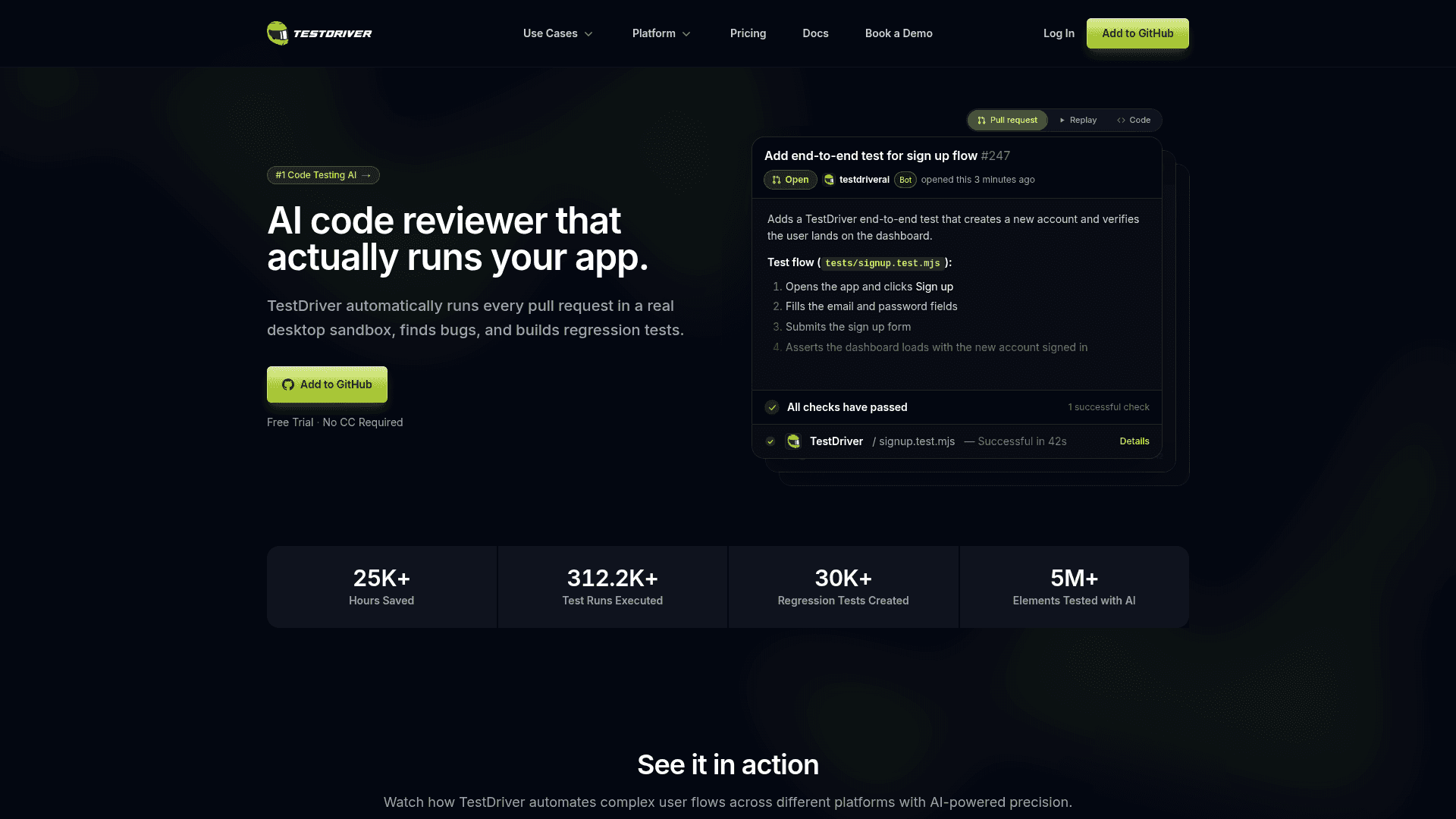
AI-powered end-to-end testing tool that automatically runs pull requests in a real desktop sandbox, finds bugs, and builds regression tests without selectors or DOM access.
At a Glance
About TestDriver
TestDriver is an AI-powered end-to-end testing platform built by TestDriver AI, Inc. that runs every pull request inside a real desktop sandbox, identifies bugs, and generates regression tests automatically. It integrates directly with GitHub and uses computer vision rather than DOM selectors or source code access, making it capable of testing web apps, Chrome extensions, VS Code extensions, and native desktop applications. The platform is positioned as a GitHub-native CI/CD testing tool that requires no manual test scripting to get started.
What It Is
TestDriver is a pixel-based, AI-vision testing platform that treats the application under test as a black box — it interacts with the screen the same way a human tester would, without needing access to the DOM, internal APIs, or source code. Tests are written in plain English descriptions, and the vision agent clicks, types, and reads the screen to figure out the flow, then writes the test code automatically. The underlying test format is standard Vitest, so tests run identically on a developer's local machine and in CI pipelines.
How the Vision-First Workflow Works
TestDriver's workflow follows six stages: Explore, Run, Validate, Heal, Debug, and Prevent.
- Explore: A vision agent interprets plain-English descriptions of user flows, interacts with the UI, and generates test code. Each discovered element is cached with a vision fingerprint so subsequent runs skip the AI call and replay deterministically.
- Run: Tests execute on real virtual machines (Linux, Windows) inside the CI pipeline. They integrate with any existing pipeline via standard Vitest.
- Validate: Assertions use AI as a "judge" — the model evaluates a screenshot and returns a Boolean plus reasoning. Assertions are also cached.
- Heal: When a UI element moves or changes, TestDriver re-invokes the AI to relocate it, updates the cache, and continues — tests survive redesigns without rewrites.
- Debug: Failed runs link directly to a video replay with network logs, HTTP request/response details, CPU/memory metrics, and a step-by-step action log.
- Prevent: Pass rates, flaky test trends, and failure patterns are tracked across every run. JUnit XML export feeds any existing reporter.
What It Can Test
TestDriver supports a broad range of application types that typically break selector-based tools:
- Third-party web apps (no source code access required)
- Chrome browser extensions (popups, content scripts, background pages)
- VS Code extensions in real editor environments
- Native Windows desktop applications
- Rich media and embedded content: canvas, video players, iFrames, OAuth flows
- Documents and AI content: file uploads, PDFs, LLM chatbots, spelling and grammar validation
Deployment and Architecture
TestDriver offers two hosting models. The cloud-hosted path runs on managed Linux VMs and is the default for the Pro tier. The self-hosted path deploys to a customer's own AWS environment and is available at the Enterprise tier, which also supports Windows VMs, custom VM images, VPN deployment, and bring-your-own-keys configurations. The GitHub integration is the primary entry point — users add TestDriver to a repository and it begins running on pull requests automatically.
Adoption Signal
The TestDriver homepage reports (as vendor-published figures) over 25,000 developer hours saved, more than 312,000 test runs executed, 30,000 regression tests created, and 5 million elements tested with AI. The site lists Atlassian, Pieces, PubNub, and Wave among its customer logos. TestDriver also claims the #1 position on the "There's an AI for That" directory for code testing AI, per a badge on the homepage.
Current Status
TestDriver is actively available and accepting new users via a free trial with no credit card required. The platform is on version 7 (referenced in screenshot paths and documentation links as "v7"), with both hosted and self-hosted deployment options documented. The pricing page and homepage reflect a live, production-ready product as of 2026.
Community Discussions
Be the first to start a conversation about TestDriver
Share your experience with TestDriver, ask questions, or help others learn from your insights.
Pricing
Free Trial
Try TestDriver for Unspecified with access to No credit card required and Access to Pro features during trial.
- No credit card required
- Access to Pro features during trial
Pro
Cloud-hosted testing for teams. Includes 10 testing hours per month with overage billing.
- Unlimited Repositories
- 10 Testing Hours / Month
- Overage billed at $3.60/hour
- Cloud Hosting
- Unlimited Team Users
- Web Apps
- Chrome Extensions
- Linux VMs
- Test Recordings
- Community Support
Enterprise
Self-hosted on private AWS with unlimited testing hours, custom environments, and enterprise support.
- Private AWS Deployments
- Bring Your Own Keys
- Unlimited Testing Hours
- Custom Team Users
- Web Apps
- Chrome Extensions
- VS Code Extensions
- Windows Desktop Apps
- Mac Desktop Apps (Coming Soon)
- Android (Coming Soon)
- iOS (Coming Soon)
- Linux and Windows VMs
- Test Recordings
- Test Analytics
- CPU, RAM, & Network Profiles
- Root Access
- Custom VM Images
- Enterprise Support
- VPN Deployment
- Bring Your Own Keys
Capabilities
Key Features
- AI vision-based test generation from plain English descriptions
- Runs tests in real desktop sandboxes (VMs)
- GitHub pull request integration
- Self-healing tests with vision fingerprint caching
- Blackbox testing without DOM or source code access
- Video replay of test runs
- Network logs and HTTP request/response inspection
- CPU and memory performance profiling
- Step-by-step action log
- Regression tracking and flaky test detection
- JUnit XML export
- Supports web apps, Chrome extensions, VS Code extensions, Windows desktop apps
- AI-powered assertions with Boolean + reasoning output
- Vitest-compatible test format
- CI/CD pipeline integration