
Open-source agentic development environment and web terminal for running coding agents on your own machines and reviewing their work in the browser.
At a Glance
Free, self-hosted software under AGPL-3.0. Model-provider and infrastructure costs are separate.
Engagement
Available On
Alternatives
Listed Nov 2026
About tlbx
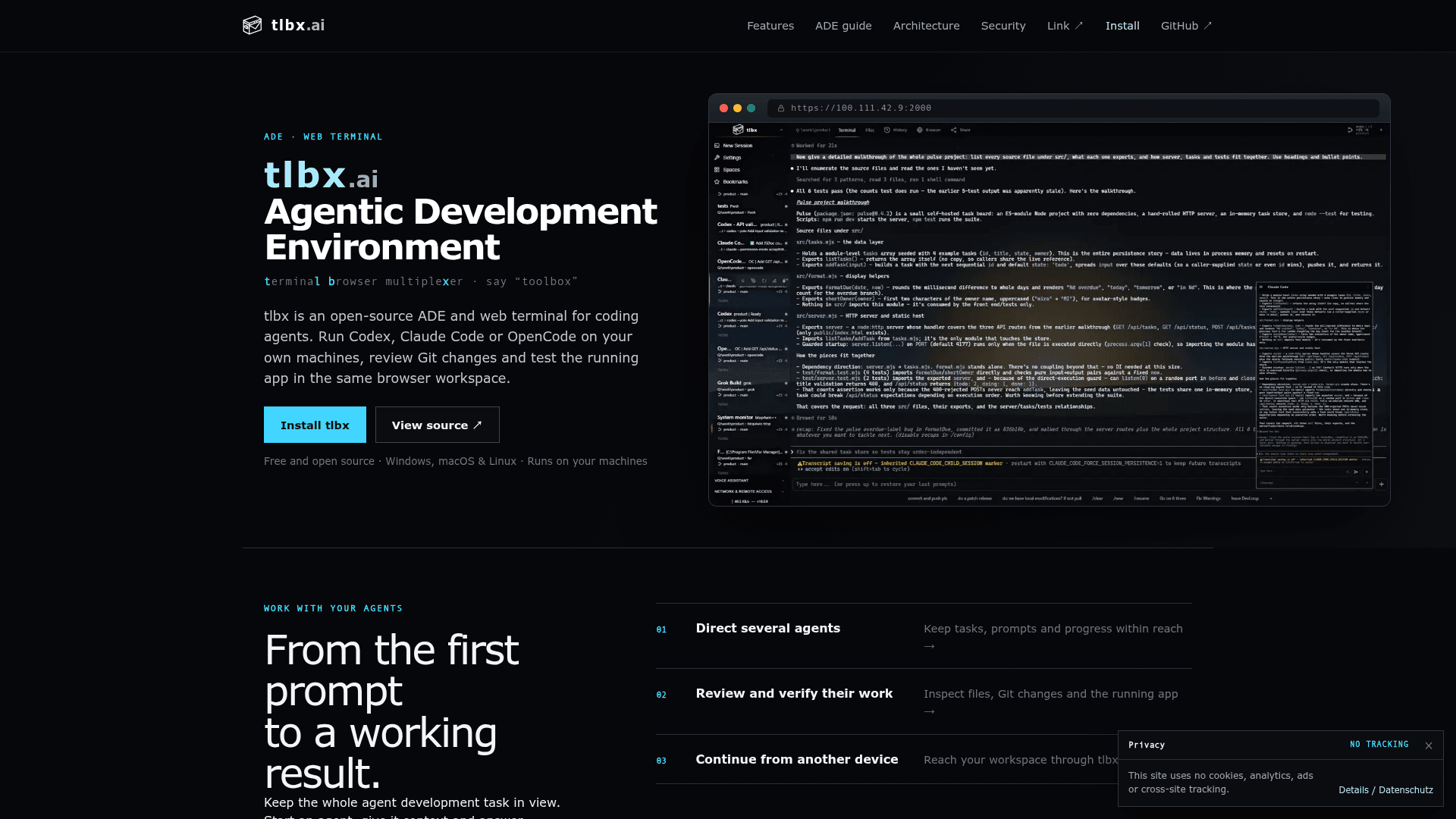
tlbx (terminal browser multiplexer, pronounced "toolbox") is an open-source agentic development environment and web terminal for coding agents. It lets you run agents such as Codex, Claude Code or OpenCode on your own machines, then review Git changes and test the running app in the same browser workspace. The features page lists Windows, macOS and Linux builds and an AGPL-3.0 license.
What It Is
tlbx is a self-hosted workspace that runs on the machine where your repositories and tools already live. You open it in a browser and choose between two session types: a Terminal Session for a normal shell, editor, agent or dev server, and an Agent Controller Session that shows a conversation view with tool calls, code changes and approval buttons for supported agents. Terminals use native pseudoterminals and run any shell and full-screen programs such as vim, btop and lazygit.
Working With Agents
The Agent Controller launches Codex or supported ACP agents, including Grok Build, OpenCode, Gemini CLI and Copilot CLI, and custom agents can be added through a config file. It keeps conversation history on the host, renders tool calls and diffs, and lets you approve or decline requests. Sessions can be grouped in a sidebar, queued with follow-up prompts, scheduled, or driven by reusable actions and command chains. Git worktrees, multi-repo watching and file previews help you inspect what agents changed.
Dev Browser and Verification
A docked Dev Browser proxies apps running on the host so localhost pages render in your browser without exposing their ports. It offers screenshots to the terminal, DOM snapshots, console and proxy logs, responsive viewports and named preview profiles. Generated CLI helpers let agents query and control the live preview themselves.
Remote Access and Security
tlbx Link connects your browser to your own machines over encrypted WebRTC, directly when possible and through a relay otherwise, without inbound port forwarding. Access keys stay in the browser profile. You can also connect via LAN or a private VPN. The host uses password authentication, API keys, built-in HTTPS and scoped session share links. Agents use their configured model providers, whose charges and data policies apply.
Community Discussions
Be the first to start a conversation about tlbx
Share your experience with tlbx, ask questions, or help others learn from your insights.
Pricing
Open Source
Free, self-hosted software under AGPL-3.0. Model-provider and infrastructure costs are separate.
- AGPL-3.0 license
- Windows, macOS and Linux host support
- Browser terminal and agent-controller sessions
- Git diff review and app previews
- Access through LAN, VPN or tlbx Link
Capabilities
Key Features
- Terminal and Agent Controller session types
- Support for Codex, Claude Code, OpenCode and ACP agents
- Docked Dev Browser with proxy, screenshots and logs
- Git diff, worktree and multi-repo tracking
- tlbx Link remote access over encrypted WebRTC
- Sessions persist across browser close and updates
- Prompt queue, scheduled actions and command chains
- Hub for managing multiple hosts
- Password auth, API keys and built-in HTTPS
- Voice assistant and push-to-talk input
- Ten UI languages and PWA install
- Stable and dev update channels