
Main Menu
  • Tools
  • Developers
  • Topics
  • Discussions
  • News
  • Blogs
  • Builds
  • Contests
Create
Sign In
    EveryDev.ai
    Sign inSubscribe
    Home
    Tools

    1,624+ AI tools

    • New
    • Trending
    • Featured
    • Compare
    Categories
    • Coding733
    • Agents640
    • Marketing302
    • Infrastructure298
    • Design239
    • Analytics228
    • Research224
    • Projects207
    • Integration148
    • Testing129
    • Data125
    • Learning115
    • MCP113
    • Security107
    • Extensions94
    • Prompts79
    • Communication73
    • Voice71
    • Commerce70
    • Web59
    • DevOps46
    • Finance12
    Sign In
    1. Home
    2. Tools
    3. tmux
    tmux icon

    tmux

    Command Line Assistants

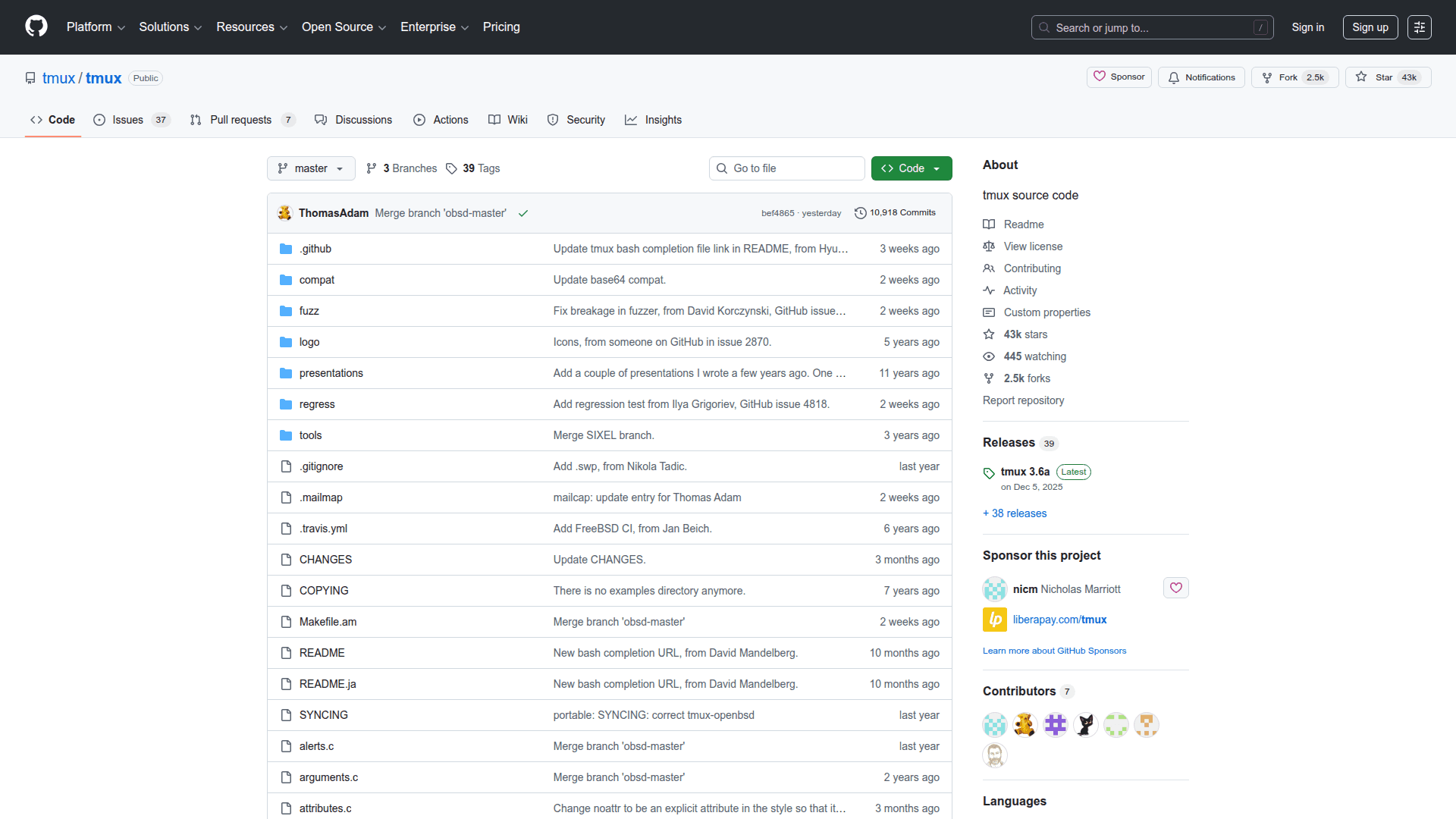
    tmux is an open-source terminal multiplexer that lets you create, manage, and navigate multiple terminal sessions from a single window.

    Visit Website

    At a Glance

    Pricing

    Open Source

    Completely free and open-source terminal multiplexer under the ISC license.

    Engagement

    Available On

    macOS
    Linux
    Web
    API
    CLI

    Resources

    WebsiteDocsGitHubllms.txt

    Topics

    Command Line AssistantsDevelopment EnvironmentsProductivity Extensions

    Listed Mar 2026

    About tmux

    tmux is a powerful open-source terminal multiplexer for Unix-like operating systems, allowing users to run multiple terminal sessions within a single window or remote connection. It enables persistent sessions that survive disconnections, making it invaluable for remote server work and long-running processes. tmux supports splitting windows into panes, creating named sessions, and scripting complex terminal layouts — all from the command line.

    • Session management: Create, attach, detach, and switch between named sessions; sessions persist even after disconnecting from SSH.
    • Window and pane splitting: Split the terminal horizontally or vertically into multiple panes, each running independent shell processes.
    • Status bar: A customizable bottom status bar displays session info, window list, and system stats.
    • Key bindings: All commands are accessible via a configurable prefix key (default: Ctrl+b), with full support for custom key mappings in .tmux.conf.
    • Copy mode: Scroll through terminal output, search text, and copy content using vi or emacs key bindings.
    • Scripting and automation: Use tmux commands in shell scripts to programmatically create and manage sessions, windows, and panes.
    • Plugin support: Extend functionality with community plugins via the Tmux Plugin Manager (TPM), including session persistence, theme customization, and more.
    • Mouse support: Optional mouse mode allows clicking to select panes, resize splits, and scroll through history.

    To get started, install tmux via your system package manager (e.g., apt install tmux, brew install tmux), then run tmux to start a new session. Use Ctrl+b ? to view all key bindings.
    tmux - 1

    Community Discussions

    Be the first to start a conversation about tmux

    Share your experience with tmux, ask questions, or help others learn from your insights.

    Pricing

    OPEN SOURCE

    Open Source

    Completely free and open-source terminal multiplexer under the ISC license.

    • Multiple terminal sessions
    • Window and pane splitting
    • Persistent sessions
    • Customizable key bindings
    • Copy mode
    View official pricing

    Capabilities

    Key Features

    • Terminal multiplexing
    • Multiple panes and windows
    • Persistent sessions
    • Detach and reattach sessions
    • Horizontal and vertical pane splitting
    • Customizable status bar
    • Copy mode with vi/emacs bindings
    • Mouse support
    • Scripting and automation
    • Plugin support via TPM
    • Custom key bindings via .tmux.conf
    • SSH session persistence

    Integrations

    SSH
    Bash
    Zsh
    Fish
    Vim
    Neovim
    Tmux Plugin Manager (TPM)
    API Available
    View Docs

    Reviews & Ratings

    No ratings yet

    Be the first to rate tmux and help others make informed decisions.

    Developer

    tmux Team

    tmux is an open-source terminal multiplexer project maintained by a community of contributors on GitHub. The project provides a robust, scriptable terminal session manager widely used by developers and system administrators. It is distributed under the ISC license and actively maintained with regular releases.

    Read more about tmux Team
    WebsiteGitHub
    1 tool in directory

    Similar Tools

    OpenCode icon

    OpenCode

    OpenCode is an open-source AI coding agent that runs in the terminal and web, enabling developers to use free or external models with a privacy-first, no-account workflow.

    Rally icon

    Rally

    Rally is an open-source project hosted on GitHub by ddgonzal3.

    Beehive icon

    Beehive

    Manage multiple GitHub repos, create isolated git workspaces, and run coding agents side-by-side — all from one desktop or terminal window.

    Browse all tools

    Related Topics

    Command Line Assistants

    AI-powered command-line assistants that help developers navigate, search, and execute terminal commands with intelligent suggestions and context awareness.

    85 tools

    Development Environments

    AI-enhanced code editors and IDEs that improve the coding experience.

    106 tools

    Productivity Extensions

    Extensions and plugins that improve workflow and productivity.

    50 tools
    Browse all topics
    Back to all tools
    Explore AI Tools
    • AI Coding Assistants
    • Agent Frameworks
    • MCP Servers
    • AI Prompt Tools
    • Vibe Coding Tools
    • AI Design Tools
    • AI Database Tools
    • AI Website Builders
    • AI Testing Tools
    • LLM Evaluations
    Follow Us
    • X / Twitter
    • LinkedIn
    • Reddit
    • Discord
    • Threads
    • Bluesky
    • Mastodon
    • YouTube
    • GitHub
    • Instagram
    Get Started
    • About
    • Editorial Standards
    • Corrections & Disclosures
    • Community Guidelines
    • Advertise
    • Contact Us
    • Newsletter
    • Submit a Tool
    • Start a Discussion
    • Write A Blog
    • Share A Build
    • Terms of Service
    • Privacy Policy
    Explore with AI
    • ChatGPT
    • Gemini
    • Claude
    • Grok
    • Perplexity
    Agent Experience
    • llms.txt
    Theme
    With AI, Everyone is a Dev. EveryDev.ai © 2026
    Sign in
    0views
    0upvotes
    0discussions