
Main Menu
  • Tools
  • Developers
  • Topics
  • Discussions
  • News
  • Blogs
  • Builds
  • Contests
  • Compare
Create
    EveryDev.ai
    Sign inSubscribe
    Home
    Tools

    1,933+ AI tools

    • New
    • Trending
    • Featured
    • Compare
    Categories
    • Agents1038
    • Coding971
    • Infrastructure415
    • Marketing398
    • Design335
    • Projects313
    • Analytics299
    • Research290
    • Testing183
    • Integration167
    • Data163
    • Security156
    • MCP145
    • Learning135
    • Communication120
    • Extensions114
    • Prompts110
    • Commerce106
    • Voice102
    • DevOps84
    • Web71
    • Finance18
    1. Home
    2. Tools
    3. Unpack
    Unpack icon

    Unpack

    Agent Frameworks

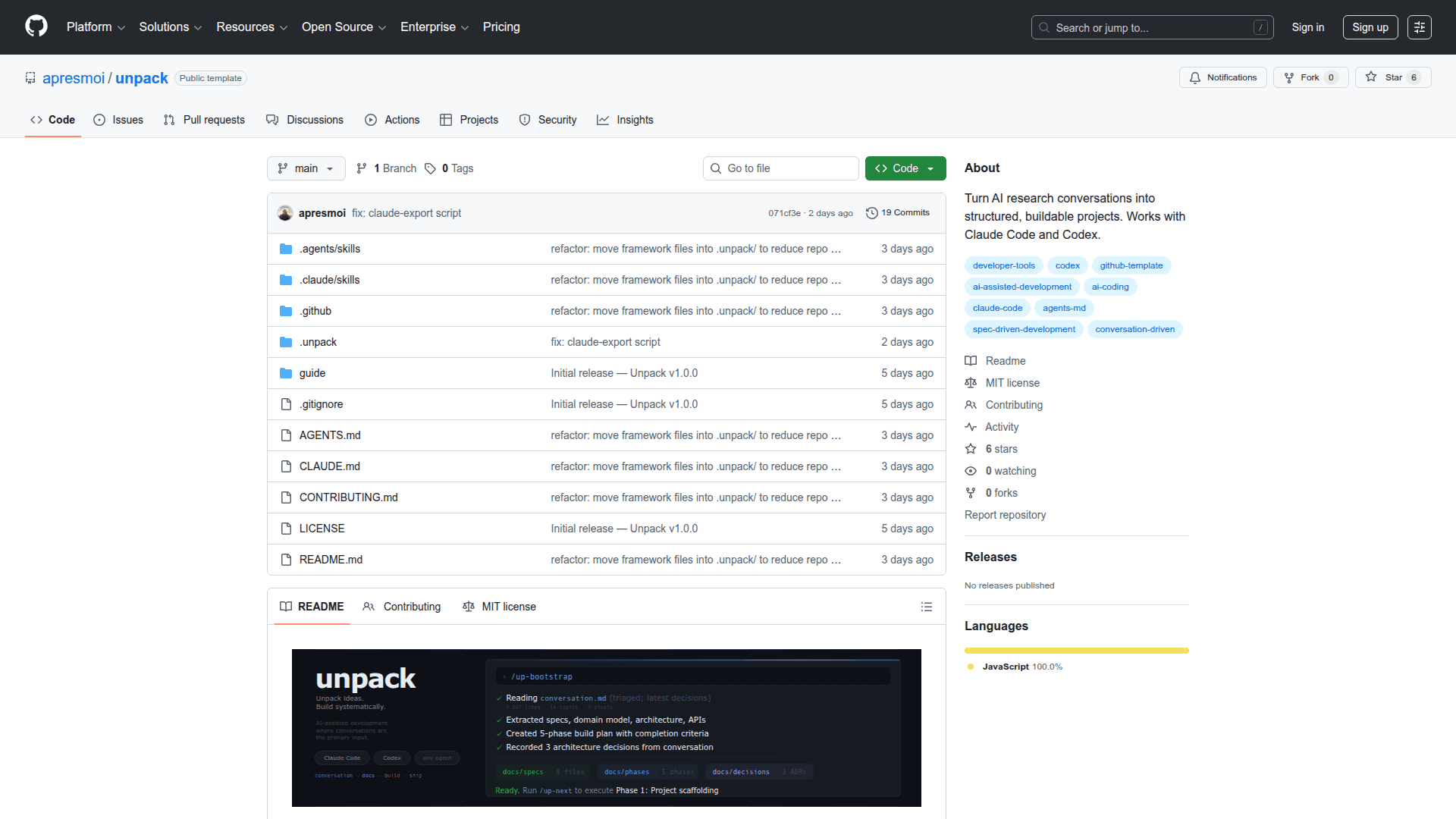
    Open-source framework that turns AI research conversations into structured, buildable projects for Claude Code and Codex.

    Visit Website

    At a Glance

    Pricing
    Open Source

    Fully open-source under the MIT License

    Engagement

    Available On

    macOS
    Linux
    Windows
    SDK

    Resources

    WebsiteGitHubllms.txt

    Topics

    Agent FrameworksAI Coding AssistantsDocumentation

    Alternatives

    Background AgentsLetta CodeGastown
    Developer
    apresmoiJuan Cruz Fortunatti is an independent developer and systems…

    Listed Feb 2026

    About Unpack

    Unpack is an open-source framework for AI-assisted development where conversations are the primary input. It bridges the gap between exploratory AI chat sessions and structured software development by transforming messy research conversations into phased build plans that coding agents can execute reliably.

    Research freely in ChatGPT, Claude, or any AI tool, then drop the conversation into your project. Unpack decompresses it into structured specs, phases, and execution plans that agents like Claude Code and Codex can follow systematically.

    • Conversation-First Workflow - Save any AI conversation as a markdown file and run /up-bootstrap to extract specs, requirements, architecture decisions, and create a phased build plan automatically
    • Phase-Driven Execution - Run /up-next to execute phases one at a time, each with clear scope, completion criteria, and tests so the coding agent follows the plan rather than improvising
    • Snapshot and Iterate - Export the current project state as a portable markdown file with /up-snapshot, take it to any AI for further research, then apply findings back with /up-apply
    • Agent-Agnostic Design - Works with Claude Code via CLAUDE.md and slash commands, and with Codex via AGENTS.md, using markdown instructions any agent can read
    • Spec-Driven Documentation - Maintains two documentation layers: agent docs in .unpack/docs/ as the source of truth for AI coding agents, and human docs in guide/ for developers and stakeholders
    • Standards Library - Ships with 15 coding standards covering TypeScript, React, Next.js, Express, Prisma, Tailwind, Python, Docker, and AWS, automatically matched to your stack during bootstrap
    • Conversation Versioning - Every conversation is preserved and numbered in .unpack/conversations/, making the full research history traceable so every decision can be traced back to its origin
    • Long Conversation Handling - Uses a two-pass triage protocol for complex conversations over 2000 lines, scanning for topic timelines, pivot points, and final decisions before extracting
    • Existing Project Adoption - Run /up-adopt to bring Unpack into an existing codebase, where the agent scans the project, generates discovery docs, and creates alignment phases
    • Flexible Input Formats - Accepts any conversation format including ChatGPT exports, raw AI conversation copy-paste, meeting notes, brainstorm docs, or design discussions in markdown

    To get started, use the GitHub template to create a new repo, clone it locally, and run /up-init to configure your agent and preferences. Research your project idea in any AI, save the chat as conversation.md, then run /up-bootstrap followed by /up-next to begin building.
    Unpack - 1

    Community Discussions

    Be the first to start a conversation about Unpack

    Share your experience with Unpack, ask questions, or help others learn from your insights.

    Pricing

    OPEN SOURCE

    Open Source

    Fully open-source under the MIT License

    • All framework features included
    • 15 built-in coding standards
    • Claude Code and Codex support
    • Conversation versioning
    • Phase-driven execution

    Capabilities

    Key Features

    • Conversation-to-spec decomposition
    • Phase-driven build execution
    • Project state snapshots for external research
    • Claude Code and Codex agent support
    • Conversation versioning and traceability
    • Two-layer documentation system (agent docs and human docs)
    • 15 built-in coding standards for common stacks
    • Long conversation triage protocol
    • Existing project adoption workflow
    • Spec-driven development with Architecture Decision Records
    • Any-format conversation input support
    • ChatGPT conversation export bookmarklet
    • Mintlify-powered human documentation generation
    • Stack-aware standards matching
    • Portable markdown snapshots

    Integrations

    Claude Code
    Codex
    ChatGPT
    Claude
    Gemini
    Mintlify
    GitHub

    Reviews & Ratings

    No ratings yet

    Be the first to rate Unpack and help others make informed decisions.

    Developer

    apresmoi

    Juan Cruz Fortunatti is an independent developer and systems tinkerer who builds open-source tools for AI-assisted development workflows. He created Unpack, a framework that transforms AI research conversations into structured, buildable software projects. His work focuses on bridging the gap between creative AI exploration and systematic code execution.

    Read more about apresmoi
    GitHub
    1 tool in directory

    Similar Tools

    Background Agents icon

    Background Agents

    An open-source framework for background coding agents that autonomously handle tasks from code to tests to merged PRs, enabling non-engineers to ship code.

    Letta Code icon

    Letta Code

    Letta Code is an AI coding assistant powered by stateful agents with persistent memory, enabling long-context, multi-session coding help directly in your development environment.

    Gastown icon

    Gastown

    An AI-powered code assistant framework for building intelligent coding agents and assistants.

    Browse all tools

    Related Topics

    Agent Frameworks

    Tools and platforms for building and deploying custom AI agents.

    177 tools

    AI Coding Assistants

    AI tools that help write, edit, and understand code with intelligent suggestions.

    363 tools

    Documentation

    AI-driven tools that automatically generate, maintain, and organize technical documentation, user guides, and project artifacts with context-aware content and intelligent updating.

    44 tools
    Browse all topics
    Back to all tools
    Explore AI Tools
    • AI Coding Assistants
    • Agent Frameworks
    • MCP Servers
    • AI Prompt Tools
    • Vibe Coding Tools
    • AI Design Tools
    • AI Database Tools
    • AI Website Builders
    • AI Testing Tools
    • LLM Evaluations
    Follow Us
    • X / Twitter
    • LinkedIn
    • Reddit
    • Discord
    • Threads
    • Bluesky
    • Mastodon
    • YouTube
    • GitHub
    • Instagram
    Get Started
    • About
    • Editorial Standards
    • Corrections & Disclosures
    • Community Guidelines
    • Advertise
    • Contact Us
    • Newsletter
    • Submit a Tool
    • Start a Discussion
    • Write A Blog
    • Share A Build
    • Terms of Service
    • Privacy Policy
    Explore with AI
    • ChatGPT
    • Gemini
    • Claude
    • Grok
    • Perplexity
    Agent Experience
    • llms.txt
    Theme
    With AI, Everyone is a Dev. EveryDev.ai © 2026
    24views
    Discussions